
EndroCity Client
Client Sided Collaboration Tool for Teammates, Sync Journey Maps, Ping Locations and Share Screenshots Effortlessly
Screenshots
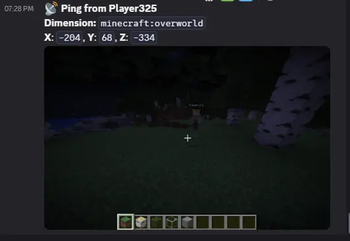
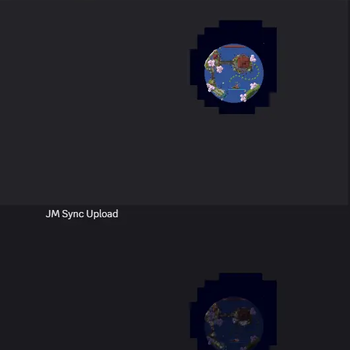
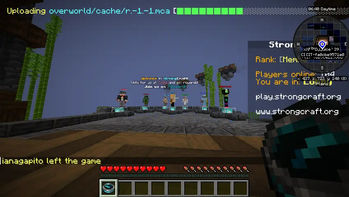
About this Mod
Some Features of the Mod need JourneyMap Mod
Teammates need the mod installed for it to work
It doesn't need server side so it will work on any server
Showcase:
Guide:
By default everyone with the mod is using the default team and pass
If mod is on Server Side You can Use / commands otherwise Use the same command but starting with . instead of /
Below I gave the .version of commands as it works on all servers
Use these commands to make pings,etc private for your team
.ec mqtt setteam yourteamname
.ec mqtt setpass password
Once team is set it also shows you teammates outside renderdistance on your JourneyMap
Replace urls with 2 different Discord Webhook Urls
(A simple google search will guide you on getting Webhook Url for a Discord Channel)
.ec setpingurl url
.ec setmapurl url
Now everytime You Ping Screenshot will be sent to that channel
and the map channel will be used to sync Journey Maps of your Team
.ec syncmap push
.ec syncmap pull
push will upload your explored area of map to discord
pull will download others explored area of map from discord
(This lets Teammates have a Combined Explored Map)
For this to work teammates must use the same server name while saving the server or it won't work even tho it will upload and download
Available Versions
How to Install EndroCity Client on Your Server
Order Server
Order a Minecraft Java server with at least 3 GB RAM (4 GB recommended).
Set fabric Loader
In the panel under "Egg", select the fabric loader and matching Minecraft version (1.21.4).
Install Mod
Open the mod browser in the dashboard and search for "EndroCity Client". Click "Install" – done! Alternatively, upload the .jar via SFTP to the /mods folder.
Compatibility
Mod Loaders
Minecraft Versions
1.21.4, 1.21.1
Server-side
✗ UnsupportedRecommended RAM
4 GB(min. 3 GB)Frequently Asked Questions
EndroCity Client server crashes on startup – what to do?
Most common cause: wrong fabric version or insufficient RAM. Check the server log (latest.log) for "OutOfMemoryError" or "Mixin" errors. With Mado Hosting: ensure at least 3 GB RAM is allocated and the loader matches the mod version (1.21.4). You can switch loaders with one click in the panel.
Is EndroCity Client compatible with fabric and neoforge?
EndroCity Client officially supports fabric, neoforge for Minecraft 1.21.4, 1.21.1. The Mado dashboard automatically detects incompatible loader combinations.
Server lagging with EndroCity Client – how to optimize performance?
Recommended RAM: 4 GB (per 8 players). Use /spark profiler to check if EndroCity Client consumes the most tick time. Common fixes: reduce server view-distance to 8-10, install "performant" or "starlight" as supplementary mods on Forge. With Mado Hosting, your server runs on NVMe SSDs with dedicated CPU cores for minimal latency.
Rent Modded Server
Install EndroCity Client with just one click on your server.