
Entity Controller Blocks
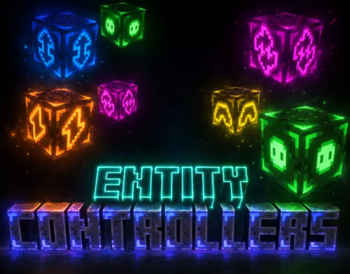
Control any entity's movement, rotation, and actions with just a few simple blocks.
Screenshots
About this Mod
This mod would be perfect for Minecraft players who create videos. Especially for those who have friends that don't play Minecraft.
Using mannequins from Minecraft's new update, you can basically create fake players that move around, look around, and even attack. All with the power of these blocks:
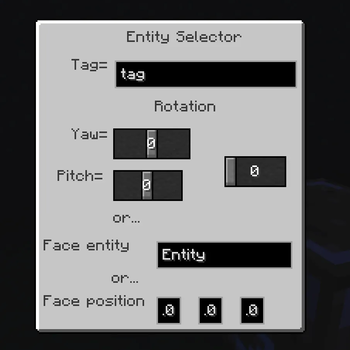
-Entity Rotator: change the rotation of an entity.
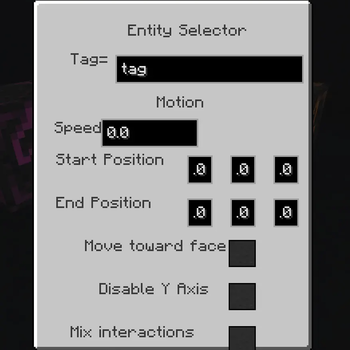
-Entity Mover: change the motion of an entity. many options. move toward pos, move toward face.
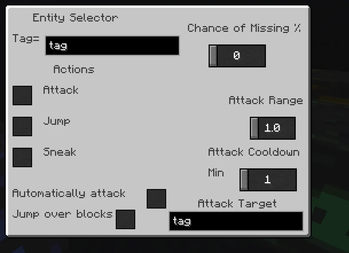
-Entity Action Executer: make ANY entity attack, jump, or sneak. many options. attack cooldown, chance of missing.
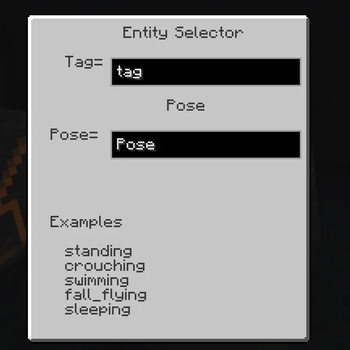
-Entity Pose Setter: set the pose of an entity. (sneak, swim, stand, etc) ONLY WORKS ON MANNEQUINS
-Entity Controller: make an entity controller another entity. (acts like a repeating command block that tps entities to another)
MORE INFO IN GALLERY
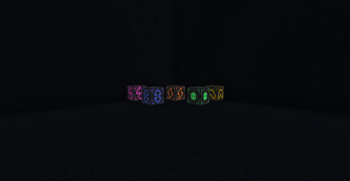
This mod also adds a new redstone block called the Redstone Timer. When activated, it will emit redstone for a certain amount of time (determine the time using the gui), then once the time runs out it will stop emitting and will pass the redstone to another block. This will be useful for making sequences of the entity controllers to have full control over an entity.
Available Versions
How to Install Entity Controller Blocks on Your Server
Order Server
Order a Minecraft Java server with at least 3 GB RAM (4 GB recommended).
Set neoforge Loader
In the panel under "Egg", select the neoforge loader and matching Minecraft version (1.21.8).
Install Mod
Open the mod browser in the dashboard and search for "Entity Controller Blocks". Click "Install" – done! Alternatively, upload the .jar via SFTP to the /mods folder.
Compatibility
Mod Loaders
Minecraft Versions
1.21.8
Server-side
✓ RequiredRecommended RAM
4 GB(min. 3 GB)Frequently Asked Questions
Entity Controller Blocks server crashes on startup – what to do?
Most common cause: wrong neoforge version or insufficient RAM. Check the server log (latest.log) for "OutOfMemoryError" or "Mixin" errors. With Mado Hosting: ensure at least 3 GB RAM is allocated and the loader matches the mod version (1.21.8). You can switch loaders with one click in the panel.
Is Entity Controller Blocks compatible with neoforge?
Entity Controller Blocks officially supports neoforge for Minecraft 1.21.8. The Mado dashboard automatically detects incompatible loader combinations.
Server lagging with Entity Controller Blocks – how to optimize performance?
Recommended RAM: 4 GB (per 8 players). Use /spark profiler to check if Entity Controller Blocks consumes the most tick time. Common fixes: reduce server view-distance to 8-10, install "performant" or "starlight" as supplementary mods on Forge. With Mado Hosting, your server runs on NVMe SSDs with dedicated CPU cores for minimal latency.
Rent Modded Server
Install Entity Controller Blocks with just one click on your server.