
EntityNames
Every mob should have a name, so it shall have one!
Screenshots
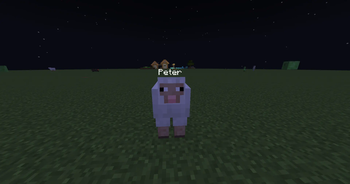
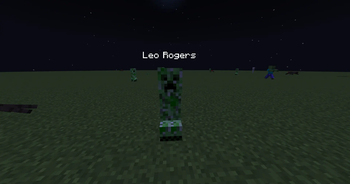

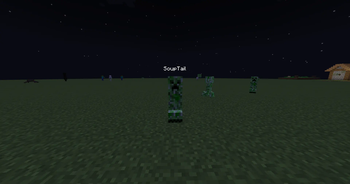
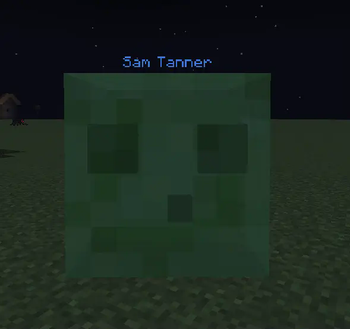
About this Mod
EntityNames
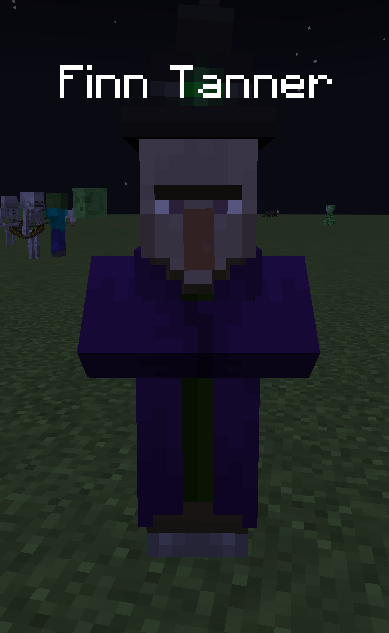


It's rude to call Tom, the Skeleton, "Skeleton". I mean, he has a name, doesn't he‽ Now, you can have manners, and call mobs by their names! If you don't want to call them by their names, you can make names display in other formats, such as:
- First name only (e.g.
James) - First and last name (e.g.
James Bond) - First, last, and nickname (e.g.
James "FatSnail" Bond) - Nickname only (e.g.
James)
Finally, you can have conversations with your friends that go something like this:
- <**Troyzen**> Bro, Tom is absoloutely annihilating me right now. Holy, s@!t.
- <**xXPeter_GamezXx**> Lmao, skill issu- oh f@@k, I just accidentally looked Tom in the eyes. HELP! HELP!
xXPeter_GamezXx was slain by Enderman
- <**Troyzen**> Lmao, who's the one with the skill issue no-
Troyzen was slain by Skeleton
- <**Troyzen**> 😐
Note for Servers
This mod is mostly client-side but if you would like to change death messages to show generated names, you can install it on the server. Just note that players without the mod on your server will also see the generated names in death messages, so keep that in mind.
Config
You can add first/last names, and also change the display mode. See the Gallery for preview images. Changing the text colour is possible too. :)
Multiplayer Notice
I have no idea if the names will sync between you and your friends. Each mob/entity has an ID given by Minecraft itself, and that ID is used to generate the names. I'm not sure if Minecraft syncs these IDs automatically or not.
Modpacks
Please. Use this mod in your modpacks. 😂
Available Versions
How to Install EntityNames on Your Server
Order Server
Order a Minecraft Java server with at least 3 GB RAM (4 GB recommended).
Set neoforge Loader
In the panel under "Egg", select the neoforge loader and matching Minecraft version (1.21.4).
Install Mod
Open the mod browser in the dashboard and search for "EntityNames". Click "Install" – done! Alternatively, upload the .jar via SFTP to the /mods folder.
Compatibility
Mod Loaders
Minecraft Versions
1.21.4
Server-side
✗ UnsupportedRecommended RAM
4 GB(min. 3 GB)Frequently Asked Questions
EntityNames server crashes on startup – what to do?
Most common cause: wrong neoforge version or insufficient RAM. Check the server log (latest.log) for "OutOfMemoryError" or "Mixin" errors. With Mado Hosting: ensure at least 3 GB RAM is allocated and the loader matches the mod version (1.21.4). You can switch loaders with one click in the panel.
Is EntityNames compatible with neoforge?
EntityNames officially supports neoforge for Minecraft 1.21.4. The Mado dashboard automatically detects incompatible loader combinations.
Server lagging with EntityNames – how to optimize performance?
Recommended RAM: 4 GB (per 8 players). Use /spark profiler to check if EntityNames consumes the most tick time. Common fixes: reduce server view-distance to 8-10, install "performant" or "starlight" as supplementary mods on Forge. With Mado Hosting, your server runs on NVMe SSDs with dedicated CPU cores for minimal latency.
Similar Mods




Rent Modded Server
Install EntityNames with just one click on your server.