
Erudium
A Mod that cool weapons, custom mobs and overpowered food that is nothing short of strange
Screenshots
About this Mod
Erudium Mod – Project Description
What the project does or adds:
Erudium is a custom Minecraft mod designed for private servers. It adds a variety of unique items, blocks, and gameplay features to enhance building, exploration, and fun with friends, including:
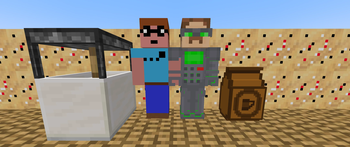
Smoked Sand – A food for some reason?
Pokerfish Extract & Pokerfish Sand – things for smoked sand and also fuel
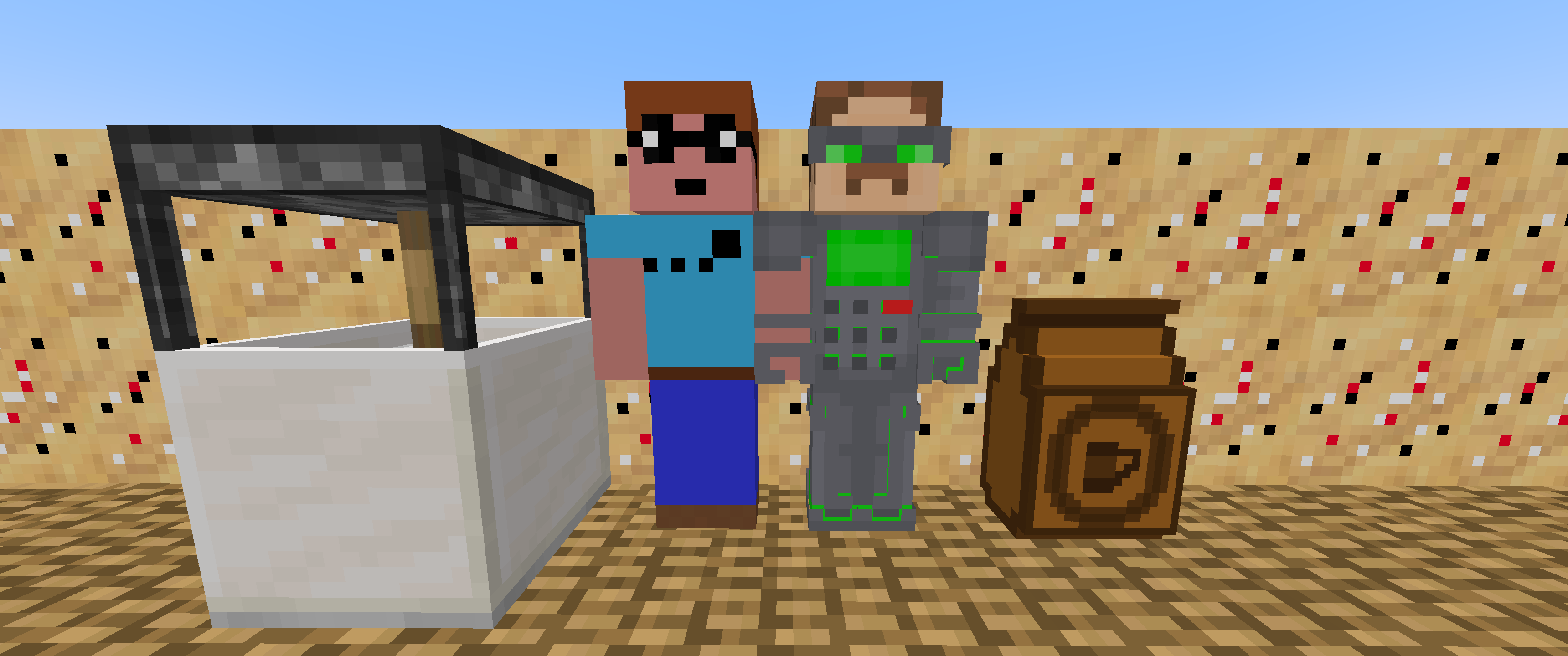
Honza & Vojta – Custom NPCs or entities for added personality
Compressor – a utility block for crafting or resource processing
Coffee Stuff – items and mechanics related to coffee
Villager Profession – a new job type for villagers to interact with
JEI Compatibility – ensures all new items and recipes are visible in the Just Enough Items interface
When should you download it:
When you feel like theres not enough chaos in your modpack
Other critical information:
Designed primarily for private or small-group servers.
Focused on fun and customization rather than complex systems.
Credit
Endless Void Dimension Skybox:
FREE - SkyBox Space Nebula by Paul under CC Attribution License
https://sketchfab.com/3d-models/free-skybox-space-nebula-fa5c19c4f7cc4525a24b99425bd520c8
Kuroshoten model & texture:
Scythe by Nero under CC Attribution License
https://sketchfab.com/3d-models/scythe-961b249416644ea6b64c457677a72de7
Edited textures and model
Available Versions
How to Install Erudium on Your Server
Order Server
Order a Minecraft Java server with at least 3 GB RAM (4 GB recommended).
Set forge Loader
In the panel under "Egg", select the forge loader and matching Minecraft version (1.20.1).
Install Mod
Open the mod browser in the dashboard and search for "Erudium". Click "Install" – done! Alternatively, upload the .jar via SFTP to the /mods folder.
Compatibility
Mod Loaders
Minecraft Versions
1.20.1
Server-side
✓ RequiredRecommended RAM
4 GB(min. 3 GB)Frequently Asked Questions
Erudium server crashes on startup – what to do?
Most common cause: wrong forge version or insufficient RAM. Check the server log (latest.log) for "OutOfMemoryError" or "Mixin" errors. With Mado Hosting: ensure at least 3 GB RAM is allocated and the loader matches the mod version (1.20.1). You can switch loaders with one click in the panel.
Is Erudium compatible with forge?
Erudium officially supports forge for Minecraft 1.20.1. The Mado dashboard automatically detects incompatible loader combinations.
Server lagging with Erudium – how to optimize performance?
Recommended RAM: 4 GB (per 8 players). Use /spark profiler to check if Erudium consumes the most tick time. Common fixes: reduce server view-distance to 8-10, install "performant" or "starlight" as supplementary mods on Forge. With Mado Hosting, your server runs on NVMe SSDs with dedicated CPU cores for minimal latency.
Similar Mods





Rent Modded Server
Install Erudium with just one click on your server.