
Eshan's Missile Mod
Eshan's Missile Mod introduces modular missiles, warheads, radar, and a missile programmer to Minecraft.
Screenshots

About this Mod

Introducing Eshan's Missile Mod!
You build multi-block missiles from blocks, set a target, and launch them.
Flight is physics-based: thrust, fuel, mass, drag, and gravity all matter.
Higher tiers give you more range, better maneuvering, and bigger explosions.
Watch me launch a missile!
Quick start
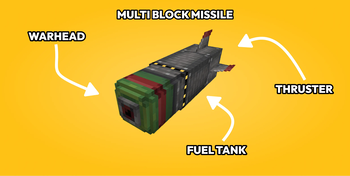
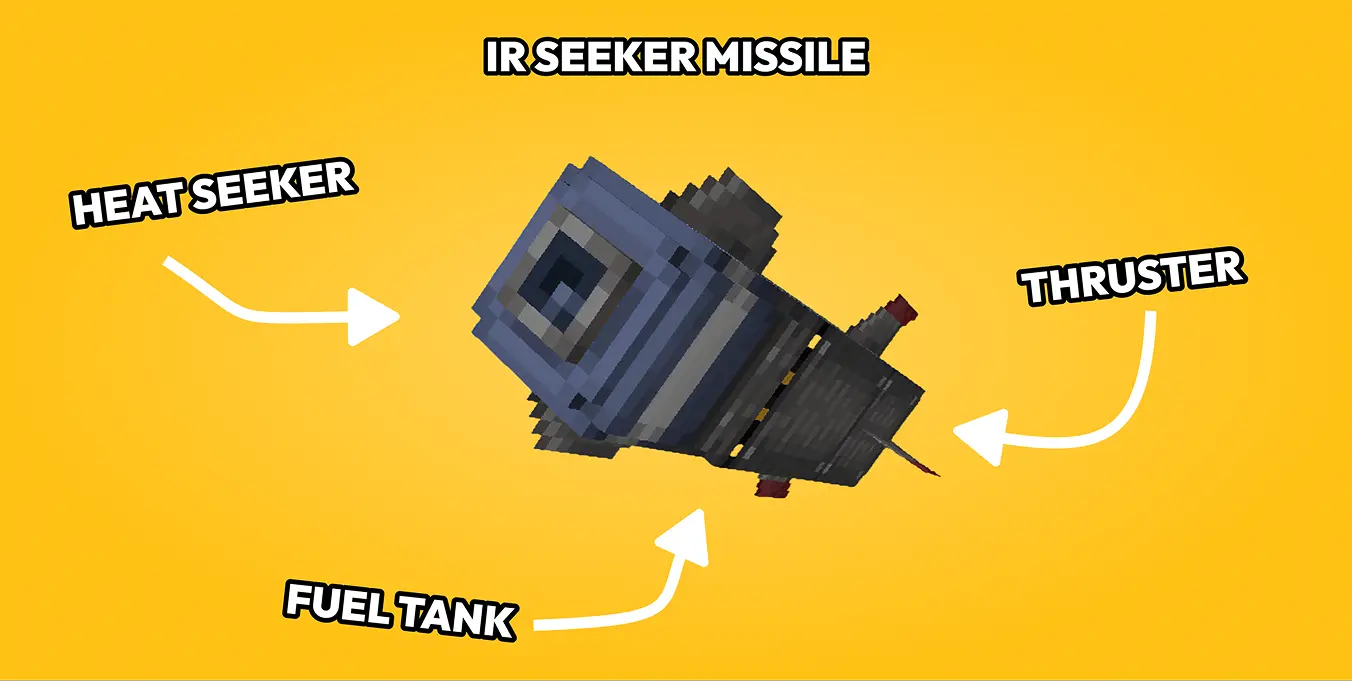
- Stack thruster (bottom), 1–5 tanks, warhead or seeker head (top). Same facing on all parts.
- Upgrade thruster/tank tiers with nozzles and fuel cores (right-click or apply using a dispense facing the block).
- Place the missile programmer touching the missile stack and set X/Y/Z and frequency.
- Place radar if you want threat tracking and set frequency for whitelisting missiles.
- Redstone input at the thruster or press launch in the missile programmer.
Features
- Modular missile stacks (1–5 tanks, mixed tank tiers ok)
- Tier upgrades: Copper / Iron / Steel / Netherite
- Warheads: HE tiers + incendiary, cluster, cluster incendiary, nuclear
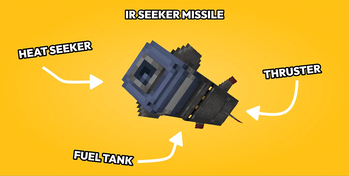
- IR seeker head for homing missiles
- Missile programmer with target coords and frequency (friendly ID for radar)
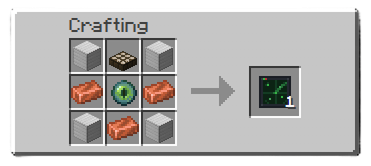
- Radar: FE-powered scan, redstone/comparator output (redstone = range, comparator = # of missiles detected) with optional Create Display Link integration
- Physics flight: climb, guidance, terminal corrections
- VLS cell detection for sealed vertical launches
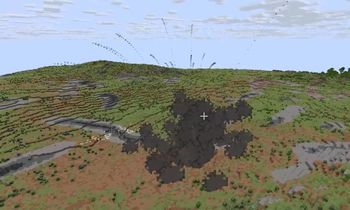
- Custom explosions, craters, shrapnel
- Positional audio (launch, motor, incoming warning, blast) for realism
Commands
/emm give wand

/emm spawn <type> <x> <y> <z> [count] [spacing_ticks]

/emm missiles list
/emm missiles clear

/emm doRadarChunkRendering <true|false>
/emm radarChunkRadius <0-5>
/emm guidanceLogging <true|false>
Demo's
Available Versions
How to Install Eshan's Missile Mod on Your Server
Order Server
Order a Minecraft Java server with at least 3 GB RAM (4 GB recommended).
Set neoforge Loader
In the panel under "Egg", select the neoforge loader and matching Minecraft version (1.21.1).
Install Mod
Open the mod browser in the dashboard and search for "Eshan's Missile Mod". Click "Install" – done! Alternatively, upload the .jar via SFTP to the /mods folder.
Compatibility
Mod Loaders
Minecraft Versions
1.21.1
Server-side
✓ RequiredRecommended RAM
4 GB(min. 3 GB)Frequently Asked Questions
Eshan's Missile Mod server crashes on startup – what to do?
Most common cause: wrong neoforge version or insufficient RAM. Check the server log (latest.log) for "OutOfMemoryError" or "Mixin" errors. With Mado Hosting: ensure at least 3 GB RAM is allocated and the loader matches the mod version (1.21.1). You can switch loaders with one click in the panel.
Is Eshan's Missile Mod compatible with neoforge?
Eshan's Missile Mod officially supports neoforge for Minecraft 1.21.1. The Mado dashboard automatically detects incompatible loader combinations.
Server lagging with Eshan's Missile Mod – how to optimize performance?
Recommended RAM: 4 GB (per 8 players). Use /spark profiler to check if Eshan's Missile Mod consumes the most tick time. Common fixes: reduce server view-distance to 8-10, install "performant" or "starlight" as supplementary mods on Forge. With Mado Hosting, your server runs on NVMe SSDs with dedicated CPU cores for minimal latency.
Similar Mods




Rent Modded Server
Install Eshan's Missile Mod with just one click on your server.