
Event Horizon: Chaos Mod
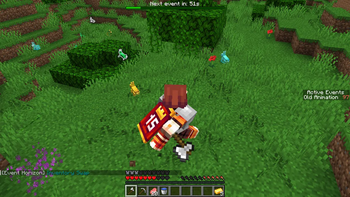
Event Horizon is a mod that triggers a completely random event every 60 seconds, altering gameplay - from harmless visual effects to global catastrophes!
Screenshots
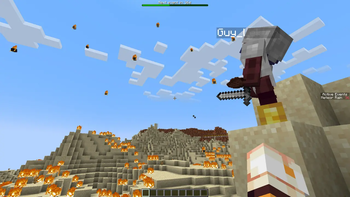
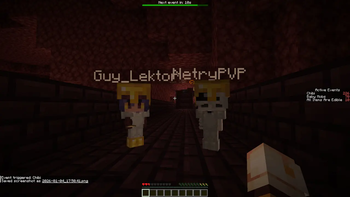
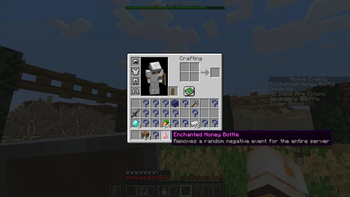
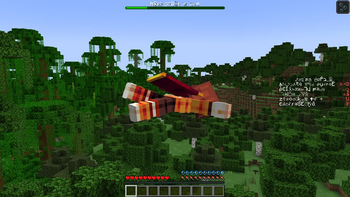
About this Mod
📌 About the Mod
Event Horizon is a mod that triggers a completely random gameplay-altering event every 60 seconds — from harmless visual quirks to full-blown global catastrophes!
✨ Key Features:
- 70+ unique events (meteor showers, gravity shifts, mob spawns, and much more)
- Flexible configuration — disable disliked events or adjust their duration
- Smooth control — events last 2 minutes by default (fully customizable)
- Multi-language support — English and Russian out of the box
🌍 Supported Languages
| Language | Code | Status |
|---|---|---|
| English (US) | en_us |
✅ Minor inaccuracies possible |
| Russian (Russia) | ru_ru |
✅ Full support |
⚙️ Installation
Requirements:
- Minecraft: 1.21.1
- Neoforge: 21.1.197+
Instructions:
- Install Neoforge Loader for Minecraft 1.21.1
(Note: This mod requires NeoForge, not Forge or Fabric!) - Download the mod file from this page
- Place the
.jarfile into your.minecraft/modsfolder - Launch the game
🎮 Commands
| Command | Description | Example |
|---|---|---|
/event start |
Start the event timer | /event start |
/event pause |
Pause the event timer | /event pause |
/event run <name> |
Trigger a specific event | /event run adventureMode |
/event run <name> <duration> |
Trigger an event with custom duration (in seconds) | /event run adventureMode 120 |
/event clear |
Cancel all active events | /event clear |
/event clear <name> |
Cancel a specific active event | /event clear adventureMode |
⚙️ Configuration
All settings are accessible via:Esc → Mods → Event Horizon
Main Options:
- Timer: Enable/disable, adjust interval duration
- Events: Toggle each event individually
- Duration: Set custom duration for every event
- Client Settings: Visual effects, sound notifications
✅ All changes apply instantly — no world reload required!
📜 License
This mod is licensed under the MIT License. You are free to use, modify, and distribute it in accordance with the license terms.
Available Versions
How to Install Event Horizon: Chaos Mod on Your Server
Order Server
Order a Minecraft Java server with at least 3 GB RAM (4 GB recommended).
Set neoforge Loader
In the panel under "Egg", select the neoforge loader and matching Minecraft version (1.21.1).
Install Mod
Open the mod browser in the dashboard and search for "Event Horizon: Chaos Mod". Click "Install" – done! Alternatively, upload the .jar via SFTP to the /mods folder.
Compatibility
Mod Loaders
Minecraft Versions
1.21.1
Server-side
✓ RequiredRecommended RAM
4 GB(min. 3 GB)Frequently Asked Questions
Event Horizon: Chaos Mod server crashes on startup – what to do?
Most common cause: wrong neoforge version or insufficient RAM. Check the server log (latest.log) for "OutOfMemoryError" or "Mixin" errors. With Mado Hosting: ensure at least 3 GB RAM is allocated and the loader matches the mod version (1.21.1). You can switch loaders with one click in the panel.
Is Event Horizon: Chaos Mod compatible with neoforge?
Event Horizon: Chaos Mod officially supports neoforge for Minecraft 1.21.1. The Mado dashboard automatically detects incompatible loader combinations.
Server lagging with Event Horizon: Chaos Mod – how to optimize performance?
Recommended RAM: 4 GB (per 8 players). Use /spark profiler to check if Event Horizon: Chaos Mod consumes the most tick time. Common fixes: reduce server view-distance to 8-10, install "performant" or "starlight" as supplementary mods on Forge. With Mado Hosting, your server runs on NVMe SSDs with dedicated CPU cores for minimal latency.
Similar Mods





Rent Modded Server
Install Event Horizon: Chaos Mod with just one click on your server.