
Exclusion Zone
Magically irradiated land? Sign me up!
Screenshots
About this Mod
Exclusion Zone
An incredibly cursed pile of spaghetti code that builds into a more-or-less functional mod for Fabric 1.21
What does it do?
- Adds a few utilities that I miss from modded when playing Vanilla
- A dangerous new custom biome
- Some structures, which create a small pocket of said custom biome in the area
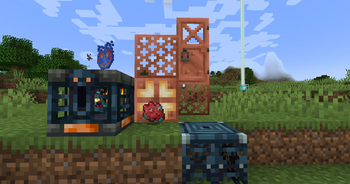
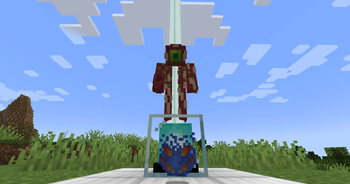
- Some unique loot items with no purpose besides being display pieces
- A suspiciously malicious-looking item 👀
- Some fun references to various games, other mods, etc.
- Potion of Milk
Mechanics
The Exclusion Zone is intended to be used on a server standalone, to add a little flavor to Vanilla Minecraft, without completely overtaking the game.
It works fabulously when paired with TheEpicBlock's PolyMc in order to allow fully Vanilla clients to join a lightly modded server.
The features EZ adds are intended to be unobtrusive by default,
while still giving server owners the power to convert vast swaths of terrain into magically irradiated land.
The "Exclusion Zone" Biome
When entering an Exclusion Zone (usually denoted by teal-ish particles in the air, as well as an overgrowth of moss and warped blocks),
the player should be wary of their Toxic Buildup. This is displayed as a bar near the bottom of their screen that steadily fills over time.
As Toxic Buildup increases, the player will begin to suffer more and more debilitating potion effects, eventually culminating in death.
One can mitigate Toxic Buildup by wearing armor.
Each armor piece's toxin resistance is determined by how well it protects from regular damage, in comparison to its leather armor counterpart. A full suit of leather armor provides immunity to toxic buildup, while diamond and netherite protect the least. The toxin resistance of an armor piece is displayed as an attribute, alongside its armor value.
Archaeology
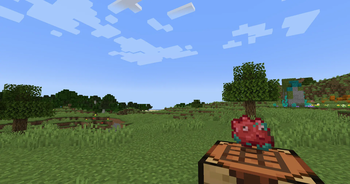
Exclusion Zone piggybacks off the vanilla Archaeology system, implementing suspicious variants of moss and all the colors of concrete powder.
Keep in mind, however, that only Suspicious Moss is currently available to survival players under normal circumstances.
When digging about in Exclusion Zones, one is likely to find various artifacts and relics of an ancient civilization. Make up your own lore, it's more fun that way :)
Datapack, Mapmaking, and Server Utilities
- If you want to make an entity or weapon deal toxin damage on hit, you can give it the
exclusionzone:generic.toxin_damageattribute. - The toxin resistance attribute can also be used by server admins and mapmakers to create custom gear. Its ID is
exclusionzone:generic.toxin_resistance. - As mentioned before, all 16 colors of concrete powder are given suspicious variants, to make blending loot into builds easier.
- The exclusion zone biome does not spawn by default in normal worlds, outside of small pockets around structures. When making your own structures, you can use the
exclusionzone:exclusion_zone_biome_makerblock (paired with/tick freeze) to create similar patches around them.
Available Versions
How to Install Exclusion Zone on Your Server
Order Server
Order a Minecraft Java server with at least 4 GB RAM (6 GB recommended).
Set fabric Loader
In the panel under "Egg", select the fabric loader and matching Minecraft version (1.21.1).
Install Mod
Open the mod browser in the dashboard and search for "Exclusion Zone". Click "Install" – done! Alternatively, upload the .jar via SFTP to the /mods folder.
Compatibility
Mod Loaders
Minecraft Versions
1.21.1, 1.21, 1.20.6
Server-side
✓ RequiredRecommended RAM
6 GB(min. 4 GB)Frequently Asked Questions
Exclusion Zone server crashes on startup – what to do?
Most common cause: wrong fabric version or insufficient RAM. Check the server log (latest.log) for "OutOfMemoryError" or "Mixin" errors. With Mado Hosting: ensure at least 4 GB RAM is allocated and the loader matches the mod version (1.21.1). You can switch loaders with one click in the panel.
Is Exclusion Zone compatible with fabric?
Exclusion Zone officially supports fabric for Minecraft 1.21.1, 1.21, 1.20.6. The Mado dashboard automatically detects incompatible loader combinations.
Server lagging with Exclusion Zone – how to optimize performance?
Recommended RAM: 6 GB (per 5 players). Use /spark profiler to check if Exclusion Zone consumes the most tick time. Common fixes: reduce server view-distance to 8-10, install "performant" or "starlight" as supplementary mods on Forge. With Mado Hosting, your server runs on NVMe SSDs with dedicated CPU cores for minimal latency.
Rent Modded Server
Install Exclusion Zone with just one click on your server.