
Explorer's Camp
In short - create your own camps! Travel without limits!
Screenshots
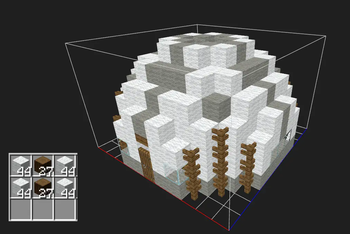
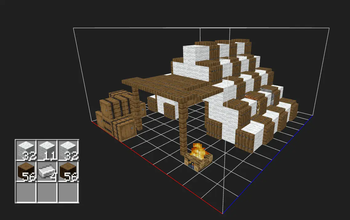
About this Mod
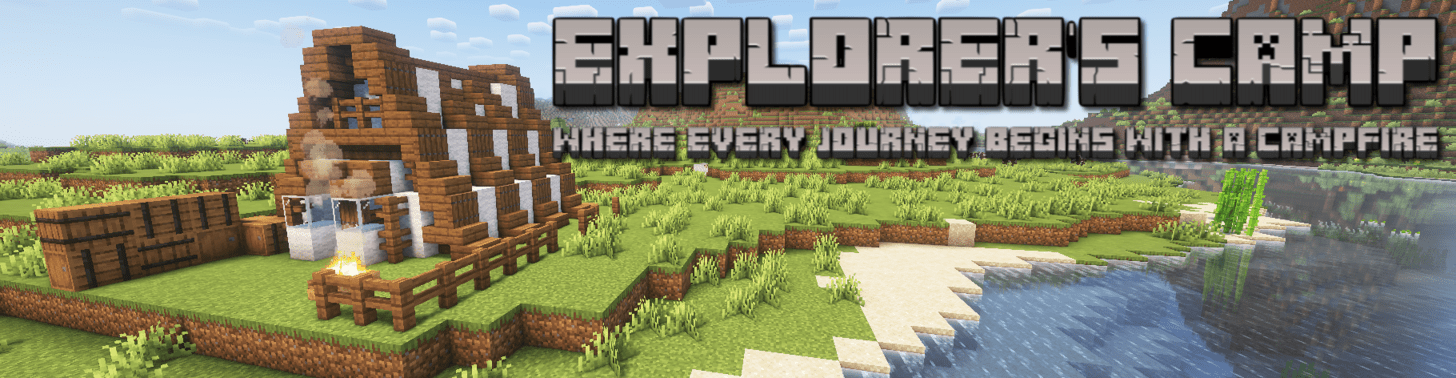
Hello Adventurer!
Are you looking for the best adventure of your life? Look no further! With this mod you will fulfill your adventure needs at its fullest!
This Minecraft mod is designed to enhance players' exploration and survival experiences by allowing them to create, manage, and deploy customizable camps! Whether traveling through the world or settling in new areas, players can use this mod to set up temporary or permanent camps that cater to their needs.
Multiplayer compatible! Works in the End and The Nether aswell!
Using this mod you can
Create 11x10x11 your own camps or use beautiful presets!
Pack your camp (mobile base) and unpack your camp wherever you go!
Modify you camp however you want!
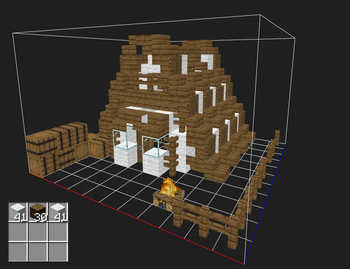
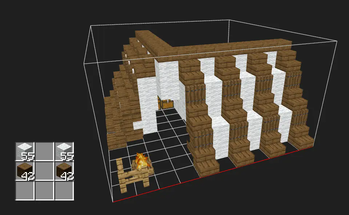
Use beautiful presets using gathered materials to quickly build your camp (and modify, of course)!
How to create a camp
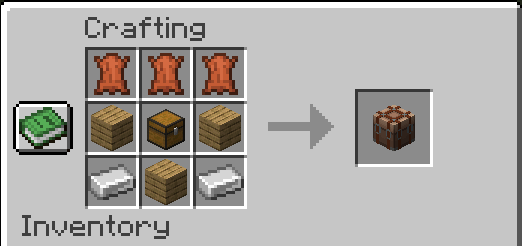
Crafting a camping crate:
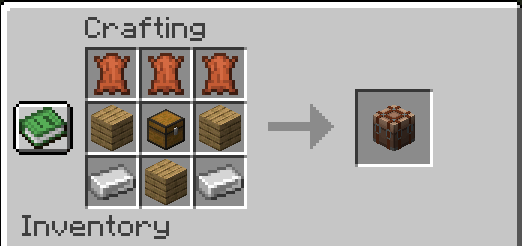
Note: any type of planks can be used!
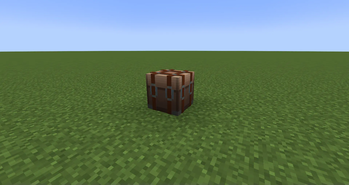
Place camping crate wherever you want and shift right-click on the block.
Where you stand will be the middle of the camp.
A dropper is placed in the middle of the camp aswell. While dropper is placed in the middle of the camp particles will indicate boundries of the camp.
If you breake the dropper and want to place it again just hold the dropper in your main hand and particles will indicate the middle of the camp.
How to pack and unpack camps
Packing camp
Place the camping crate block and shift right-click on the block - camp will pack in 10 seconds.
Unpacking camp
Place camping crate wherever you want and shift right-click on the block. Wherever you stand will be the middle of the camp. Stand back and watch your camp set up!
Using presets
Place required materials in the dropper (while it is placed in the middle of the camp), stand back and watch the preset being built!
Respawn
When a player creates or unpacks a camp the player sets respawn point where the camp is created or unpacked for himself and all the players around that are within 10 blocks radius!
Basically the player and his camp buddies respawn at the location where the last time camp is unpacked or created!
Its recommended to create and unpack camps on flat and open areas!
Issues
Please report all bugs and issues github, it helps a lot!
Discussions is now open on github aswell! Share you ideas, creations and suggestions!
Future plans
- My next big goal is to make customisable camp size in settings or via upgrades. I need to know your opinion on this so please vote on the github!
- Add more camp preset for you to use!
Limitations:
However cool this mod is, it has its drawbacks:
- No entities (armor stands, paintins, mobs etc.) can be packed within the camp.
- No falling blocks (anvils, sand, gravel) can be placed directly on the camp ground.
- In one world can be up to 38 camps.
Available Versions
How to Install Explorer's Camp on Your Server
Order Server
Order a Minecraft Java server with at least 3 GB RAM (4 GB recommended).
Set fabric Loader
In the panel under "Egg", select the fabric loader and matching Minecraft version (1.21.8).
Install Mod
Open the mod browser in the dashboard and search for "Explorer's Camp". Click "Install" – done! Alternatively, upload the .jar via SFTP to the /mods folder.
Compatibility
Mod Loaders
Minecraft Versions
1.21.8, 1.21.1, 1.21
Server-side
✓ RequiredRecommended RAM
4 GB(min. 3 GB)Frequently Asked Questions
Explorer's Camp server crashes on startup – what to do?
Most common cause: wrong fabric version or insufficient RAM. Check the server log (latest.log) for "OutOfMemoryError" or "Mixin" errors. With Mado Hosting: ensure at least 3 GB RAM is allocated and the loader matches the mod version (1.21.8). You can switch loaders with one click in the panel.
Is Explorer's Camp compatible with fabric?
Explorer's Camp officially supports fabric for Minecraft 1.21.8, 1.21.1, 1.21. The Mado dashboard automatically detects incompatible loader combinations.
Server lagging with Explorer's Camp – how to optimize performance?
Recommended RAM: 4 GB (per 8 players). Use /spark profiler to check if Explorer's Camp consumes the most tick time. Common fixes: reduce server view-distance to 8-10, install "performant" or "starlight" as supplementary mods on Forge. With Mado Hosting, your server runs on NVMe SSDs with dedicated CPU cores for minimal latency.
Similar Mods




Rent Modded Server
Install Explorer's Camp with just one click on your server.