Exposure: Middle-Earth edition
An unofficial Middle-Earth-compatible version of Exposure
Screenshots
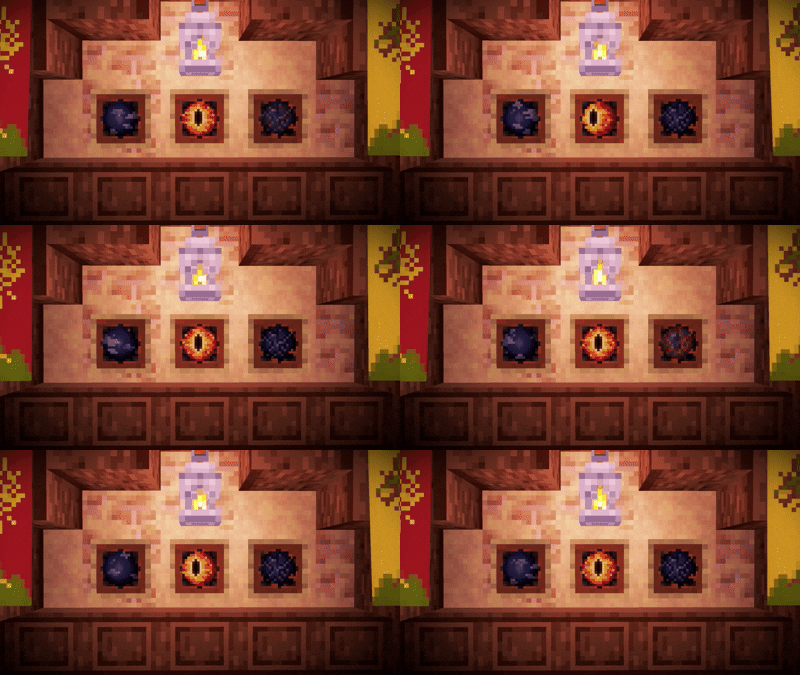
About this Mod
What is this mod?
An unofficial version of Exposure by mortuusars, made to play harmoniously with the Middle-Earth. The mod doesn't change the original Exposure code in any way, only assets and data.
How to use it?
This mod requires a Middle-Earth (obviously) and the Fabric API. Installing the original Exposure is not required. For the best gaming experience, installing the mex (Middle-Earth exposure) datapack is highly recommended.
What does the mod add?
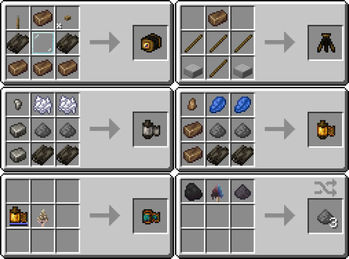
Crafting recipes for camera, films, camera stand, and lightroom have been changed. All items are available for crafting in Middle-earth, and all necessary resources are obtained in this dimension.
Crafting recipes
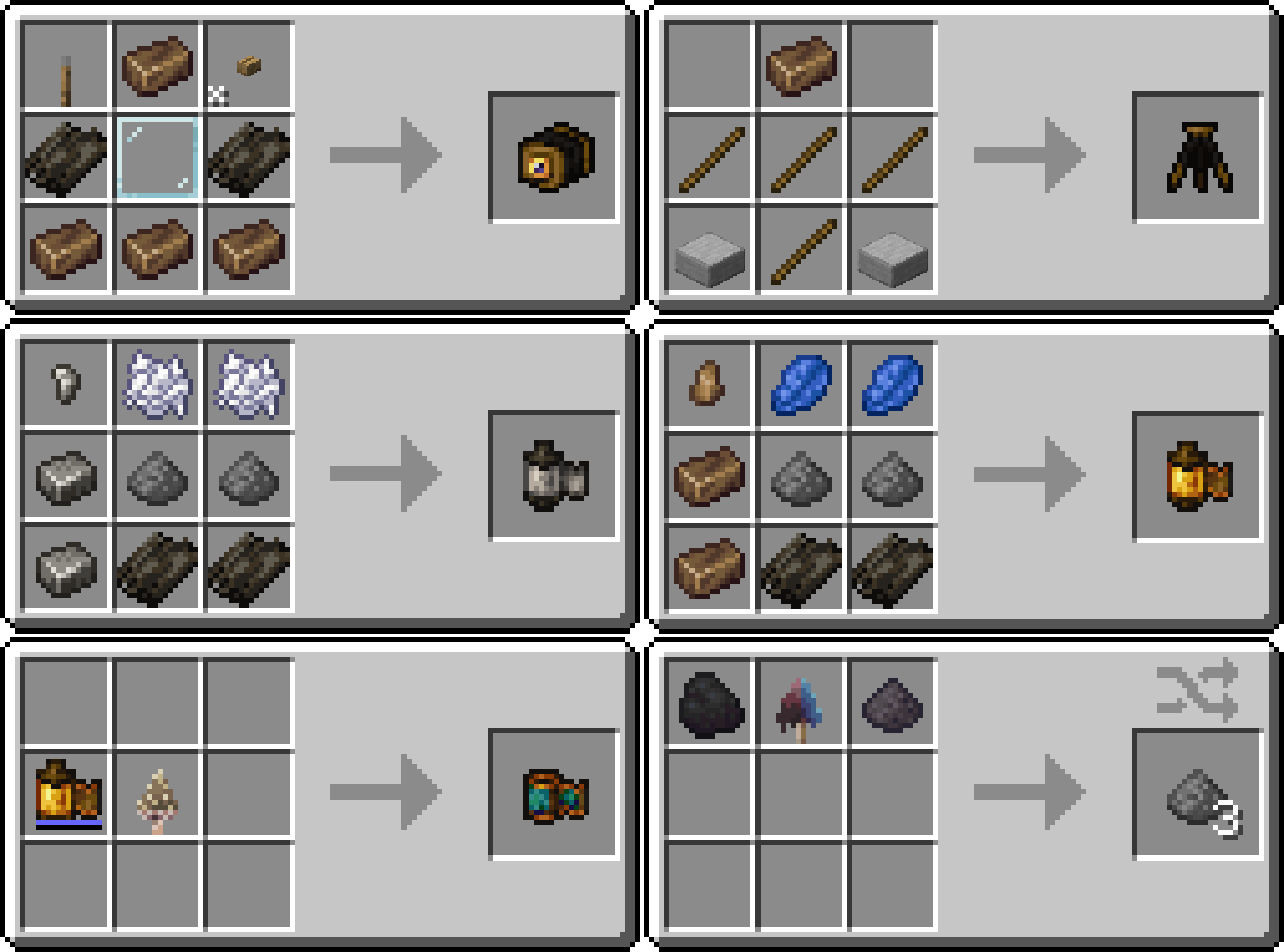
Color film is developed using a Morsel. Gunpowder can be crafted from coal, any firecap and ash.
The camera and film appearances are taken from Tuttas Retextures: Exposure Edition. Some textures have been slightly modified to match the crafting recipes.
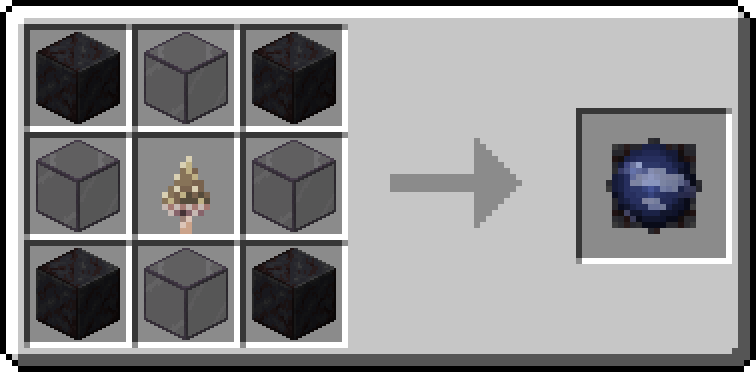
The Interplanar Projector has been replaced with the Palantir Lens. The recipe, error screen, and sounds have been updated.
Palantir
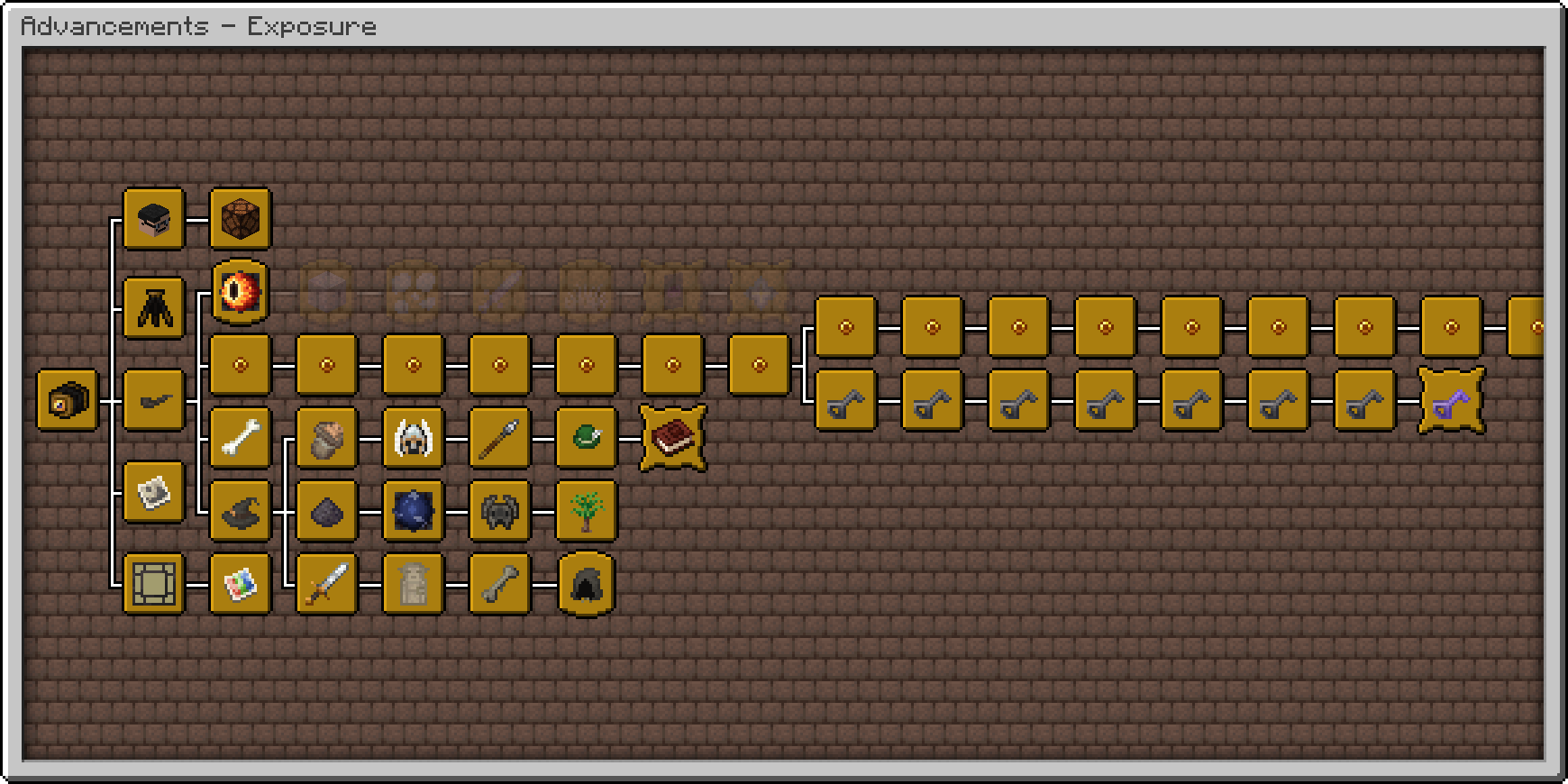
Advancements have been moved to a separate tab and reworked. All of them can now be obtained without leaving Middle-earth. Various new achievements have been added, such as one for taking photos in all locations along Frodo and Bilbo's journeys. There are also some very difficult and unexpected achievements. Good luck getting them!
Advancements tab
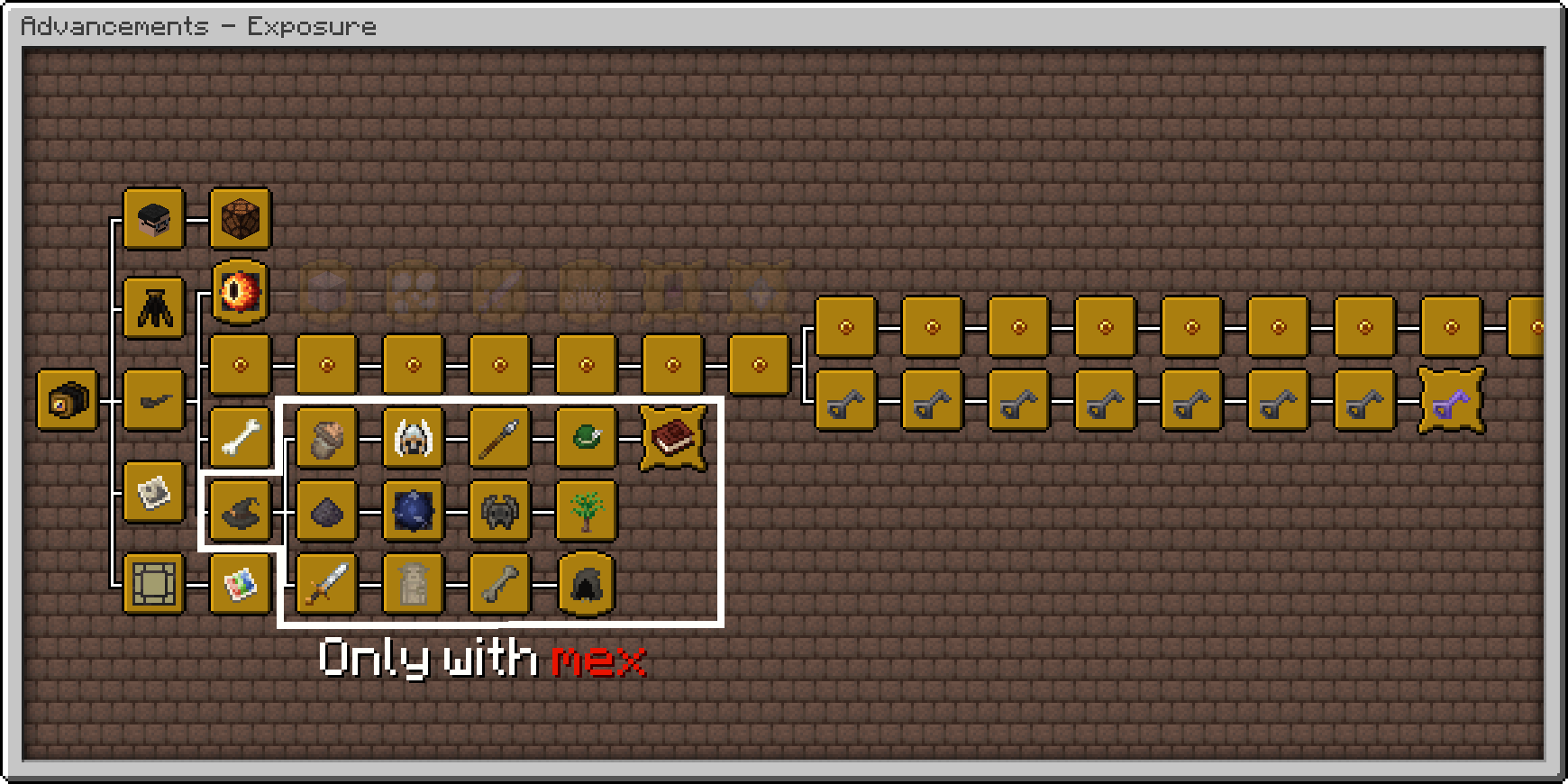
Exposure advancements tab with mex datapack
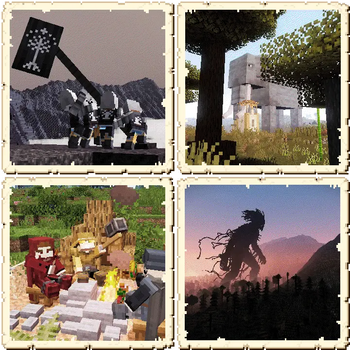
The mod adds custom photographs. With the mex datapack, they will generate in structure chests in Middle-earth, and some are extremely rare. Completing collection of photos from a single themed set will earn you an advancement. Completing the entire collection will give you the final advancement. Explore the world and obtain unique images!
Custom photographs
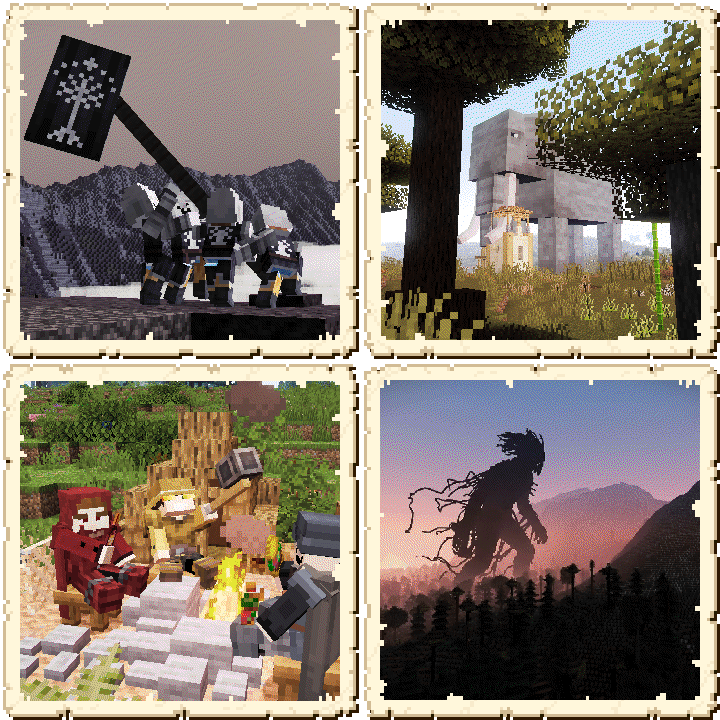
If anything seems strange or absurd to you, remember: this mod adds a camera to the Tolkien's world.
Available Versions
How to Install Exposure: Middle-Earth edition on Your Server
Order Server
Order a Minecraft Java server with at least 3 GB RAM (4 GB recommended).
Set datapack Loader
In the panel under "Egg", select the datapack loader and matching Minecraft version (1.21.1).
Install Mod
Open the mod browser in the dashboard and search for "Exposure: Middle-Earth edition". Click "Install" – done! Alternatively, upload the .jar via SFTP to the /mods folder.
Compatibility
Mod Loaders
Minecraft Versions
1.21.1
Server-side
✓ RequiredRecommended RAM
4 GB(min. 3 GB)Frequently Asked Questions
Exposure: Middle-Earth edition server crashes on startup – what to do?
Most common cause: wrong datapack version or insufficient RAM. Check the server log (latest.log) for "OutOfMemoryError" or "Mixin" errors. With Mado Hosting: ensure at least 3 GB RAM is allocated and the loader matches the mod version (1.21.1). You can switch loaders with one click in the panel.
Is Exposure: Middle-Earth edition compatible with datapack and fabric?
Exposure: Middle-Earth edition officially supports datapack, fabric for Minecraft 1.21.1. The Mado dashboard automatically detects incompatible loader combinations.
Server lagging with Exposure: Middle-Earth edition – how to optimize performance?
Recommended RAM: 4 GB (per 8 players). Use /spark profiler to check if Exposure: Middle-Earth edition consumes the most tick time. Common fixes: reduce server view-distance to 8-10, install "performant" or "starlight" as supplementary mods on Forge. With Mado Hosting, your server runs on NVMe SSDs with dedicated CPU cores for minimal latency.
Similar Mods




Rent Modded Server
Install Exposure: Middle-Earth edition with just one click on your server.