
EzWaypoints
Lightweight waypoint mod with no minimap. Simple, fast, and easy to use.
Screenshots
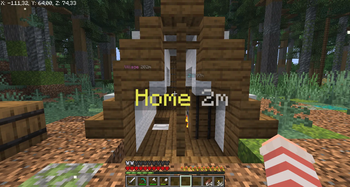
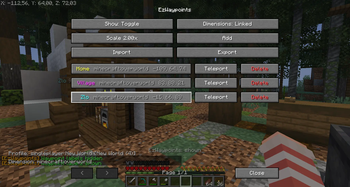
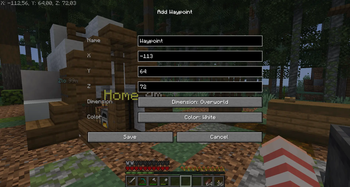
About this Mod
📍 EzWaypoints
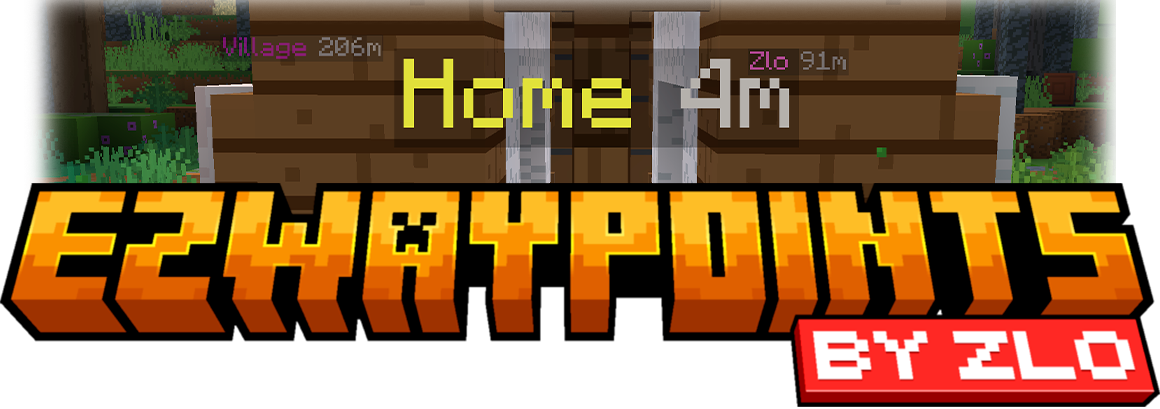




🎥 Preview
Waypoints without a minimap.
Clean. Simple. Shareable. No extra stuff.
🧠 What is this?
Simple waypoint mod without a minimap.
- No clutter
- No huge settings menu
- No manual commands
Just waypoints.
✨ Why use this?
Many waypoint mods are built around a minimap and a lot of extra features.
This mod is for players who:
- do not want a minimap
- do not want to configure 50 settings
- just want clean waypoint labels in the world
If map-based waypoint mods like Xaero's feel too busy, EzWaypoints is the simpler option:
- easier to learn
- fewer hotkeys
- less menu clutter
- focused on waypoints only
🎮 Controls
N→ New waypointB→ Show waypoint labelsOpen Waypoint Manager→ Unbound by default
You can switch B between:
- Toggle mode
- Hold mode
⚙️ Features
- Clean in-game waypoint manager
- Works on servers as a client-side mod
- Separate waypoints per world/server
- Singleplayer worlds with the same name stay separate
- Copy and paste waypoint share codes
- Import skips exact duplicates automatically
- Colored labels
- Adjustable label size
- Optional Y coordinate
- Overworld ↔ Nether linking (
X/Zscale ×8) - Teleport button (only when
/tpor/teleportis available to you) - Chat feedback for actions like add, import, delete, and copy
❓ FAQ
Can I send my waypoints to another player?
Yes! Export them as a share code and send the code.
Does this mod add a minimap?
No. This mod only adds waypoints.
Does it work on servers?
Yes. It is client-side mod.
Do I need to install it on the server?
No.
Are waypoints shared between servers/worlds?
No. Each world/server has its own waypoints.
Does importing add duplicates?
No. If a waypoint with the same name, color, dimension, and coordinates already exists, it will be skipped.
Where are waypoints stored?
config/ezwaypoints/ezwaypoints.json
Why is there no teleport button?
It only appears if tp or teleport is available and you have permission to use it.
📁 Additional Info
- Supports Minecraft
1.21.8 - 1.21.11 - Fabric only
- Client-side only
- MIT License
Available Versions
How to Install EzWaypoints on Your Server
Order Server
Order a Minecraft Java server with at least 3 GB RAM (4 GB recommended).
Set fabric Loader
In the panel under "Egg", select the fabric loader and matching Minecraft version (1.21.11).
Install Mod
Open the mod browser in the dashboard and search for "EzWaypoints". Click "Install" – done! Alternatively, upload the .jar via SFTP to the /mods folder.
Compatibility
Mod Loaders
Minecraft Versions
1.21.11, 1.21.10, 1.21.9 (+1 more)
Server-side
✗ UnsupportedRecommended RAM
4 GB(min. 3 GB)Frequently Asked Questions
EzWaypoints server crashes on startup – what to do?
Most common cause: wrong fabric version or insufficient RAM. Check the server log (latest.log) for "OutOfMemoryError" or "Mixin" errors. With Mado Hosting: ensure at least 3 GB RAM is allocated and the loader matches the mod version (1.21.11). You can switch loaders with one click in the panel.
Is EzWaypoints compatible with fabric?
EzWaypoints officially supports fabric for Minecraft 1.21.11, 1.21.10, 1.21.9. The Mado dashboard automatically detects incompatible loader combinations.
Server lagging with EzWaypoints – how to optimize performance?
Recommended RAM: 4 GB (per 8 players). Use /spark profiler to check if EzWaypoints consumes the most tick time. Common fixes: reduce server view-distance to 8-10, install "performant" or "starlight" as supplementary mods on Forge. With Mado Hosting, your server runs on NVMe SSDs with dedicated CPU cores for minimal latency.
Similar Mods




Rent Modded Server
Install EzWaypoints with just one click on your server.