
FabricMines
Simple BoxPvP and prison mine resets for Fabric, featuring mine selection, automatic regeneration, countdowns, and player safety features.
Screenshots
About this Mod
FabricMines
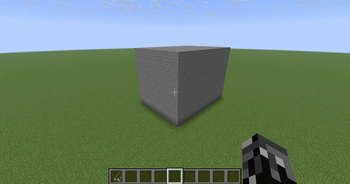
FabricMines is a lightweight Fabric mod that adds fully customizable BoxPvP and prison-style mine resets without requiring WorldEdit or any external plugins. Create mines using a simple in-game selection tool, save their original block layouts, and automatically regenerate them on a timer or through commands.
Features
- Create and manage multiple mines.
- Automatic mine regeneration on configurable timers.
- Manual mine reset commands.
- No WorldEdit dependency required.
- Built-in region selection using a Warped Fungus on a Stick.
- Stores and restores every block in a mine region.
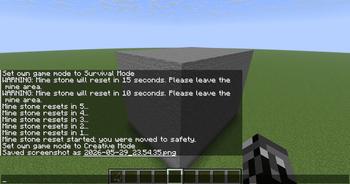
- Countdown warnings before resets.
- Safe player evacuation before regeneration.
- Simple Fabric-only installation.
Region Selection
Use the /mine wand command to receive a Mine Selection Tool (Warped Fungus on a Stick).
- Right-click a block to set Position 1.
- Shift + Right-click a block to set Position 2.
- Create a mine from the selected region.
No WorldEdit, schematics, or external tools are required.
Commands
/mine wand- Receive the Mine Selection Tool./mine create <id> <reset_time>- Create and save a mine./mine reset <id>- Reset a mine immediately./mine delete <id>- Delete a mine./mine list- View all registered mines.
Mine Reset Warnings
To prevent players from being trapped during regeneration, FabricMines includes a built-in warning system.
Example countdown:
- 15 seconds remaining
- 10 seconds remaining
- 5...
- 4...
- 3...
- 2...
- 1...
Players inside the mine receive notifications and can safely leave before the reset occurs.
Safe Teleportation
When the countdown reaches zero, any players still inside the mine can be automatically teleported to a safe location before the mine regenerates. This prevents suffocation, clipping into blocks, and other issues that commonly occur during mine resets.
Designed For
- BoxPvP Servers
- Prison Servers
- SkyPrison Servers
- Economy Servers
- Survival Servers with regenerating resource mines
Why FabricMines?
Many mine reset systems rely on plugins or complex WorldEdit integrations. FabricMines was built specifically for Fabric servers and focuses on simplicity, performance, and ease of setup. Define a region, save it, set a timer, and let the mod handle the rest.
Simple. Lightweight. Fabric-native.
Available Versions
How to Install FabricMines on Your Server
Order Server
Order a Minecraft Java server with at least 3 GB RAM (4 GB recommended).
Set fabric Loader
In the panel under "Egg", select the fabric loader and matching Minecraft version (26.1.2).
Install Mod
Open the mod browser in the dashboard and search for "FabricMines". Click "Install" – done! Alternatively, upload the .jar via SFTP to the /mods folder.
Compatibility
Mod Loaders
Minecraft Versions
26.1.2, 26.1.1, 26.1
Server-side
✓ RequiredRecommended RAM
4 GB(min. 3 GB)Frequently Asked Questions
FabricMines server crashes on startup – what to do?
Most common cause: wrong fabric version or insufficient RAM. Check the server log (latest.log) for "OutOfMemoryError" or "Mixin" errors. With Mado Hosting: ensure at least 3 GB RAM is allocated and the loader matches the mod version (26.1.2). You can switch loaders with one click in the panel.
Is FabricMines compatible with fabric?
FabricMines officially supports fabric for Minecraft 26.1.2, 26.1.1, 26.1. The Mado dashboard automatically detects incompatible loader combinations.
Server lagging with FabricMines – how to optimize performance?
Recommended RAM: 4 GB (per 8 players). Use /spark profiler to check if FabricMines consumes the most tick time. Common fixes: reduce server view-distance to 8-10, install "performant" or "starlight" as supplementary mods on Forge. With Mado Hosting, your server runs on NVMe SSDs with dedicated CPU cores for minimal latency.
Rent Modded Server
Install FabricMines with just one click on your server.