
Fair Trade
Fair Trade mod adds currencies and other trade utilities, which would be useful for Multiplayer.
Screenshots

About this Mod

Fair Trade mod adds currencies and other trade utilities, which would be useful for Multiplayer.
- It is recommended that you play this mod in multiplayer! :)
Main Features/Description:
1. Coins, Cash, and Currency ID
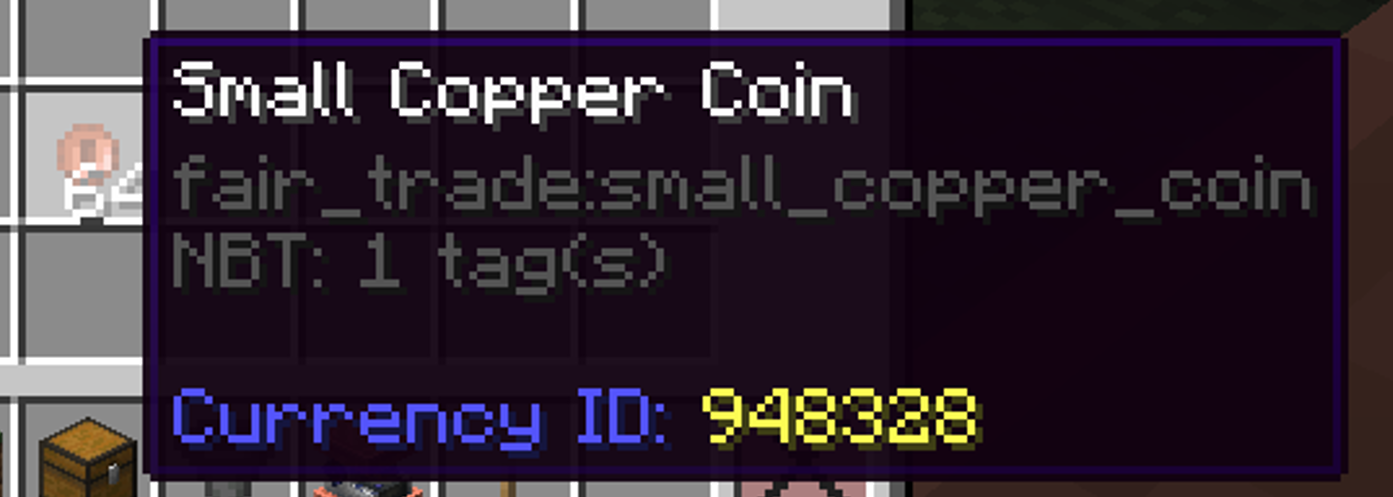
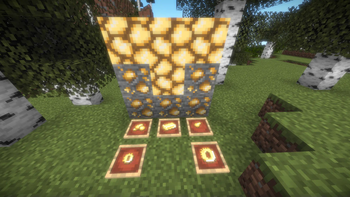
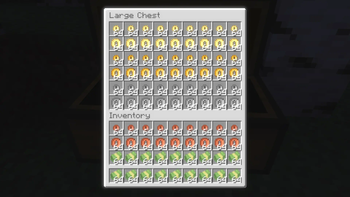
This mod adds Coins, and cash into the game, which can be used in Multiplayer SMPs to trade with players. You can craft these coins using a "Currency Template" which has a randomly generated Currency ID that gets transferred to the crafted coin or cash. You can use the Currency ID of a coin or cash to determine whether a coin is fraudulent or real using a tool called Currency Validator. A group of players in an SMP must agree on what Currency IDs are acceptable to trade with and reject any other coinage or paper cash with a different Currency ID. The value of each currency will be determined by the players in a multiplayer world.
2. Currency Printer, Money Counter, and Vending Machine

[The 3D Model and texture of the blocks are made by RealSkullface]
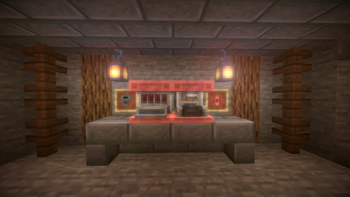
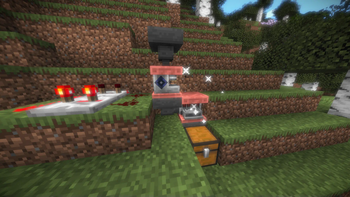
The Currency Printer is a block that is used in conjunction with a Currency Template, currency material, and a redstone pulse to craft a currency (aka print money). The Money Counter can count the amount of money you give it, it could also be used to do addition, subtraction, and multiplication with currencies as it saves the total value it counts until you reset it or break the block. The Vending Machine is a block you can insert items to be sold, and can put in your currency of choice. The Vending Machine is also password protected, and you can make it give away things for free if desired.
Questions & Answers:
Q1) Does this support versions 1.16.5 / 1.12.2 / 1.18.2 / 1.19.2?
A1) No, it doesn't.
Q2) When is the Fabric version?
A2) I'm sorry little one... (translation: no.)
Q3) Can I use it in a modpack?
A3) Sure, why not? It's free advertising.
Q4) Can I upload a let's play video on this mod?
A4) Sure, why not? It's free advertising. (2.0)
Q5) Where can I report bugs?
A5) Either leave it in the comments section or contact me on Discord.
Q6) Will there be updates?
A6) There will probably be updates, but I won't promise anything.
Q7) Is this useful in a Single-player world?
A7) No, it's not.
Q8) What game mode should I play first?
A8) Survival, but of course you would not be any benefits if in single-player.
Q9) What's the best way to play the mod?
A9) It is best to play the mod in multiplayer survival. Please invite your friends to play the mod with you. :)
Q10) Where is ALIT: Magitech?! I WANT IT NOW!
A10) Calm down, ALIT: Magitech will come someday. Just wait until the day comes since it will be many times larger than ALIT: Sunlight Zombie. Join the Discord server for more information (the invite link can be found at the start of the mod description)
Q11) How are you?
A11) Bread 👍
Available Versions
How to Install Fair Trade on Your Server
Order Server
Order a Minecraft Java server with at least 3 GB RAM (4 GB recommended).
Set forge Loader
In the panel under "Egg", select the forge loader and matching Minecraft version (1.21.1).
Install Mod
Open the mod browser in the dashboard and search for "Fair Trade". Click "Install" – done! Alternatively, upload the .jar via SFTP to the /mods folder.
Compatibility
Mod Loaders
Minecraft Versions
1.21.1, 1.20.1
Server-side
✓ RequiredRecommended RAM
4 GB(min. 3 GB)Frequently Asked Questions
Fair Trade server crashes on startup – what to do?
Most common cause: wrong forge version or insufficient RAM. Check the server log (latest.log) for "OutOfMemoryError" or "Mixin" errors. With Mado Hosting: ensure at least 3 GB RAM is allocated and the loader matches the mod version (1.21.1). You can switch loaders with one click in the panel.
Is Fair Trade compatible with forge and neoforge?
Fair Trade officially supports forge, neoforge for Minecraft 1.21.1, 1.20.1. The Mado dashboard automatically detects incompatible loader combinations.
Server lagging with Fair Trade – how to optimize performance?
Recommended RAM: 4 GB (per 8 players). Use /spark profiler to check if Fair Trade consumes the most tick time. Common fixes: reduce server view-distance to 8-10, install "performant" or "starlight" as supplementary mods on Forge. With Mado Hosting, your server runs on NVMe SSDs with dedicated CPU cores for minimal latency.
Similar Mods




![CobbleDollars [Cobblemon Addon]](https://cdn.modrinth.com/data/s7N7AsqL/684040a264fc1d7f9b856ec5d2da39767398c7ad.png)
Rent Modded Server
Install Fair Trade with just one click on your server.