
Fanatic's PvP Club Party Manager
Fanatic's PvP Club Party Manager adds useful utilities for hosting parties on mcpvp.club.
Screenshots
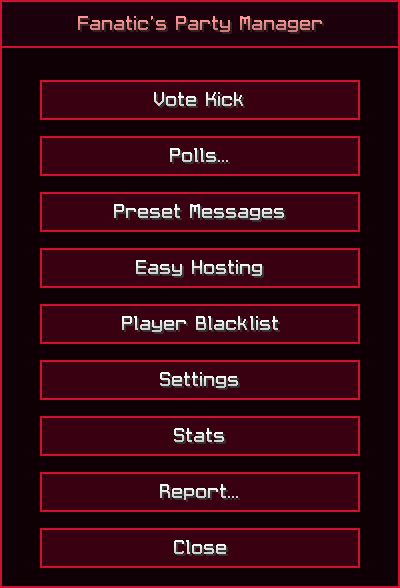
About this Mod
Fanatic's PvP Club Party Manager is a helpful mod that lets you manage parties on mcpvp.club with ease.
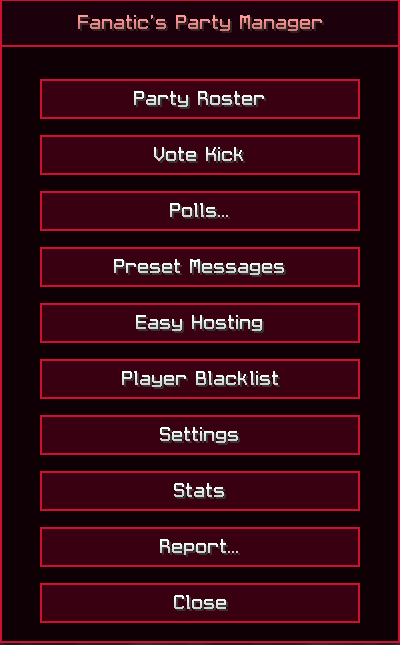
Sick of dealing with toxic players in your parties all the time? Fanatic's PvP Club Party Manager solves that. You can have members of your party vote on whether to kick someone if they are doing something wrong, like saying profanities, or just being a sore loser.
If you don't want that person to come back, just blacklist them in the Player Blacklist menu. When you blacklist a user, they can never join your parties again, unless you remove them from the Player Blacklist menu.
📁 Installation:
Fanatic's PvP Club Party Manager is primarily developed on Fabric, however NeoForge also has support.
Simply copy and paste the mod into your mods folder, or install it via the Modrinth App.
Once done, open Minecraft and press ' when logged on to mcpvp.club. You should see the main GUI pop-up.
(Note: You can change ' to another bind in Options > Controls > Keybinds...)
Features:
Run vote kicks so other members of your party can vote on whether to kick players.
Start polls to decide what kit to play next, or to ask random questions.
Setup preset messages for easy text pasting.
Blacklist unwanted players to prevent them from joining, even if you start a new party.
Easy Hosting for non VIP+ users to host with ease.
Available Versions
How to Install Fanatic's PvP Club Party Manager on Your Server
Order Server
Order a Minecraft Java server with at least 3 GB RAM (4 GB recommended).
Set fabric Loader
In the panel under "Egg", select the fabric loader and matching Minecraft version (26.2).
Install Mod
Open the mod browser in the dashboard and search for "Fanatic's PvP Club Party Manager". Click "Install" – done! Alternatively, upload the .jar via SFTP to the /mods folder.
Compatibility
Mod Loaders
Minecraft Versions
26.2, 26.1.2, 26.1.1 (+7 more)
Server-side
✗ UnsupportedRecommended RAM
4 GB(min. 3 GB)Frequently Asked Questions
Fanatic's PvP Club Party Manager server crashes on startup – what to do?
Most common cause: wrong fabric version or insufficient RAM. Check the server log (latest.log) for "OutOfMemoryError" or "Mixin" errors. With Mado Hosting: ensure at least 3 GB RAM is allocated and the loader matches the mod version (26.2). You can switch loaders with one click in the panel.
Is Fanatic's PvP Club Party Manager compatible with fabric and neoforge?
Fanatic's PvP Club Party Manager officially supports fabric, neoforge for Minecraft 26.2, 26.1.2, 26.1.1. The Mado dashboard automatically detects incompatible loader combinations.
Server lagging with Fanatic's PvP Club Party Manager – how to optimize performance?
Recommended RAM: 4 GB (per 8 players). Use /spark profiler to check if Fanatic's PvP Club Party Manager consumes the most tick time. Common fixes: reduce server view-distance to 8-10, install "performant" or "starlight" as supplementary mods on Forge. With Mado Hosting, your server runs on NVMe SSDs with dedicated CPU cores for minimal latency.
Similar Mods






Rent Modded Server
Install Fanatic's PvP Club Party Manager with just one click on your server.