
FancyFormatDock
Chat formatting, made easier
Screenshots


About this Mod
Join my discord server! https://discord.gg/Xtkt9f6R2f





FancyFormatDock
📋• Info
While playing on servers like Modernbeta, I kept running into the same problem, constantly needing to look up chat formatting codes. That frustration sparked the idea for this mod. FancyFormatDock adds a simple dock to your chat screen. Just open chat, click a color button, and the formatting code is instantly inserted for you.
🔧• Features
dock-like button panel
When opening chat, an overlay at the top right appears. Clicking on a button will import the formatting code in chat. Format label can be toggled off in the config.
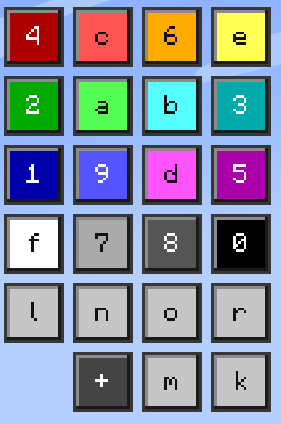
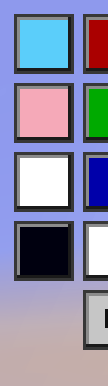
4 preset color buttons
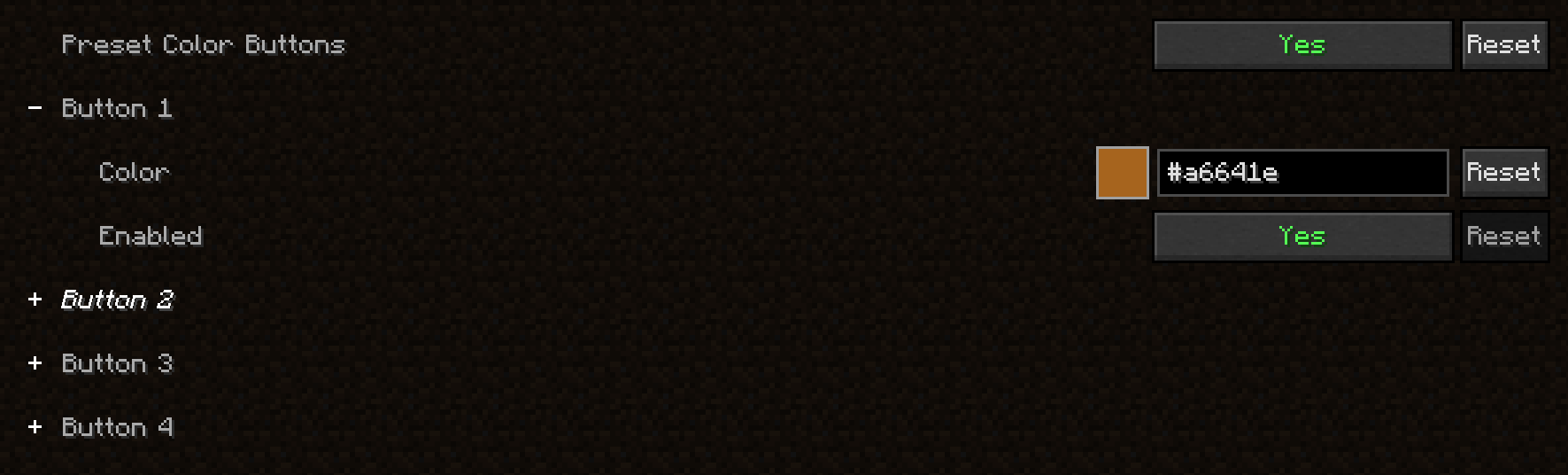
Choose 4 custom colors and add them as a button to the button panel. Each button can be enabled/disabled.
custom color
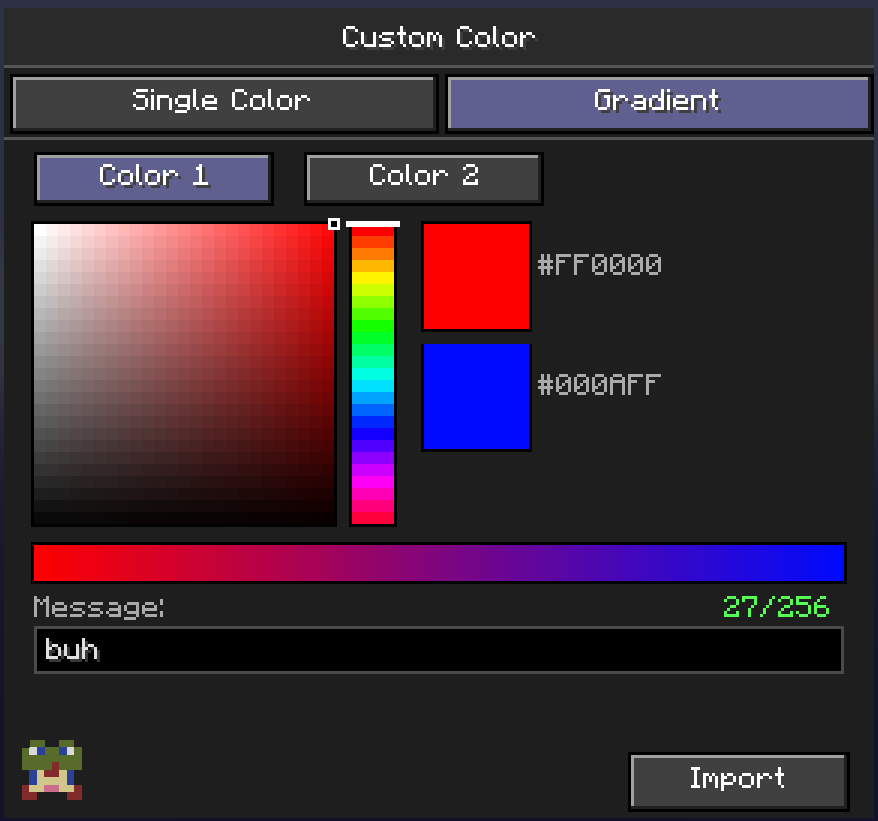
By clicking on the + button, a menu pops up. Here you can pick a custom color and import it in chat!

custom gradient color
By clicking on the + button, a menu pops up, from there you can go to the gradient tab. You can pick 2 custom colors here, insert your message and hit Import! This will automaticly make your text have a gradient with the 2 colors you selected
quick show/hide button
By clicking this button, the button-like dock shows/hides.

Text prefix before a color prefix warning
1.21.1 version only
When using text formatting (bold, italc...) before a color prefix, the color overrides the text formatting. Enable the warning in the config to get a warning!

config
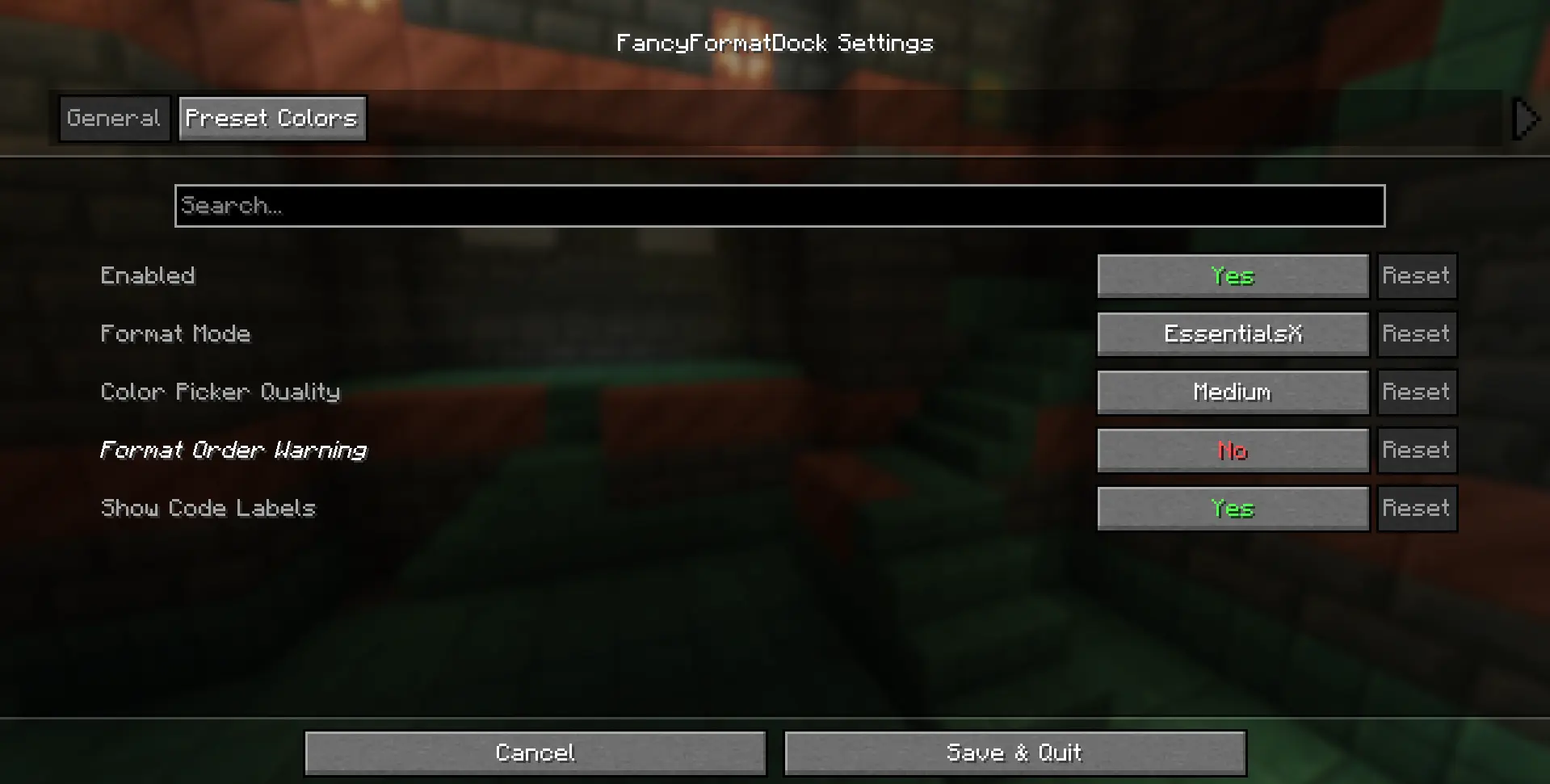
By using Mod Menu, you can acces the config, here you can:
- enable/disable the button overlay
- change format code, currently supports:
- Vanilla formatting (§c)
- EssentialsX formatting (&c) - [default]
- MiniMessage formatting (
)
- change color picker quality, current options:
- Low
- Medium - [default]
- High
- toggle format labels on buttons (on by default) 1.21.1 version only
- toggle waring (off by default) 1.21.1 version only
- choose 4 preset custom colors
- toggle preset button on/off
🧩• Dependencies
- Fabric API
- Cloth API
- Mod Menu (only needed if you want to acces the config)
🚀• Version support
✅ Currently supported
fabric 1.21.1
fabric 1.21.2
fabric 1.21.3
fabric 1.21.4
fabric 1.21.5
fabric 1.21.6
fabric 1.21.7
fabric 1.21.8
fabric 1.21.9
fabric 1.21.10
fabric 1.21.11
❎ Currently not supported
fabric 26.1
fabric 26.2
🐛• Updates & Report bugs
Want to know exactly when the mod updates or when bugs get patched? Join my discord server!
📜• Credits
Idea - debrooo
Code - debrooo with help from Claude
Software - IntelliJ IDEA
Available Versions
How to Install FancyFormatDock on Your Server
Order Server
Order a Minecraft Java server with at least 3 GB RAM (4 GB recommended).
Set fabric Loader
In the panel under "Egg", select the fabric loader and matching Minecraft version (1.21.11).
Install Mod
Open the mod browser in the dashboard and search for "FancyFormatDock". Click "Install" – done! Alternatively, upload the .jar via SFTP to the /mods folder.
Compatibility
Mod Loaders
Minecraft Versions
1.21.11, 1.21.10, 1.21.9 (+8 more)
Server-side
✗ UnsupportedRecommended RAM
4 GB(min. 3 GB)Frequently Asked Questions
FancyFormatDock server crashes on startup – what to do?
Most common cause: wrong fabric version or insufficient RAM. Check the server log (latest.log) for "OutOfMemoryError" or "Mixin" errors. With Mado Hosting: ensure at least 3 GB RAM is allocated and the loader matches the mod version (1.21.11). You can switch loaders with one click in the panel.
Is FancyFormatDock compatible with fabric?
FancyFormatDock officially supports fabric for Minecraft 1.21.11, 1.21.10, 1.21.9. The Mado dashboard automatically detects incompatible loader combinations.
Server lagging with FancyFormatDock – how to optimize performance?
Recommended RAM: 4 GB (per 8 players). Use /spark profiler to check if FancyFormatDock consumes the most tick time. Common fixes: reduce server view-distance to 8-10, install "performant" or "starlight" as supplementary mods on Forge. With Mado Hosting, your server runs on NVMe SSDs with dedicated CPU cores for minimal latency.
Similar Mods






Rent Modded Server
Install FancyFormatDock with just one click on your server.