
FastTravelDimension
Adds a special device that allows you to quickly switch between End-Nether-Earth dimensions (and alpha dimension... only for 1.20.1)
Screenshots
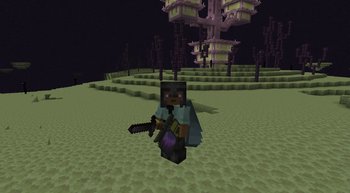
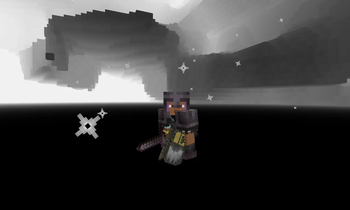
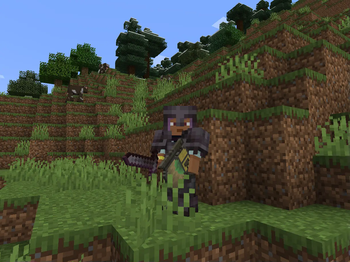
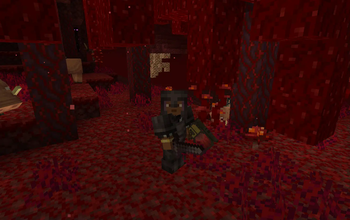

About this Mod
Are you ready to revolutionize your Minecraft experience? The Dimension Breakers Mod adds an exciting way to traverse between dimensions and even introduces a brand-new, custom dimension! Perfect for explorers, builders, and adventurers, this mod is designed to enhance your journey through the Minecraft universe.
Key Features
5 Unique Dimension Breaker Modes:
Off: Neutral state, no teleportation.
Overworld: Instantly return to the Overworld from any other dimension.
Nether: Quickly travel to the Nether dimension.
End: Direct access to the End dimension.
Alpha: Explore the new, custom Alpha dimension, exclusive to this mod!
The Alpha Dimension:
A dark, mysterious space made entirely of unbreakable black blocks.
Completely safe—no mobs spawn here.
Perfect for creating hidden bases or secret projects.
Immerse yourself in a unique ambiance with custom background music.
craft the "OFF" dimension breaker
First, craft heavy whell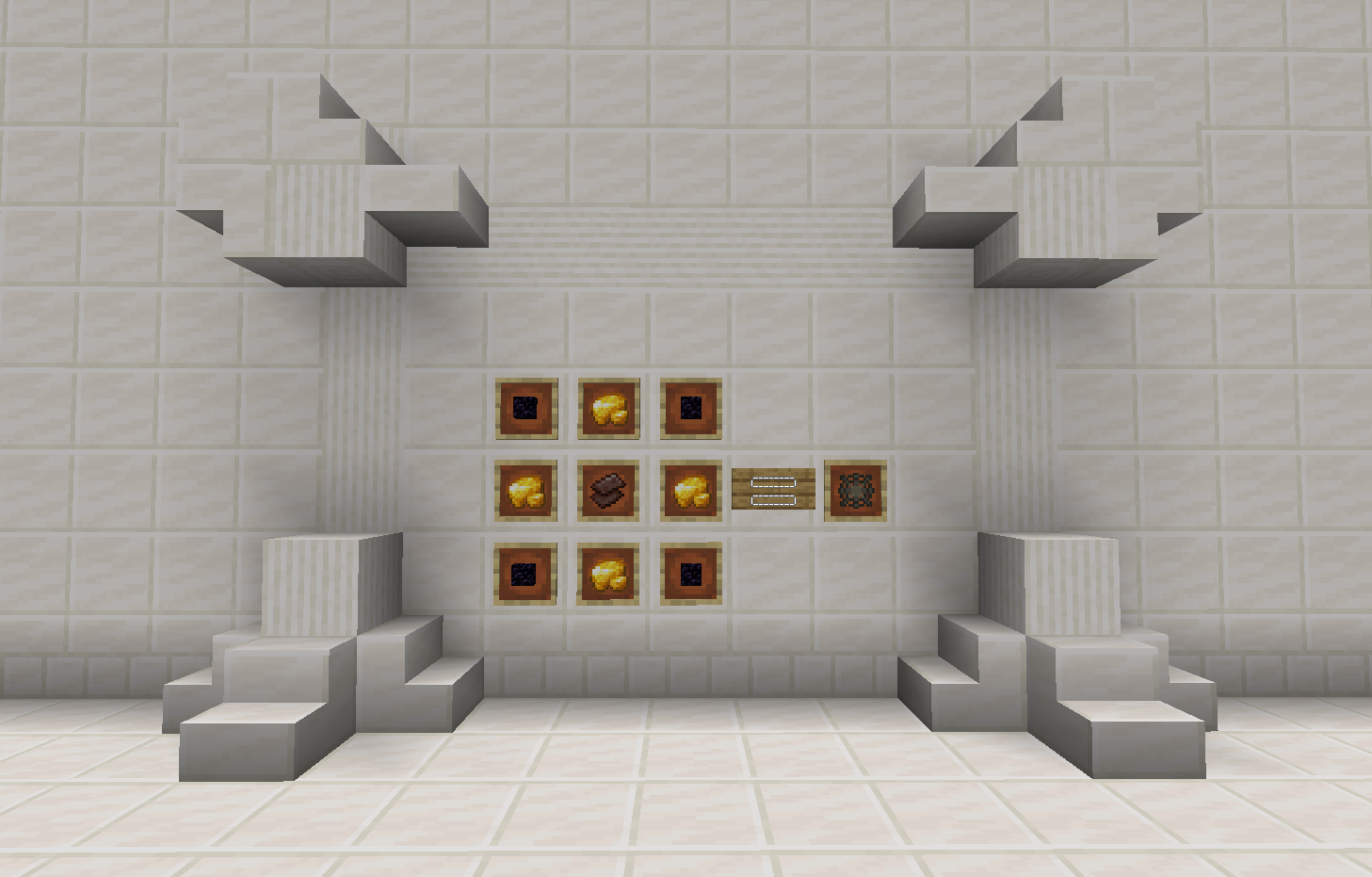
After that, craft Dimension Breaker (version- Off)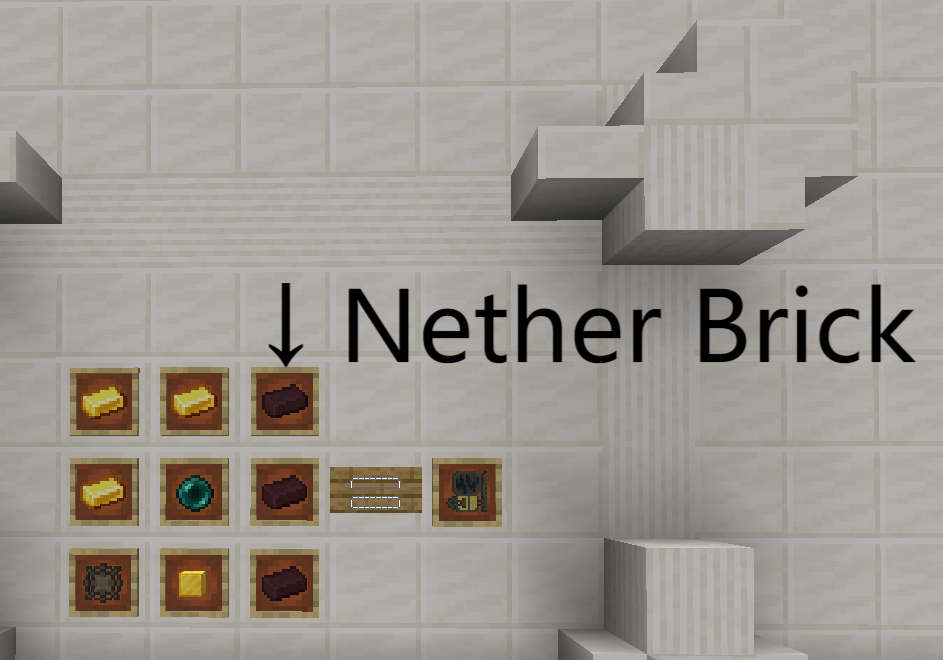
Crafting System:
Transform any Dimension Breaker to a specific dimension by pairing it with the following blocks in the crafting table:
Grass Block: Overworld
Netherrack: Nether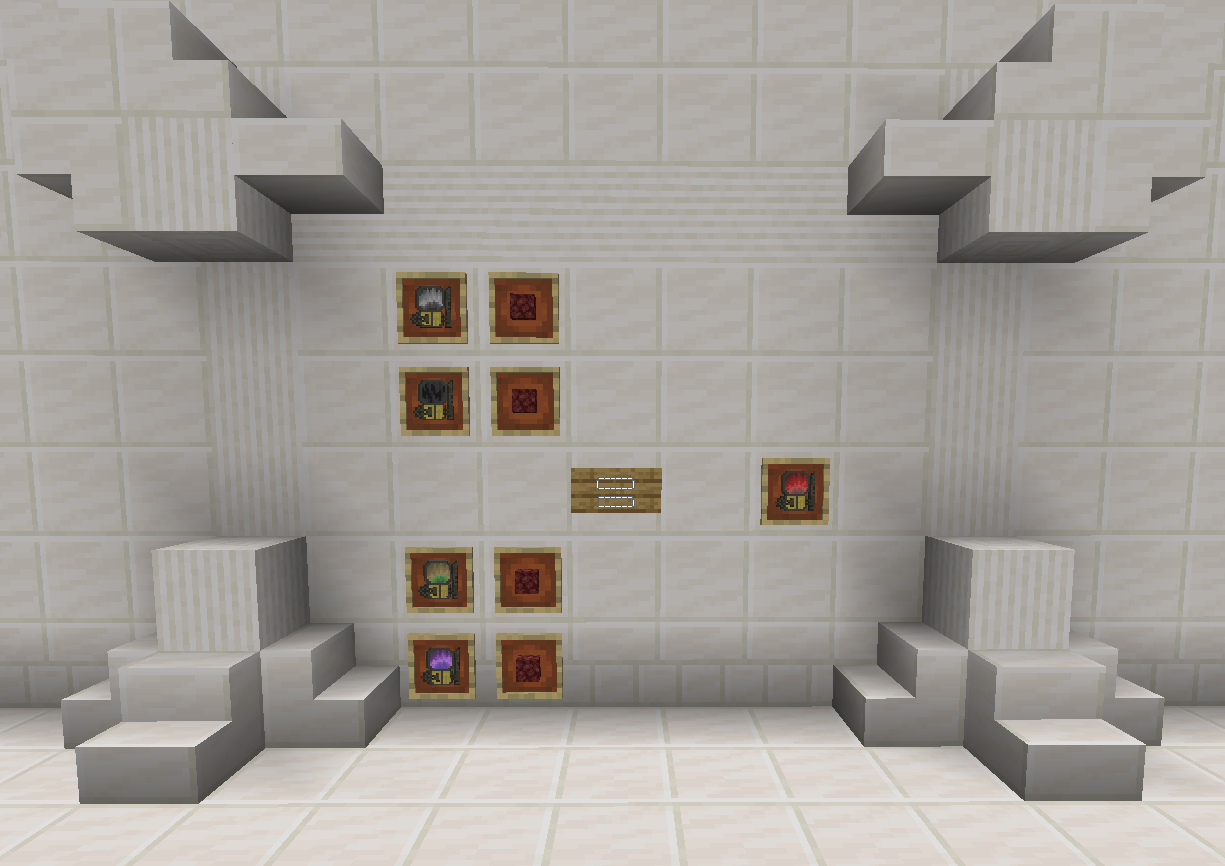
End Stone: End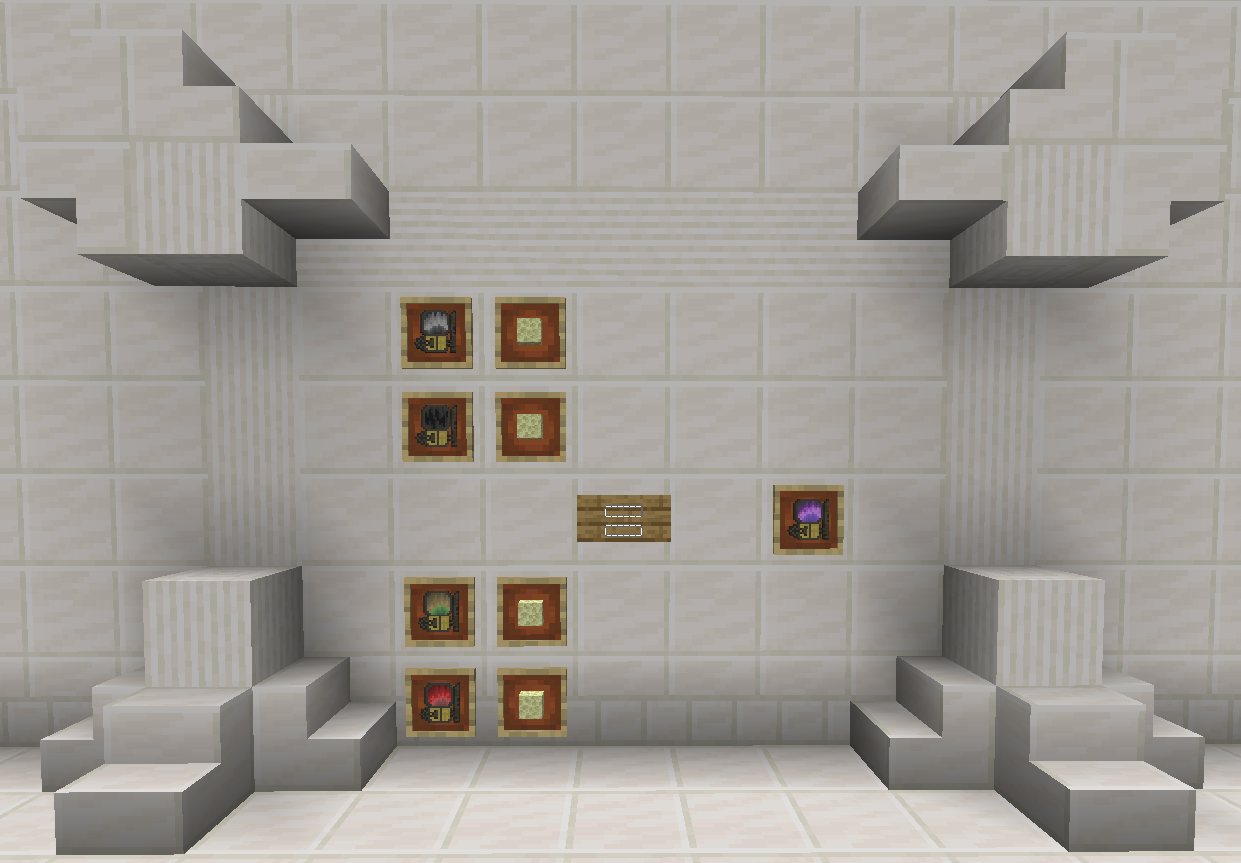
Crying Obsidian: Alpha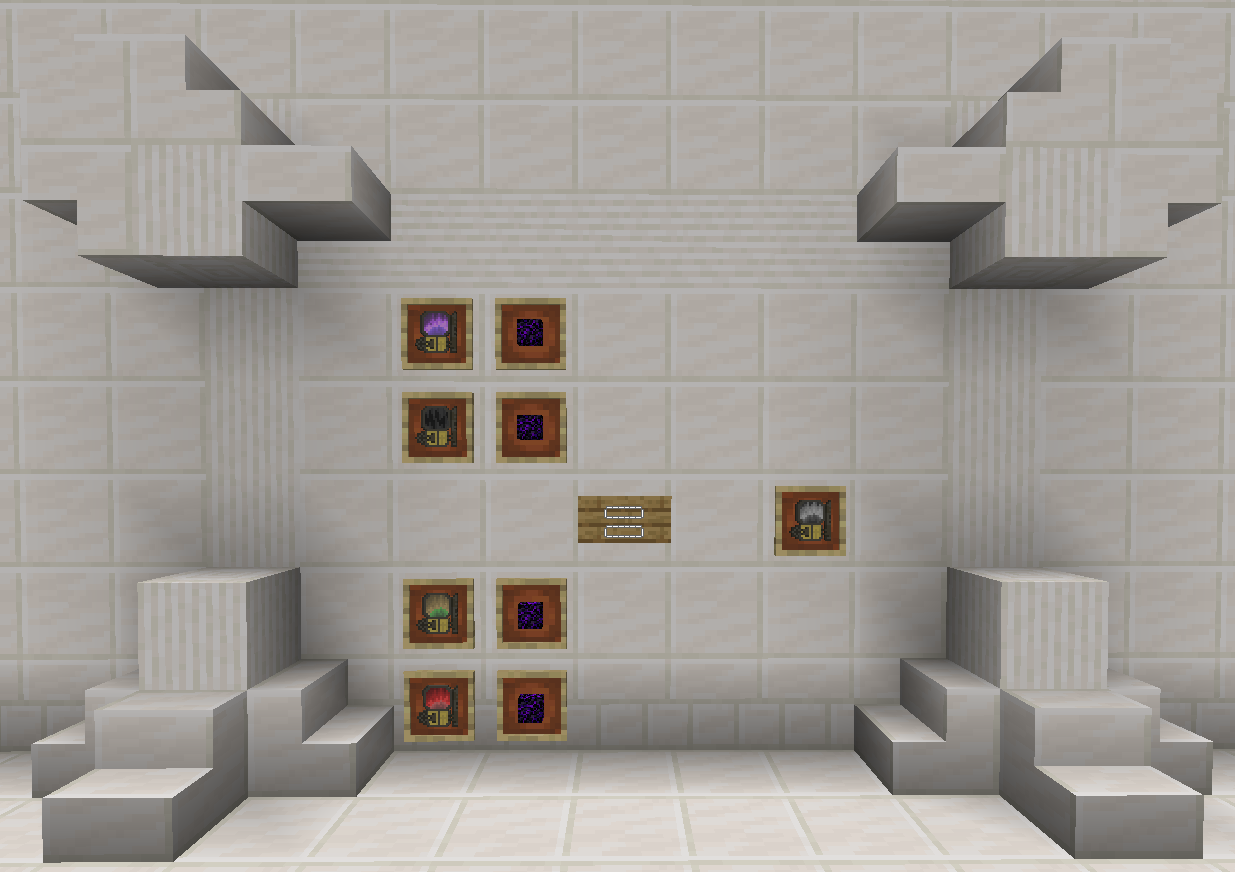
Enhanced Travel Experience:
Gain Slow Falling effect upon entering a dimension, ensuring a safe and smooth landing every time.
Download Now and Start Exploring!
Don’t miss out on this opportunity to take your Minecraft world to the next level. Download the Dimension Breakers Mod today and experience the thrill of seamless dimension hopping! 🌌
Showcase video:
Available Versions
How to Install FastTravelDimension on Your Server
Order Server
Order a Minecraft Java server with at least 3 GB RAM (4 GB recommended).
Set forge Loader
In the panel under "Egg", select the forge loader and matching Minecraft version (1.20.1).
Install Mod
Open the mod browser in the dashboard and search for "FastTravelDimension". Click "Install" – done! Alternatively, upload the .jar via SFTP to the /mods folder.
Compatibility
Mod Loaders
Minecraft Versions
1.20.1
Server-side
✓ RequiredRecommended RAM
4 GB(min. 3 GB)Frequently Asked Questions
FastTravelDimension server crashes on startup – what to do?
Most common cause: wrong forge version or insufficient RAM. Check the server log (latest.log) for "OutOfMemoryError" or "Mixin" errors. With Mado Hosting: ensure at least 3 GB RAM is allocated and the loader matches the mod version (1.20.1). You can switch loaders with one click in the panel.
Is FastTravelDimension compatible with forge?
FastTravelDimension officially supports forge for Minecraft 1.20.1. The Mado dashboard automatically detects incompatible loader combinations.
Server lagging with FastTravelDimension – how to optimize performance?
Recommended RAM: 4 GB (per 8 players). Use /spark profiler to check if FastTravelDimension consumes the most tick time. Common fixes: reduce server view-distance to 8-10, install "performant" or "starlight" as supplementary mods on Forge. With Mado Hosting, your server runs on NVMe SSDs with dedicated CPU cores for minimal latency.
Similar Mods





Rent Modded Server
Install FastTravelDimension with just one click on your server.