
Fathomcraft
Narrative horror episodes in Minecraft.
Screenshots
About this Mod
Fathomcraft
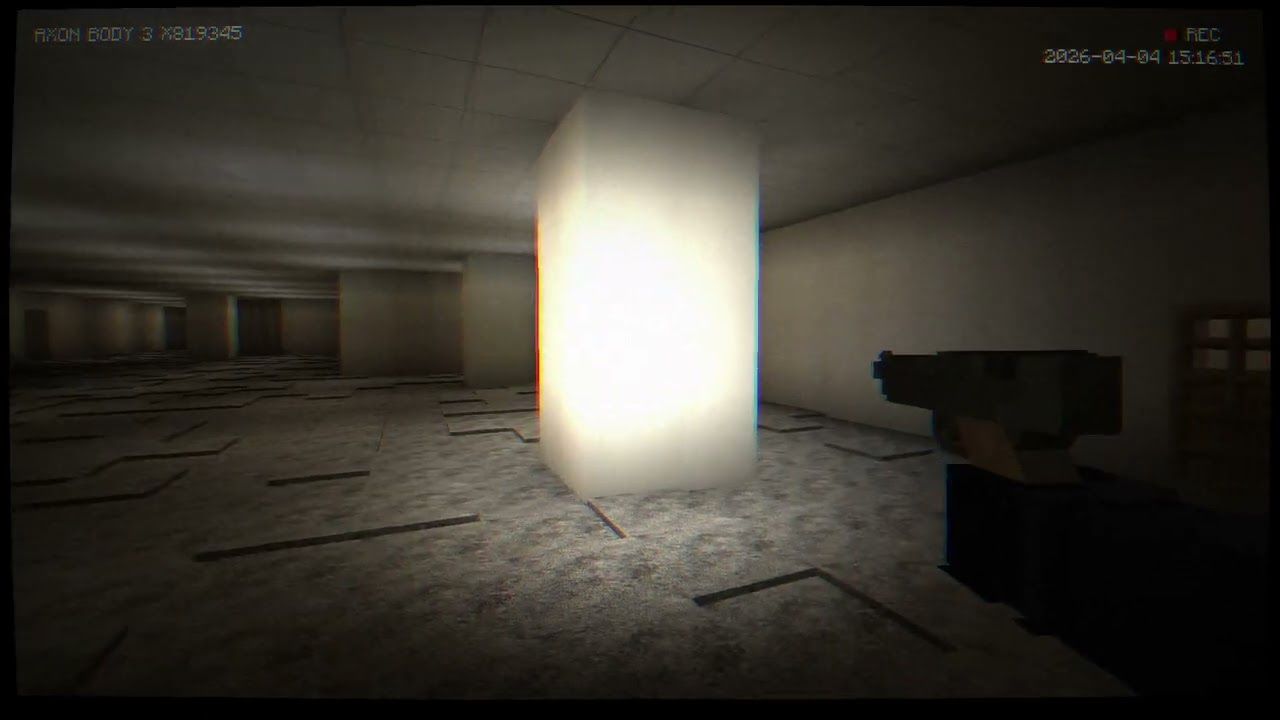
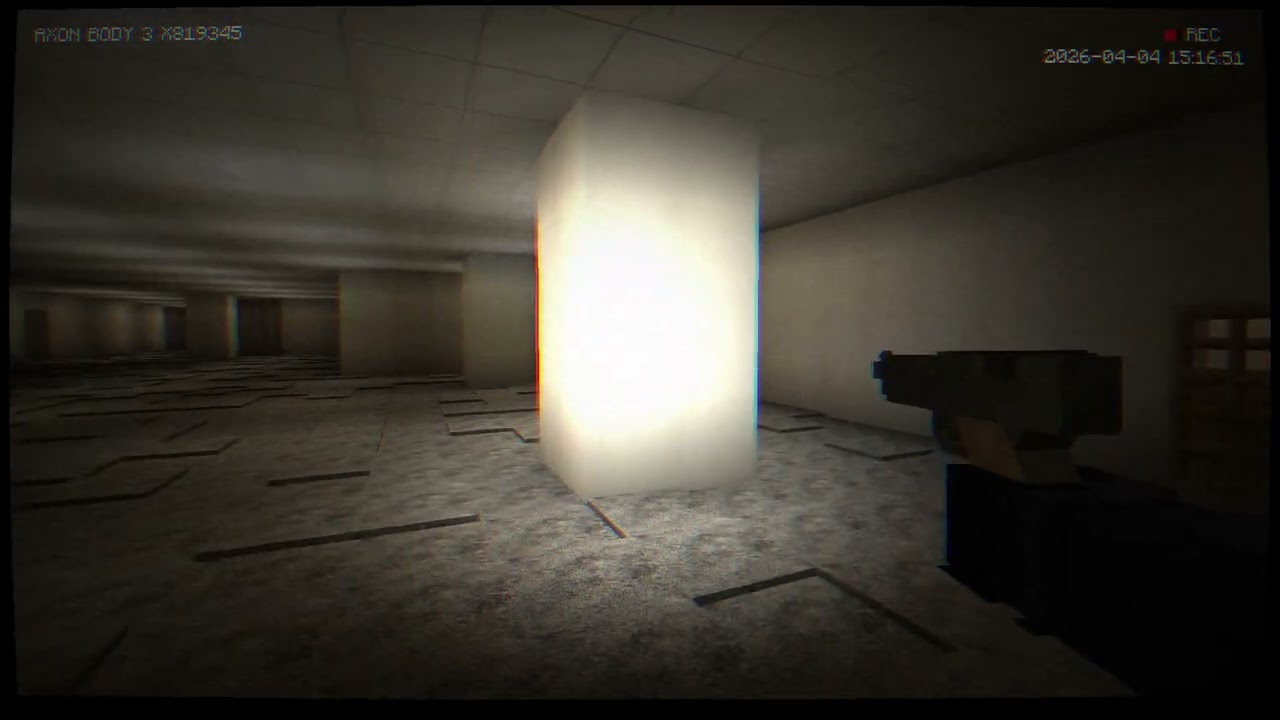
Fathomcraft is a Minecraft Fabric mod for version 1.21.1. It is made for an immersive horror episode that is coming soon. This mod takes inspiration from the looks of "Bodycam" and "Fears to Fathom".
Warning: The story and map for this mod are not ready yet. They are still being worked on.
Showcase
Main Features
Bodycam. Vhs Filter: When you play you will see an overlay on your screen that looks like a real body camera. It shows the date and time and it even looks like a video tape. This effect is always on when you are in Survival mode.
Dynamic Flashlight: You can turn on a flashlight by pressing the
Fkey. It does not just turn on and off it also flickers a bit like a real flashlight would. This makes the game feel more scary and real.Immersion & Movement:
Camera Inertia: When you move your head it feels like it has some weight to it. This makes the game feel more real.
Weapon Sway: When you are holding something it moves a bit in your hand. This is because the game is trying to make it feel like you are really holding something.
You will not hear the sounds of your feet moving. This is so that the game can use its sounds to make it feel more real.
Realistic Inventory (Survival): When you are playing in Survival mode you can only carry a things at a time. You can only use two slots in your inventory. You cannot pick up anything else if your hands are already full. The game also hides your health and hunger meters. Instead shows you a simple inventory bar that you can see when you need it.
Narrative System:
The game has a way of making characters talk to you. It looks like they are typing out what they want to say.
There are triggers in the game that can make things happen when you walk through them. You can see these triggers if you use an item called the Trigger Remover.
Entity Censor: When you see guys in the game they are covered up by a black box. This makes the game feel like you are watching a video tape.
New Decorative Blocks: The game has blocks that you can use to build things. These blocks look like they are from a city and they can help you make your world feel more real.
Requirements
To play Fathomcraft you need to have Fabric Loader and some other things installed. These things are:
Fabric API (version 0.116.9+1.21.1)
Veil (version 1.21.1-3.3.3). You need this to make the game look cool and to make the lights work right.
GeckoLib (version 1.21.1-4.7.2)
Camera Utils (version 1.21.1-1.0.16)
Available Versions
How to Install Fathomcraft on Your Server
Order Server
Order a Minecraft Java server with at least 3 GB RAM (4 GB recommended).
Set fabric Loader
In the panel under "Egg", select the fabric loader and matching Minecraft version (1.21.1).
Install Mod
Open the mod browser in the dashboard and search for "Fathomcraft". Click "Install" – done! Alternatively, upload the .jar via SFTP to the /mods folder.
Compatibility
Mod Loaders
Minecraft Versions
1.21.1
Server-side
✓ RequiredRecommended RAM
4 GB(min. 3 GB)Frequently Asked Questions
Fathomcraft server crashes on startup – what to do?
Most common cause: wrong fabric version or insufficient RAM. Check the server log (latest.log) for "OutOfMemoryError" or "Mixin" errors. With Mado Hosting: ensure at least 3 GB RAM is allocated and the loader matches the mod version (1.21.1). You can switch loaders with one click in the panel.
Is Fathomcraft compatible with fabric?
Fathomcraft officially supports fabric for Minecraft 1.21.1. The Mado dashboard automatically detects incompatible loader combinations.
Server lagging with Fathomcraft – how to optimize performance?
Recommended RAM: 4 GB (per 8 players). Use /spark profiler to check if Fathomcraft consumes the most tick time. Common fixes: reduce server view-distance to 8-10, install "performant" or "starlight" as supplementary mods on Forge. With Mado Hosting, your server runs on NVMe SSDs with dedicated CPU cores for minimal latency.
Similar Mods





Rent Modded Server
Install Fathomcraft with just one click on your server.