
Fathoms
Dredge the depths, seize the seas, and find secrets untold deep below the waves...
Screenshots
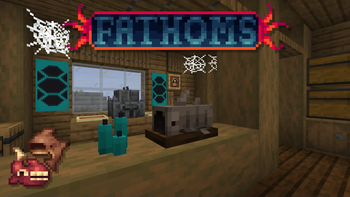
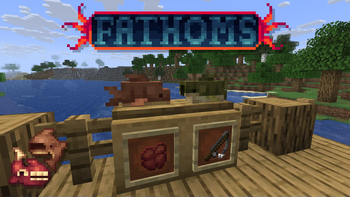
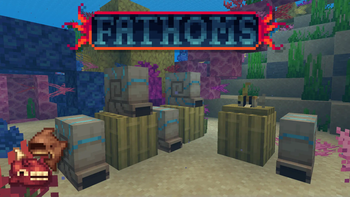
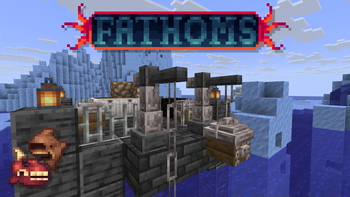

About this Mod
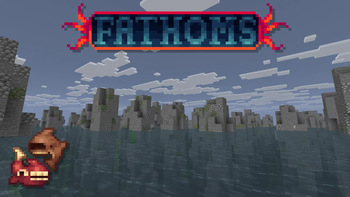
Fathoms is a datapack focused on a complex expansion of the seas of Minecraft, bringing a vast array of new mechanics, unique collectables, and macabre themes. Inspired by Dredge as well as eldritch horror classics, it conjures an air of mystery leaving you wanting to dredge the depths for more.
Contents
Features
- 70+ fish found in a variety of biomes and conditions
- A complete overhaul of the fishing loot table, including a new bait system
- 2 new mini-biomes packed with exclusive mechanics and fish
- 2 interactive blocks to expand, diversify, and automate fishing
- A dredging system for diagetic metal farming and discovering ancient secrets
- A cryptic ritual system, empowering you on and off the water
- A vast collection of trinkets and novelty items found at sea
- Tons of secrets
Extras
- A massive new advancement tab featuring intuitive explanations
- Full Peaceful mode support
- Custom statistics menu (1.21.6+)
- Subtle, slightly pretentious, hopefully intriguing worldbuilding
Note on the Wiki
As a creative decision, Fathoms' wiki will not be maintained by developers. It may contain some information provided by the community, but it is not a 100% reliable source. If you are having trouble with doing something as the wiki instructs, assume it is outdated. All of Fathoms' content has been precisely designed to be discovered ingame via advancements, the recipe book, and diegetic clues. Additonally, Fathoms is best enjoyed blind...
Frequently Asked Questions
Major Questions
Q: Why is the pack is not appearing on my Modrinth installation?
A: Modrinth does not properly install datapacks into worlds directly. You will need to manually insert the datapack and resourcepack into your world's datapack folder and your resourcepack folder respectively.
Q: Why is this visual thing not looking right?
A: Install the resourcepack. If you are having trouble finding the resourcepack on Modrinth, click the version you are downloading, not the download button. Scroll down and download the resourcepack.
Q: Is Fathoms compatible with
A: Fathoms is not designed to be compatible with any fishing mods or datapacks. It may be compatible with some datapacks that make minor changes to fishing loot tables (like The Creeper's Code), which can be done by Welding packs.
Content Questions
Q: Is this a datapack?
A: Yes. We all make datapacks exclusively, not mods. They all use modern technology (and Smithed conventions!) to ensure the experience is integrated just as a mod.
Q: When are you updating this pack to this Minecraft version?
A: We don't know, don't bother us about it.
Q: Will there be a Bedrock port for Fathoms?
A: We do not make content for Bedrock.
Q: Can you/I port to this Minecraft version/can you/I port to Bedrock?
A: No.
Ingame questions
Q: How do I spawn in items/mobs?
A: For items, run /loot give @s loot <datapack>:item/<item>. For mobs, run /function <datapack>:commands/summon/<mob>.
Q: I am having an issue that has not been fixed by installing the resourcepack!
A: Datapacks are not compatible with lots of server software such as PaperMC made by lazy devs who do not take them into account. If you are running a non-vanilla server software, this may be the reason. Fabric, Quilt, Forge, and Neoforge are probably compatible.
Q: Why am I not catching any of the custom fish?
A: Fathoms is not compatible with other mods and datapacks that modify fishing loot tables. We can not fix this.
Credits
Contributions
Lead - Lead (ha) developer, artist, and idea haver
FracturedFlux - Ideas, critical feedback, beta testing, moral support
CreeperMagnet - Assorted borrowed and referenced code
ninesnow - Ideas, critical feedback, art help, overall inspiration
InspectorJ Sound effects source
Translations
Phiphi - French
Narcikitty - Brazillian Portugeuse
Special thanks to the Hadal Zone communities - We would not be here without you!
Available Versions
How to Install Fathoms on Your Server
Order Server
Order a Minecraft Java server with at least 3 GB RAM (4 GB recommended).
Set datapack Loader
In the panel under "Egg", select the datapack loader and matching Minecraft version (1.21.10).
Install Mod
Open the mod browser in the dashboard and search for "Fathoms". Click "Install" – done! Alternatively, upload the .jar via SFTP to the /mods folder.
Compatibility
Mod Loaders
Minecraft Versions
1.21.10, 1.21.9, 1.21.8 (+3 more)
Server-side
✓ RequiredRecommended RAM
4 GB(min. 3 GB)Frequently Asked Questions
Fathoms server crashes on startup – what to do?
Most common cause: wrong datapack version or insufficient RAM. Check the server log (latest.log) for "OutOfMemoryError" or "Mixin" errors. With Mado Hosting: ensure at least 3 GB RAM is allocated and the loader matches the mod version (1.21.10). You can switch loaders with one click in the panel.
Is Fathoms compatible with datapack and fabric and forge and neoforge and quilt?
Fathoms officially supports datapack, fabric, forge, neoforge, quilt for Minecraft 1.21.10, 1.21.9, 1.21.8. Note: Forge and Fabric mods are NOT cross-compatible – pick one loader and stick with it. The Mado dashboard automatically detects incompatible loader combinations.
Server lagging with Fathoms – how to optimize performance?
Recommended RAM: 4 GB (per 8 players). Use /spark profiler to check if Fathoms consumes the most tick time. Common fixes: reduce server view-distance to 8-10, install "performant" or "starlight" as supplementary mods on Forge. With Mado Hosting, your server runs on NVMe SSDs with dedicated CPU cores for minimal latency.
Similar Mods



Rent Modded Server
Install Fathoms with just one click on your server.