
Fbinds
Create command keybinds with an intuitive animated GUI, rainbow HUD, and smooth blur effects. Supports modifiers (Shift/Ctrl), toggle mode, per-key cooldown, and auto-save. All client-side — works on any server!
Screenshots
About this Mod
#FBinds v1
🔹 What does this mod do?
FBinds allows you to create, edit and manage custom keybinds (macros) for executing commands in Minecraft.
Instead of manually typing long commands, you can assign them to any key and execute them with a single press.
The mod adds:
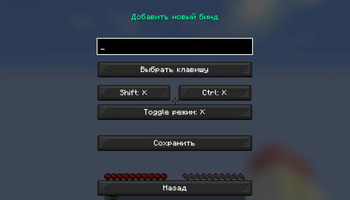
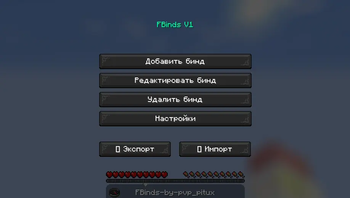
Intuitive GUI menu for bind management
Modifier support (Shift/Ctrl + key)
Toggle mode — turn commands on/off with one key
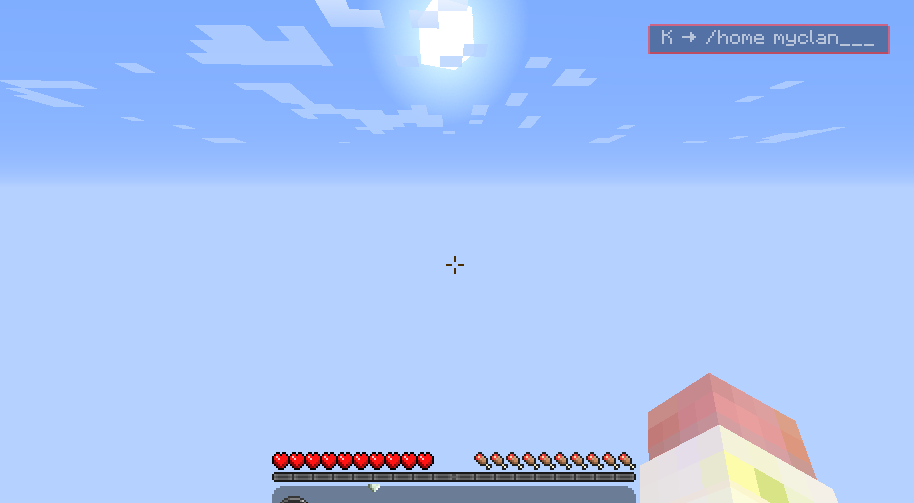
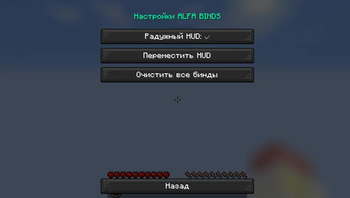
Animated HUD showing active binds
Auto-save binds to JSON file
Export/Import binds (easily share with friends)
🔹 Why should you download it?
Save time — no need to remember complex commands
Convenience — intuitive GUI with animations and blur effect
Flexibility — modifiers, toggle mode, per-key cooldown
Aesthetics — stylish rainbow HUD like in popular clients
Compatibility — works on any server (client-side)
Lightweight — no performance impact, no server installation required
🔹 Important information before downloading
Minecraft version: 1.16.5 (Forge only)
For whom: players who want to speed up frequent command execution
Is it safe? Yes, the mod simply sends commands to chat — it doesn't automate gameplay or give PvP advantages
Does it work on servers? Yes, it's a client-side mod — servers don't need to install it
How to install: download the .jar file and place it in the mods folder
⚙️ Controls
J — open bind menu (can be changed in controls settings)
Shift/Ctrl + key — if modifiers are configured
Toggle mode — press key to enable, press again to disable
Available Versions
How to Install Fbinds on Your Server
Order Server
Order a Minecraft Java server with at least 3 GB RAM (4 GB recommended).
Set forge Loader
In the panel under "Egg", select the forge loader and matching Minecraft version (1.16.5).
Install Mod
Open the mod browser in the dashboard and search for "Fbinds". Click "Install" – done! Alternatively, upload the .jar via SFTP to the /mods folder.
Compatibility
Mod Loaders
Minecraft Versions
1.16.5
Server-side
✗ UnsupportedRecommended RAM
4 GB(min. 3 GB)Frequently Asked Questions
Fbinds server crashes on startup – what to do?
Most common cause: wrong forge version or insufficient RAM. Check the server log (latest.log) for "OutOfMemoryError" or "Mixin" errors. With Mado Hosting: ensure at least 3 GB RAM is allocated and the loader matches the mod version (1.16.5). You can switch loaders with one click in the panel.
Is Fbinds compatible with forge?
Fbinds officially supports forge for Minecraft 1.16.5. The Mado dashboard automatically detects incompatible loader combinations.
Server lagging with Fbinds – how to optimize performance?
Recommended RAM: 4 GB (per 8 players). Use /spark profiler to check if Fbinds consumes the most tick time. Common fixes: reduce server view-distance to 8-10, install "performant" or "starlight" as supplementary mods on Forge. With Mado Hosting, your server runs on NVMe SSDs with dedicated CPU cores for minimal latency.
Rent Modded Server
Install Fbinds with just one click on your server.