
FelixSkins
A client-only Fabric mod for Minecraft 1.20.1 that allows players to drag and drop PNG skin files directly into the game and apply them immediately without restarting.
Screenshots

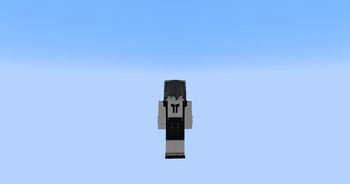
About this Mod
FelixSkin v1.2.3 - Minecraft Fabric Mod
A client-only Fabric mod for Minecraft 1.20.1 that allows players to drag and drop PNG skin files directly into the game and apply them immediately without restarting.
✨ Features
- 🎯 Drag & Drop Interface: Open GUI with K key, drag PNG files from your OS into the drop zone
- ⚡ Immediate Application: Skins are applied instantly to your player model
- 🎨 HD Support: Supports skins of any resolution (128x128, 256x256, 512x512, etc.)
- 🤖 Auto-Detection: Automatically detects slim (Alex) vs classic (Steve) models based on filename
- Files containing
_slimor_alex→ Alex model - All other files → Steve model
- Files containing
- 🌐 Client-Only: No server-side changes required
- 💾 Memory Efficient: Proper cleanup of old textures to prevent memory leaks
📋 Requirements
- Minecraft 1.20.1
- Fabric Loader 0.16.12+
- Fabric API 0.92.6+
- Java 17+
🚀 Installation
For Players
- Download the latest
.jarfile from releases - Place it in your
%minecraft%/modsfolder - Launch Minecraft with Fabric Loader
- Press K in-game to open the skin manager
For Developers
- Clone this repository
- Run
./gradlew build(orgradlew.bat buildon Windows) - Find the built JAR in
build/libs/
🎮 Usage
- Open the GUI: Press K in-game
- Drag & Drop: Drag a PNG file from your file explorer into the drop zone
- Alternative: Click "Pick File" to browse for PNG files
- Apply: Click "Apply Skin" to apply the skin
- Clear: Use "Clear Skin" to remove the custom skin
- Close: Click "Close" or press ESC
GLFW Integration
- Uses GLFW drop callback to receive file drops from the OS
- Safely handles file path encoding and validation
- Only accepts PNG files with reasonable size limits
⚠️ Troubleshooting
Common Issues
- Mod not loading: Ensure you have the correct Fabric Loader version
- K key not working: Check if the key binding conflicts with other mods
- Skin not applying: Verify the PNG file is valid and not corrupted
- Performance issues: Large HD skins (>2048x2048) may impact performance
Logs
Check the Minecraft logs for any error messages. The mod logs important events with the prefix [FelixSkin].
📞 Support
- GitHub: https://github.com/dotprepare/FelixSkins
- Discord: Join our community for support
- Issues: Report bugs on GitHub Issues
🤝 Contributing
Contributions are welcome! Please feel free to submit issues, feature requests, or pull requests.
📄 License
This project is licensed under the MIT License - see the LICENSE file for details.
Made with ❤️ by Frame121
Available Versions
How to Install FelixSkins on Your Server
Order Server
Order a Minecraft Java server with at least 3 GB RAM (4 GB recommended).
Set fabric Loader
In the panel under "Egg", select the fabric loader and matching Minecraft version (1.20.1).
Install Mod
Open the mod browser in the dashboard and search for "FelixSkins". Click "Install" – done! Alternatively, upload the .jar via SFTP to the /mods folder.
Compatibility
Mod Loaders
Minecraft Versions
1.20.1
Server-side
~ OptionalRecommended RAM
4 GB(min. 3 GB)Frequently Asked Questions
FelixSkins server crashes on startup – what to do?
Most common cause: wrong fabric version or insufficient RAM. Check the server log (latest.log) for "OutOfMemoryError" or "Mixin" errors. With Mado Hosting: ensure at least 3 GB RAM is allocated and the loader matches the mod version (1.20.1). You can switch loaders with one click in the panel.
Is FelixSkins compatible with fabric?
FelixSkins officially supports fabric for Minecraft 1.20.1. The Mado dashboard automatically detects incompatible loader combinations.
Server lagging with FelixSkins – how to optimize performance?
Recommended RAM: 4 GB (per 8 players). Use /spark profiler to check if FelixSkins consumes the most tick time. Common fixes: reduce server view-distance to 8-10, install "performant" or "starlight" as supplementary mods on Forge. With Mado Hosting, your server runs on NVMe SSDs with dedicated CPU cores for minimal latency.
Similar Mods






Rent Modded Server
Install FelixSkins with just one click on your server.