
FentLib
A shared code library and tweak/fix mod.
About this Mod
FentLib
A shared code library and tweak/fix mod.








Features
- Support for animated GIF server icons. Just drop a
server-icon.giffile in the server root directory. Size limits are configurable. HodgePodge is a soft dependency, required if you want to use larger GIFs (because of the packet size limit).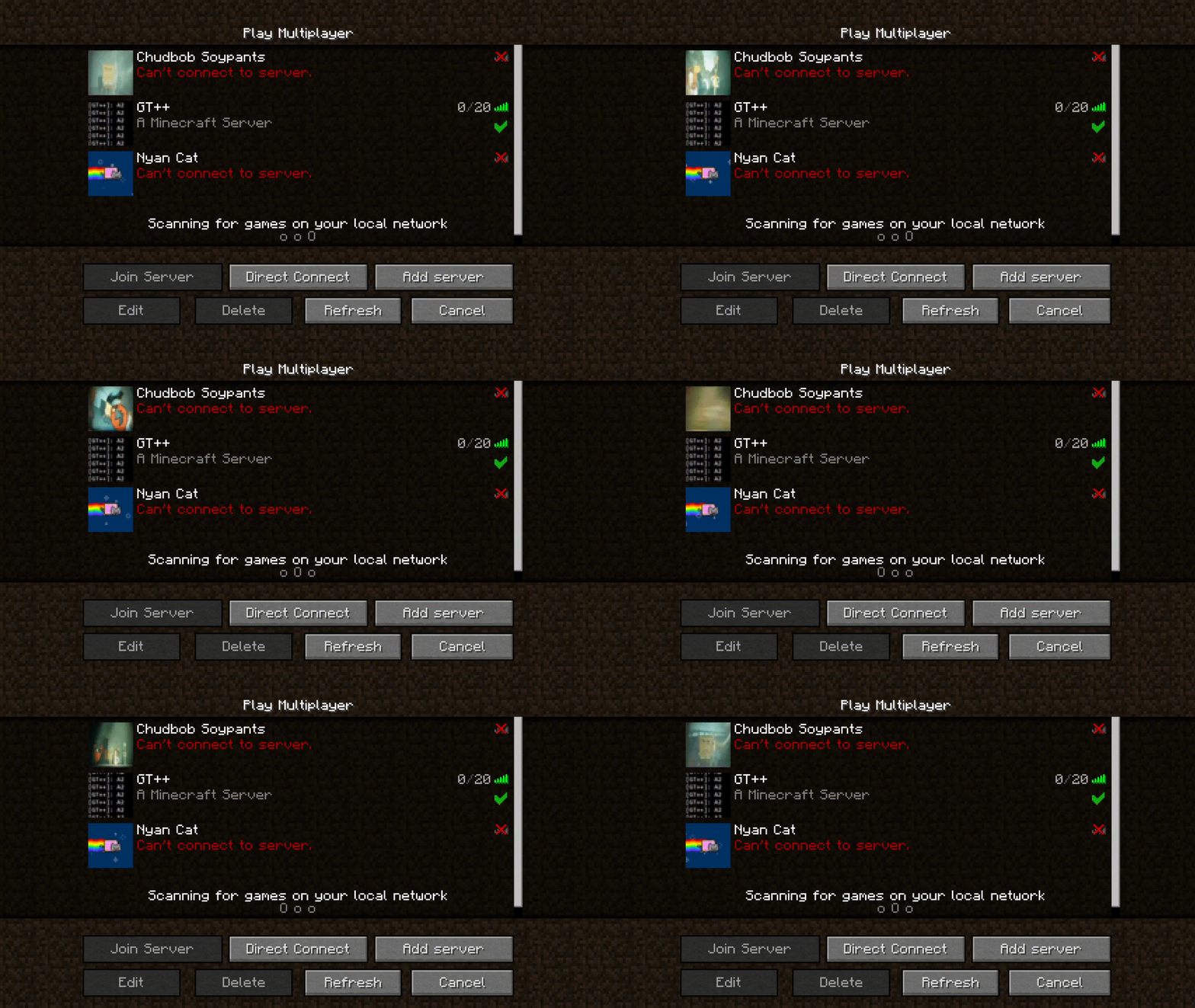
Use the/reload_iconcommand to reload the icon. Also works forserver-icon.png. - Removal of EnderCore / HodgePodge Info Button in the mod list screen.
- API to modify the
S00PacketServerInfopacket. Example:
public class ClientProxy extends CommonProxy {
    @Override
    public void preInit(FMLPreInitializationEvent event) {
      S00PacketServerInfoModifyService.registerDeserializeHandler((response, fentlibData, serverData) -> {
        if (fentlibData.has("server_to_client_payload")) {
          // Yoohoo we got something back!!!!
          // serverData contains stuff like server IP
        }
      });
    }
}

public class CommonProxy {
  public void preInit(FMLPreInitializationEvent event) {
    if (MiscUtil.isServer()) {
      S00PacketServerInfoModifyService.registerHandler((response, fentLibPresent) -> {
        // fentLibPresent is just a boolean indicating whether fentlib is loaded
        return "server_to_client_payload";
        // You can return a String, a S00PacketServerInfoModifyService.KeyValue, or a JsonElement. If you return
        // a non-null value, it will be passed back to the client
      });
    }
  }
}
/dump_thaumonomicon <Optional Comment>command. Run it from the client, and all Thaumcraft research will be dumped as a static website. The comment will be visible under the page title, and you can indicate the pack or mods for with which the dump was done.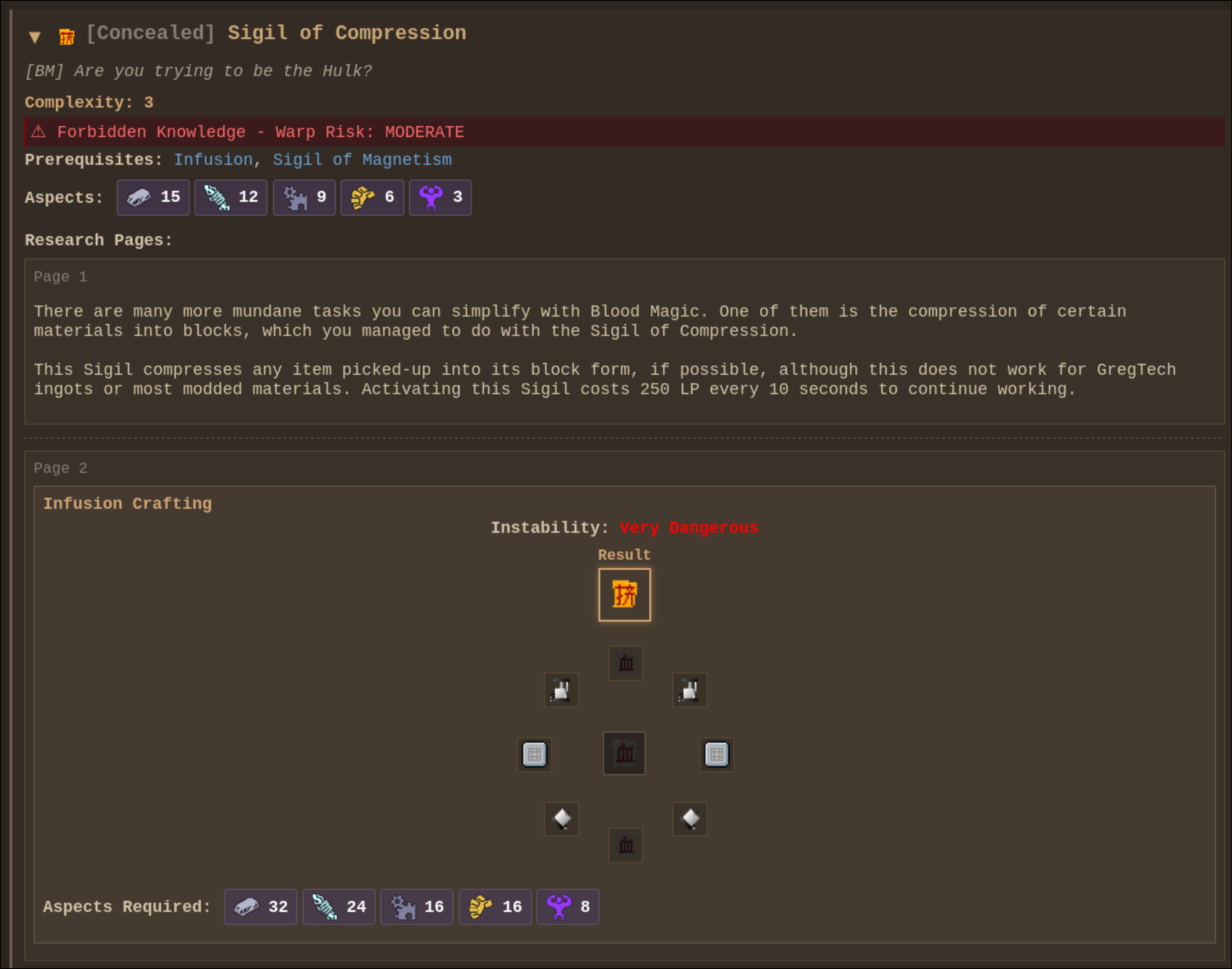
/warpdim[dimension ID] command. Painlessly warp to a dimension (meant for debugging).SessionAccessTokenOverrideMixinallows overriding the session access token in dev launches via-Dfentlib.accessTokenOverride=<token>.- Client sound utilities to set a custom max attenuation distance without increasing the sound volume. Methods:
SoundUtil.withMaxDistance(ISound sound, float maxDistance);
SoundUtil.playWithMaxDistance(ISound sound, float maxDistance);
SoundUtil.playWithMaxDistance(SoundHandler soundHandler, ISound sound, float maxDistance);
SoundUtil.playAt(ResourceLocation soundResource, double x, double y, double z, float volume, float pitch, float maxDistance);
Example:
SoundUtil.playAt(waveSound, x, y, z, 0.25F, 1.0F, 64.0F);
- HTTP-on-Minecraft-port reverse proxying for local web UIs. Configure path-to-port mappings in
config/fentlib/http-port-routes.jsonso services like Dynmap can be reached through the server port, such as/dynmap/..., instead of separate ports.
SetpublicBaseUrlinconfig/fentlib/fentlib.cfgto the public base URL of the server; mods should append their own relative route paths on top of it. - QOI image format support and utils thanks to saharNooby/qoi-java. For usage example, check out how support for
server-icon.qoiis implemented. - WebP image format support and utils thanks to haraldk/TwelveMonkeys. For usage example, check out how support for
server-icon.webpis implemented. - Default server icon path can be configured using the
serverIconDirectoryconfig option.
Fishing Loot Config
Set enableFishingLootTable=true in config/fentlib/fentlib.cfg to enable FentLib's fishing override. The loot table lives at config/fentlib/fishing-loot.json. When enabled, vanilla still decides whether a catch is fish, junk, or treasure, but the item itself comes only from this JSON.
The JSON has top-level fish, junk, and treasure lists. Each entry uses vanilla-style weight, supports count and meta ranges, can be limited to a biome whitelist with biomes or inverted into a blacklist with invertBiomes, and biome selectors can be numeric IDs, biome names, or * to match any biome. Entries can also use explicit numeric enchant IDs or useVanillaEnchantingRules for vanilla-style random enchanting.
{
  "fish": [
    {
      "item": "minecraft:fish",
      "weight": 60,
      "count": { "min": 1, "max": 1 },
      "meta": { "min": 0, "max": 0 }
    },
    {
      "item": "minecraft:fish",
      "weight": 10,
      "count": { "min": 1, "max": 2 },
      "meta": { "min": 1, "max": 1 },
      "biomes": ["ocean", "river"]
    }
  ]
}
Dependencies


Building
./gradlew build.
Credits
License
LGPLv3.
Buy me a coffee
- ko-fi.com
- Monero:
893tQ56jWt7czBsqAGPq8J5BDnYVCg2tvKpvwTcMY1LS79iDabopdxoUzNLEZtRTH4ewAcKLJ4DM4V41fvrJGHgeKArxwmJ

Available Versions
How to Install FentLib on Your Server
Order Server
Order a Minecraft Java server with at least 3 GB RAM (4 GB recommended).
Set forge Loader
In the panel under "Egg", select the forge loader and matching Minecraft version (1.7.10).
Install Mod
Open the mod browser in the dashboard and search for "FentLib". Click "Install" – done! Alternatively, upload the .jar via SFTP to the /mods folder.
Compatibility
Mod Loaders
Minecraft Versions
1.7.10
Server-side
~ OptionalRecommended RAM
4 GB(min. 3 GB)Frequently Asked Questions
FentLib server crashes on startup – what to do?
Most common cause: wrong forge version or insufficient RAM. Check the server log (latest.log) for "OutOfMemoryError" or "Mixin" errors. With Mado Hosting: ensure at least 3 GB RAM is allocated and the loader matches the mod version (1.7.10). You can switch loaders with one click in the panel.
Is FentLib compatible with forge?
FentLib officially supports forge for Minecraft 1.7.10. The Mado dashboard automatically detects incompatible loader combinations.
Server lagging with FentLib – how to optimize performance?
Recommended RAM: 4 GB (per 8 players). Use /spark profiler to check if FentLib consumes the most tick time. Common fixes: reduce server view-distance to 8-10, install "performant" or "starlight" as supplementary mods on Forge. With Mado Hosting, your server runs on NVMe SSDs with dedicated CPU cores for minimal latency.
Similar Mods



Rent Modded Server
Install FentLib with just one click on your server.