
FireHud
Customize the visuals of fire to your exact needs and beyond
Screenshots
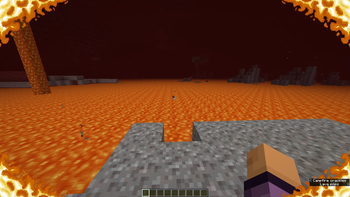
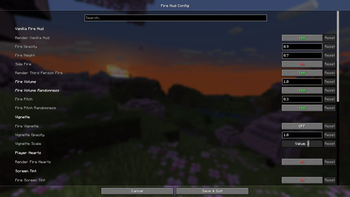
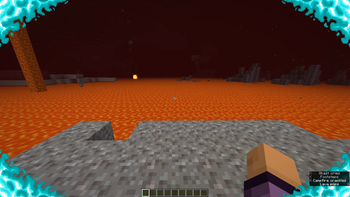
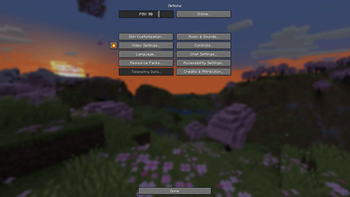
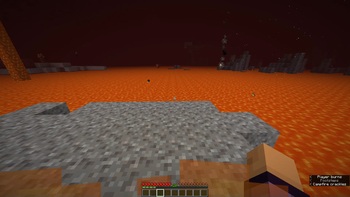
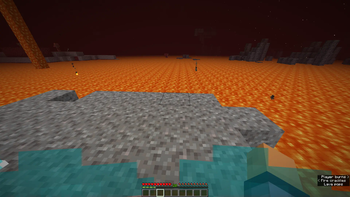
About this Mod
FireHud
This is a client only mod which provides more settings than you'll ever need to customize the onscreen effect when on fire.
Everything is on vanilla settings by default
The config, made using Cloth Config, is accessable through either ModMenu or, I have added a button in the game options beside the videos settings button. This button is toggleable and you may move it around as well.
This mod was made as a passion project after I went netherite mining and remembered how annoying fire was.
You may also adjust the volume and pitch of fire blocks in the config.
Believe me when I say I have really gone overkill on customization. Chances are that I'll also add more features in the future. If you have any good ideas for additions to this mod, don't hesitate to go to the issues page on the github and make a suggestion. I will most likely read it and consider it.
Some features of note:
- Adjusting the position of vanilla fire.
- Adjusting the opactity of vanilla fire.
- Disabling vanilla fire entirely.
- Enabling other customizable redesigns of the hud.
- Adjusting the in-lava fog. Making it easier to see under lava.
- Player ignites on soul fire rather than normal, orange fire when in soul fire.
- And many other useful, but completely optional features.
Available Versions
How to Install FireHud on Your Server
Order Server
Order a Minecraft Java server with at least 3 GB RAM (4 GB recommended).
Set fabric Loader
In the panel under "Egg", select the fabric loader and matching Minecraft version (1.21.11).
Install Mod
Open the mod browser in the dashboard and search for "FireHud". Click "Install" – done! Alternatively, upload the .jar via SFTP to the /mods folder.
Compatibility
Mod Loaders
Minecraft Versions
1.21.11, 1.21.10, 1.21.9 (+13 more)
Server-side
✗ UnsupportedRecommended RAM
4 GB(min. 3 GB)Frequently Asked Questions
FireHud server crashes on startup – what to do?
Most common cause: wrong fabric version or insufficient RAM. Check the server log (latest.log) for "OutOfMemoryError" or "Mixin" errors. With Mado Hosting: ensure at least 3 GB RAM is allocated and the loader matches the mod version (1.21.11). You can switch loaders with one click in the panel.
Is FireHud compatible with fabric?
FireHud officially supports fabric for Minecraft 1.21.11, 1.21.10, 1.21.9. The Mado dashboard automatically detects incompatible loader combinations.
Server lagging with FireHud – how to optimize performance?
Recommended RAM: 4 GB (per 8 players). Use /spark profiler to check if FireHud consumes the most tick time. Common fixes: reduce server view-distance to 8-10, install "performant" or "starlight" as supplementary mods on Forge. With Mado Hosting, your server runs on NVMe SSDs with dedicated CPU cores for minimal latency.
Similar Mods






Rent Modded Server
Install FireHud with just one click on your server.