
FishTimer
Keep tabs on your fishing times!
Screenshots

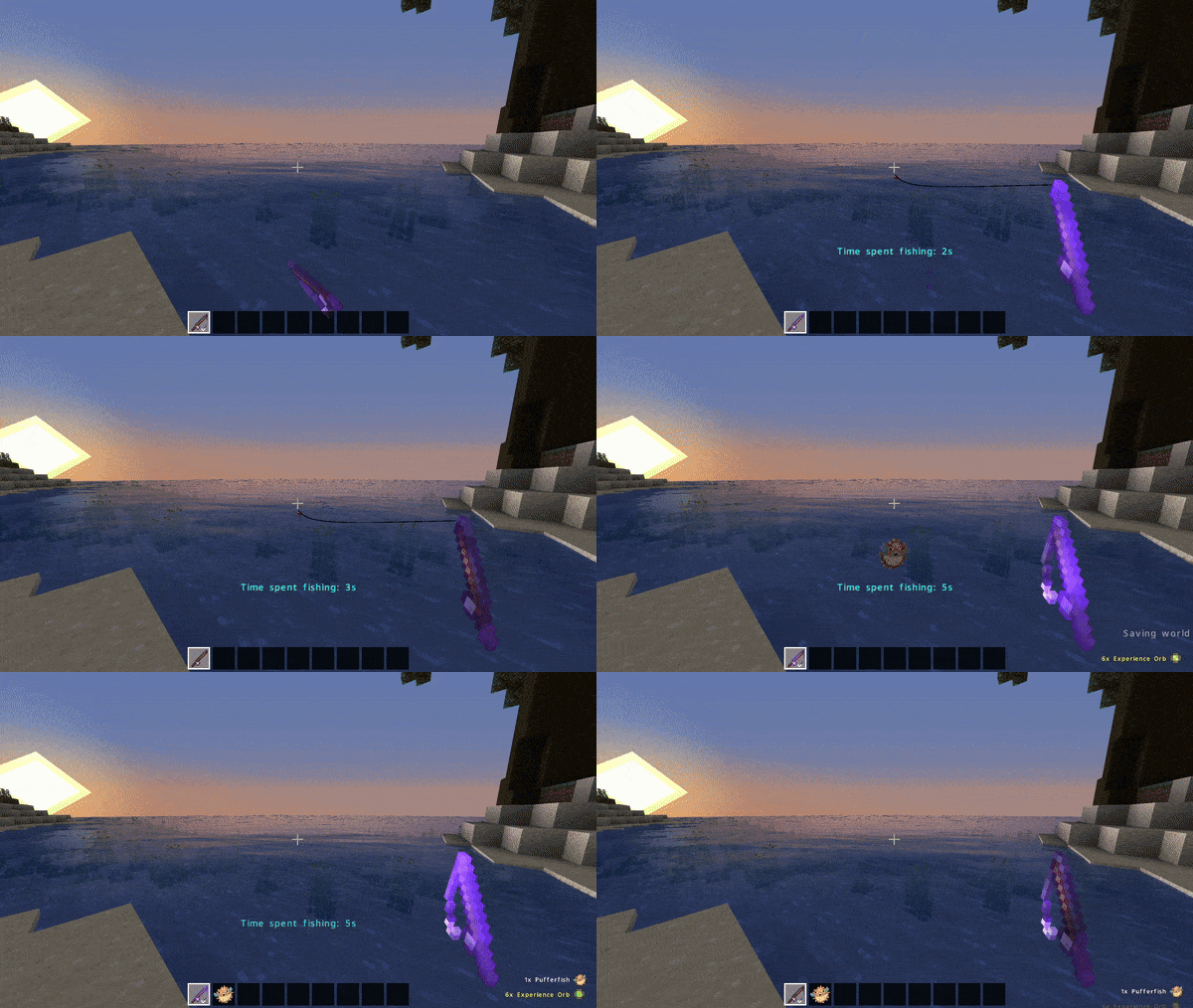
About this Mod
About
Fishing is an interesting aspect of Minecraft that often captivates players with its simplicity and surprising depth. The subtle bobbing of the fishing rod or the sound of gentle rain pattering around you provides a safe haven to unwind and relax in. When immersed in this soothing atmosphere, many players find themselves losing track of time while engrossed in this calming activity (maybe not but idk what to put -.-).
"FishTimer" intends to keep you aware of this time through a dynamic timer which updates in real time and actively shows the seconds being spent angling. Of course, you can always toggle the timer off should you ever feel the need. Use the commands below to control the datapack. All are usable in survival for extra convenience.
And who knows what mysteries may emerge from the watery depths? After all, patience is the reel that brings in the best fish...
THIS PROJECT IS EXCLUSIVELY FOR SINGLEPLAYER USE UNTIL FURTHER UPDTES
Commands
A) Toggle the mod: /trigger fishtimer_toggle
B) View the current On/Off state: /trigger fishtimer_status
Made with Visual Studio Code
Available Versions
How to Install FishTimer on Your Server
Order Server
Order a Minecraft Java server with at least 3 GB RAM (4 GB recommended).
Set datapack Loader
In the panel under "Egg", select the datapack loader and matching Minecraft version (1.21.4).
Install Mod
Open the mod browser in the dashboard and search for "FishTimer". Click "Install" – done! Alternatively, upload the .jar via SFTP to the /mods folder.
Compatibility
Mod Loaders
Minecraft Versions
1.21.4, 1.21.3, 1.21.2 (+7 more)
Server-side
✓ RequiredRecommended RAM
4 GB(min. 3 GB)Frequently Asked Questions
FishTimer server crashes on startup – what to do?
Most common cause: wrong datapack version or insufficient RAM. Check the server log (latest.log) for "OutOfMemoryError" or "Mixin" errors. With Mado Hosting: ensure at least 3 GB RAM is allocated and the loader matches the mod version (1.21.4). You can switch loaders with one click in the panel.
Is FishTimer compatible with datapack and fabric and forge and neoforge and quilt?
FishTimer officially supports datapack, fabric, forge, neoforge, quilt for Minecraft 1.21.4, 1.21.3, 1.21.2. Note: Forge and Fabric mods are NOT cross-compatible – pick one loader and stick with it. The Mado dashboard automatically detects incompatible loader combinations.
Server lagging with FishTimer – how to optimize performance?
Recommended RAM: 4 GB (per 8 players). Use /spark profiler to check if FishTimer consumes the most tick time. Common fixes: reduce server view-distance to 8-10, install "performant" or "starlight" as supplementary mods on Forge. With Mado Hosting, your server runs on NVMe SSDs with dedicated CPU cores for minimal latency.
Similar Mods




Rent Modded Server
Install FishTimer with just one click on your server.
Details
- License
- Creative Commons Attribution Non Commercial Share Alike 4.0 International
- Server-side
- Required