
FlatEdit+
A rework of the horrific superflat creation screen.
About this Mod
Isn't it such a hassle to use external sites just to create custom superflat presets?
Have you ever wanted to create custom presets right inside of Minecraft?
FlatEdit+ (the superior superflat customization system)
FlatEdit+ is a client-side quality-of-life Minecraft mod that overhauls the Superflat World Creation System, giving players much greater control, clarity, and power when designing custom flat worlds.
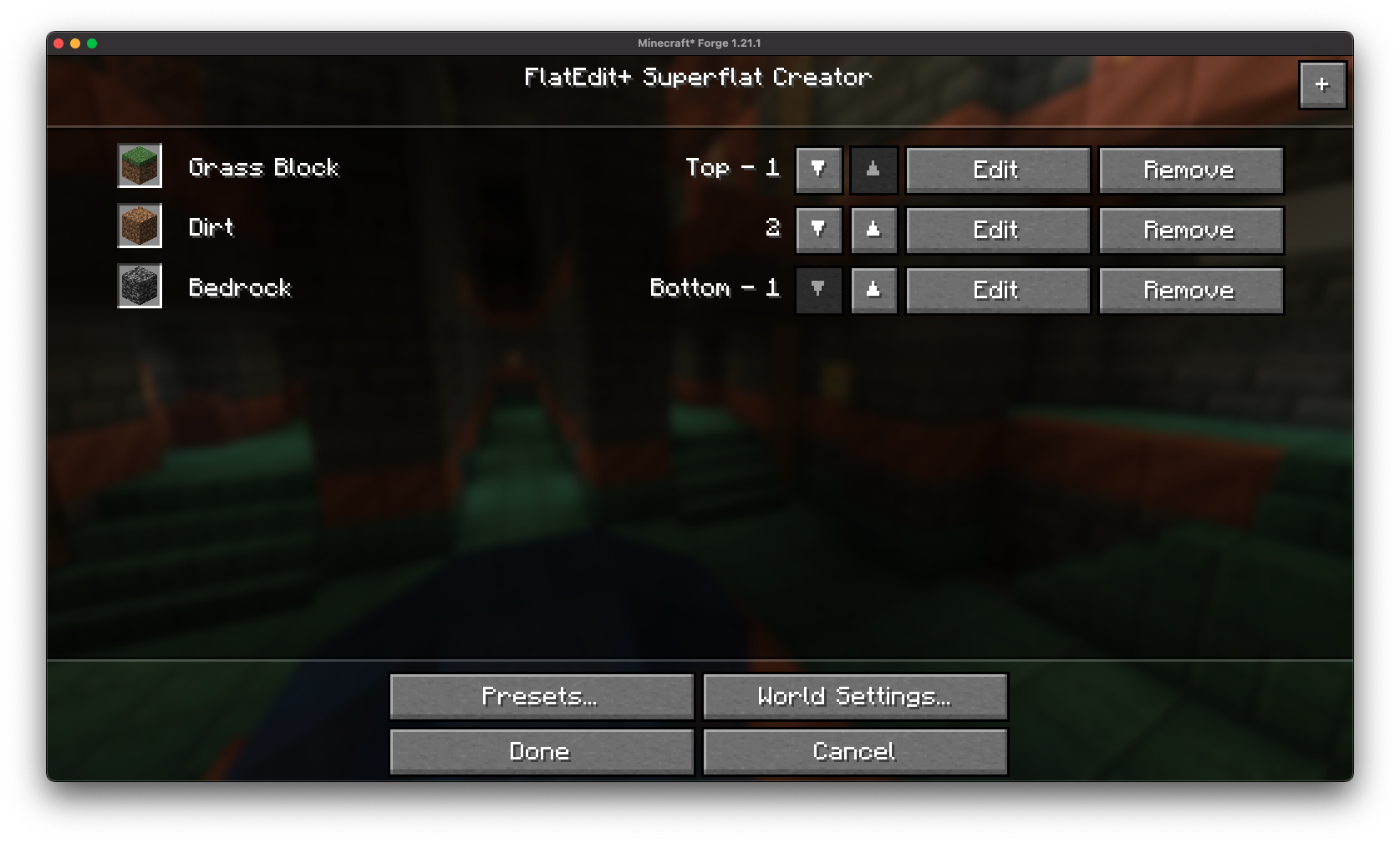
Instead of clunky layer editing and limited preset functionality, FlatEdit+ introduces a streamlined, intuitive interface designed for both casual builders and hardcore flatworld crafters.
✨ Features
Redesigned Superflat GUI:
A complete revamp of the vanilla Superflat customization screen, with a modern and user-friendly layout.
Vanilla-like Accessibility: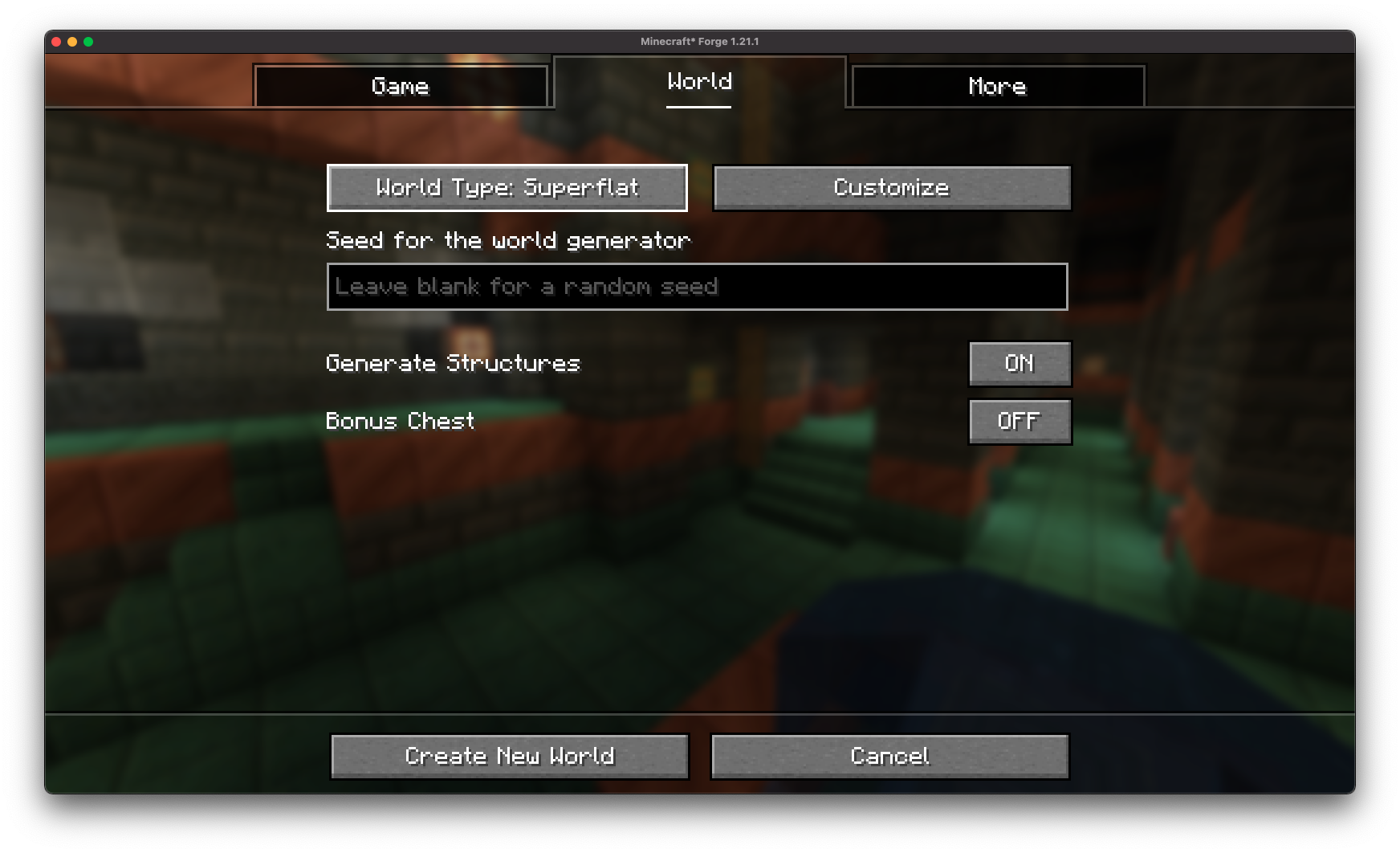
The re-imagined superflat customization screen is accessible through the vanilla world creation screen!
Easy Configuration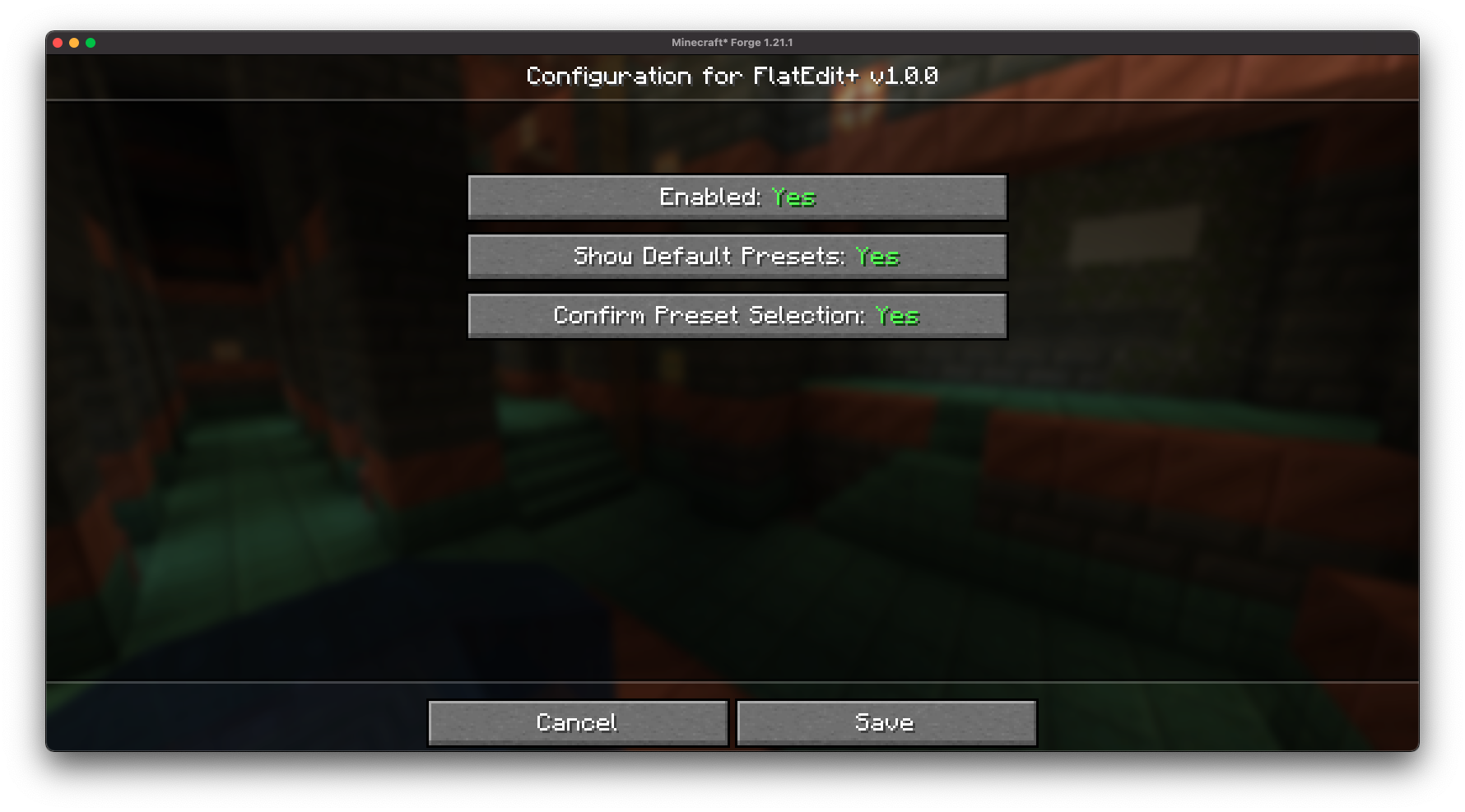
FlatEdit+ provides an easy-to-access configuration screen, allowing you to customize the superflat customization screen to your liking!
Layer Management Made Easy:
Quickly add, remove, reorder, and edit layers with real-time previews and improved controls.
Material Search and Filters: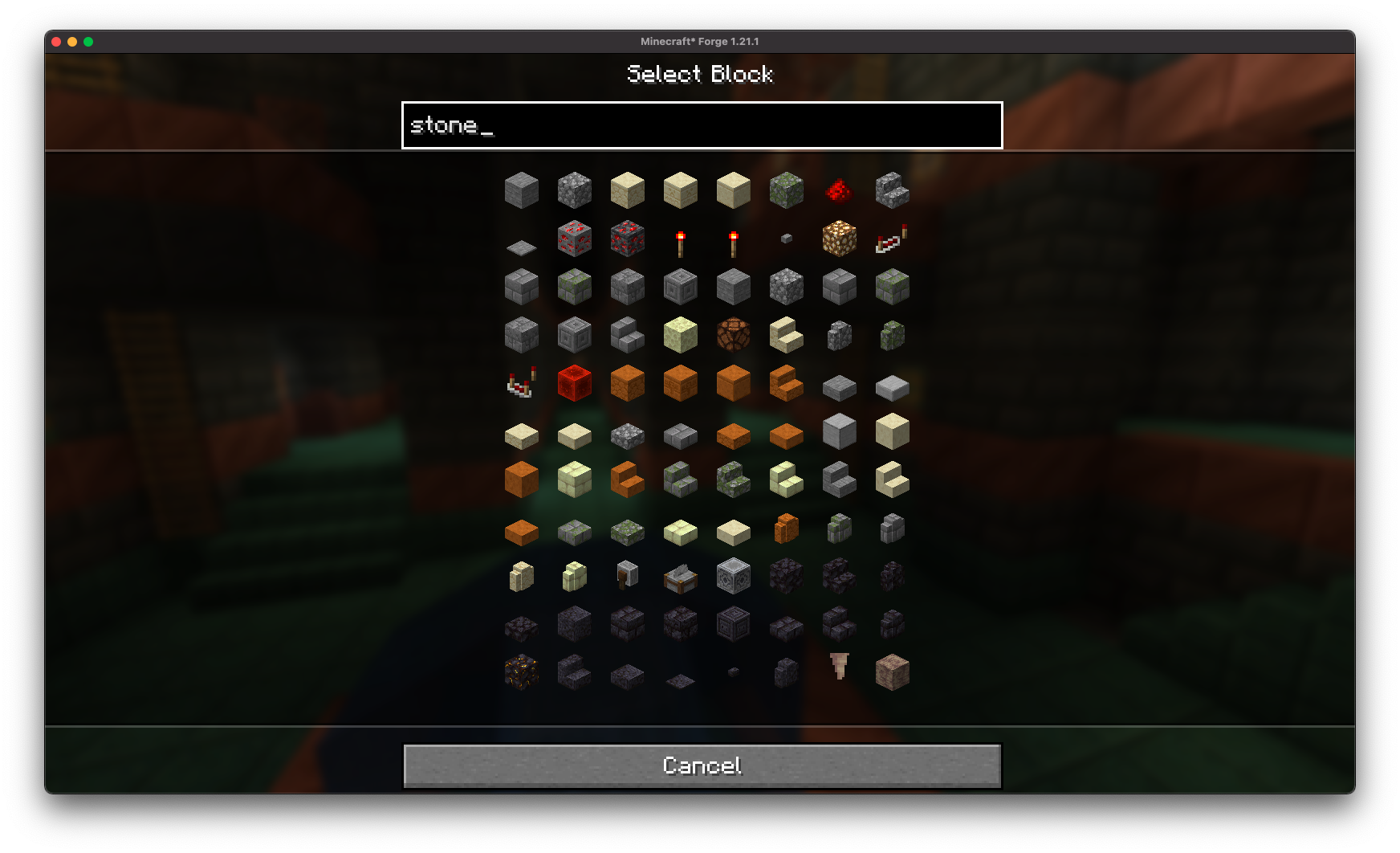
Find the exact blocks you want with searchable material lists.
Full World Customization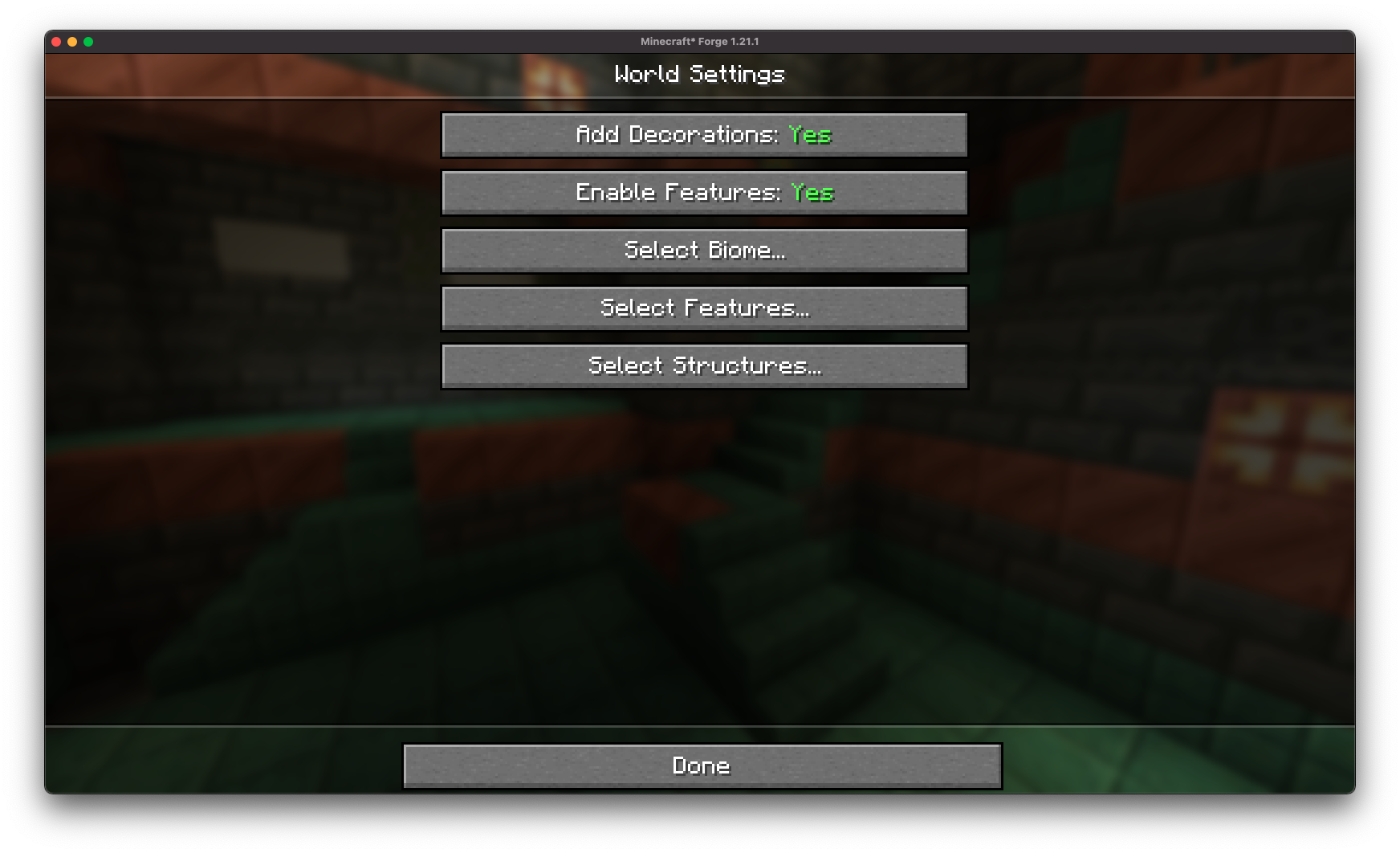
Gain access to full customization over all superflat world settings.
Structure Generation Toggles: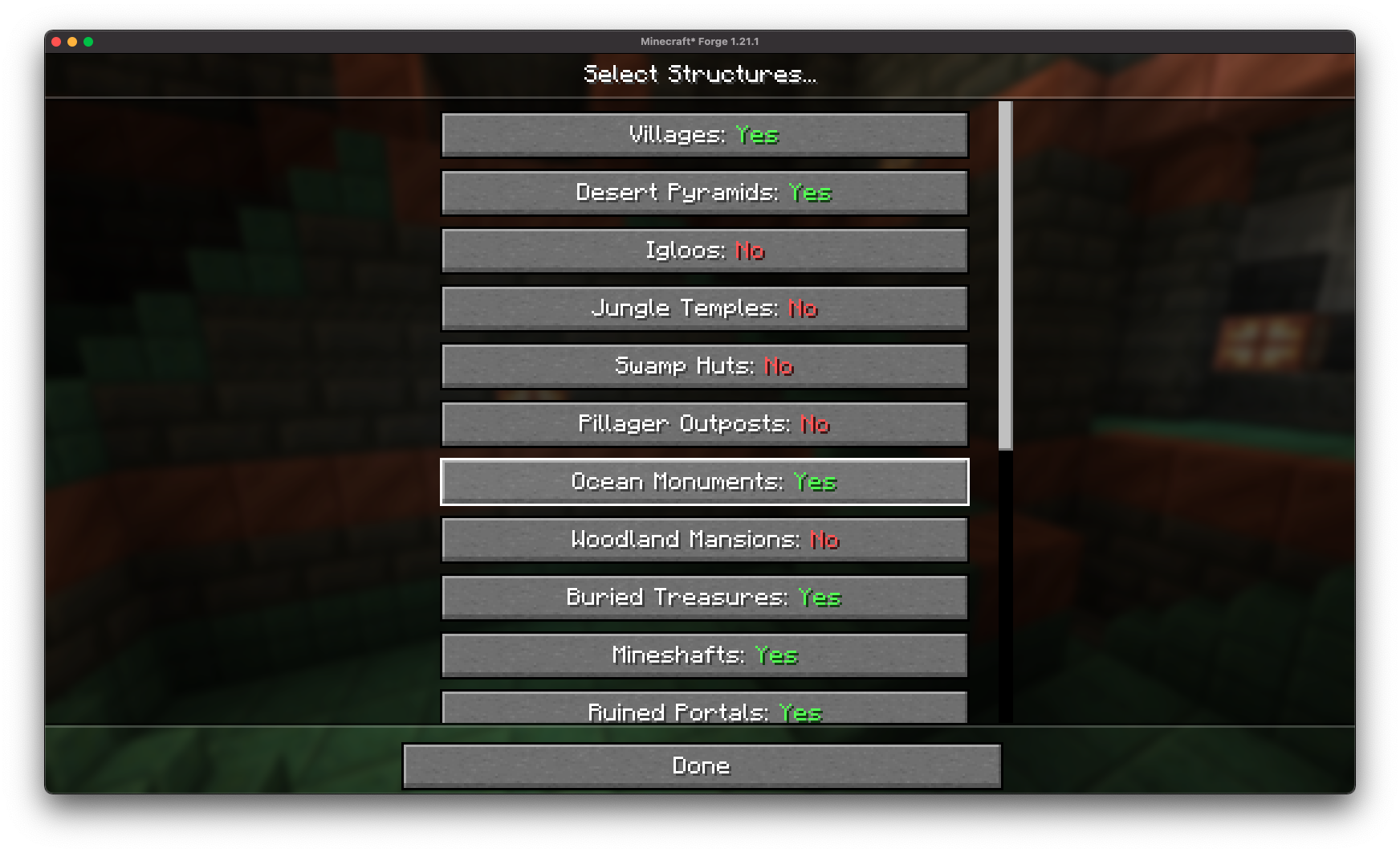
Fine-tune world structures (villages, mineshafts, strongholds, etc.) directly from the creation screen without needing presets.
Decoration Toggles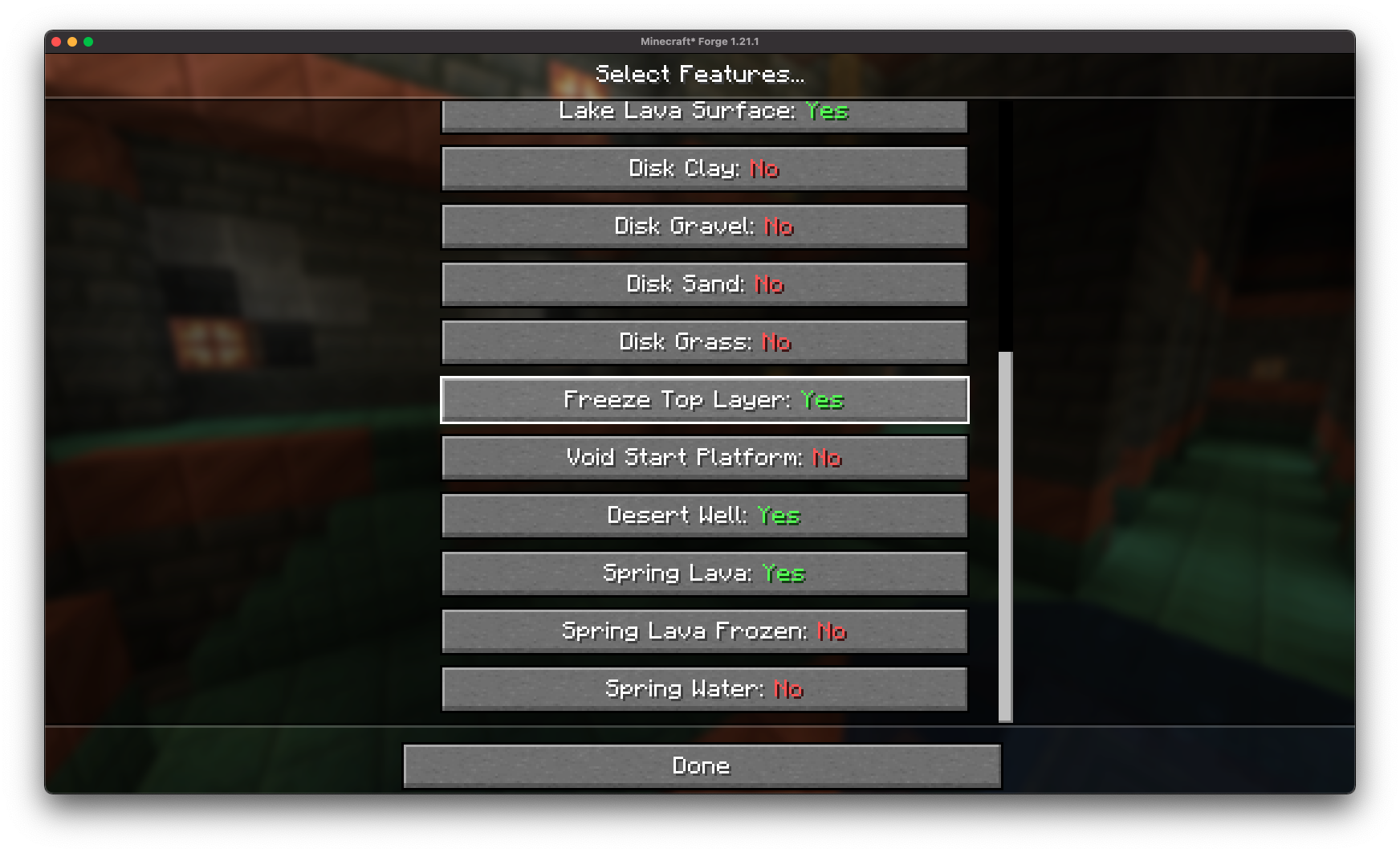
Easily disable or enable specific features (lava lakes, frozen top layer, desert wells) directly from Minecraft.
Preset Saving and Loading: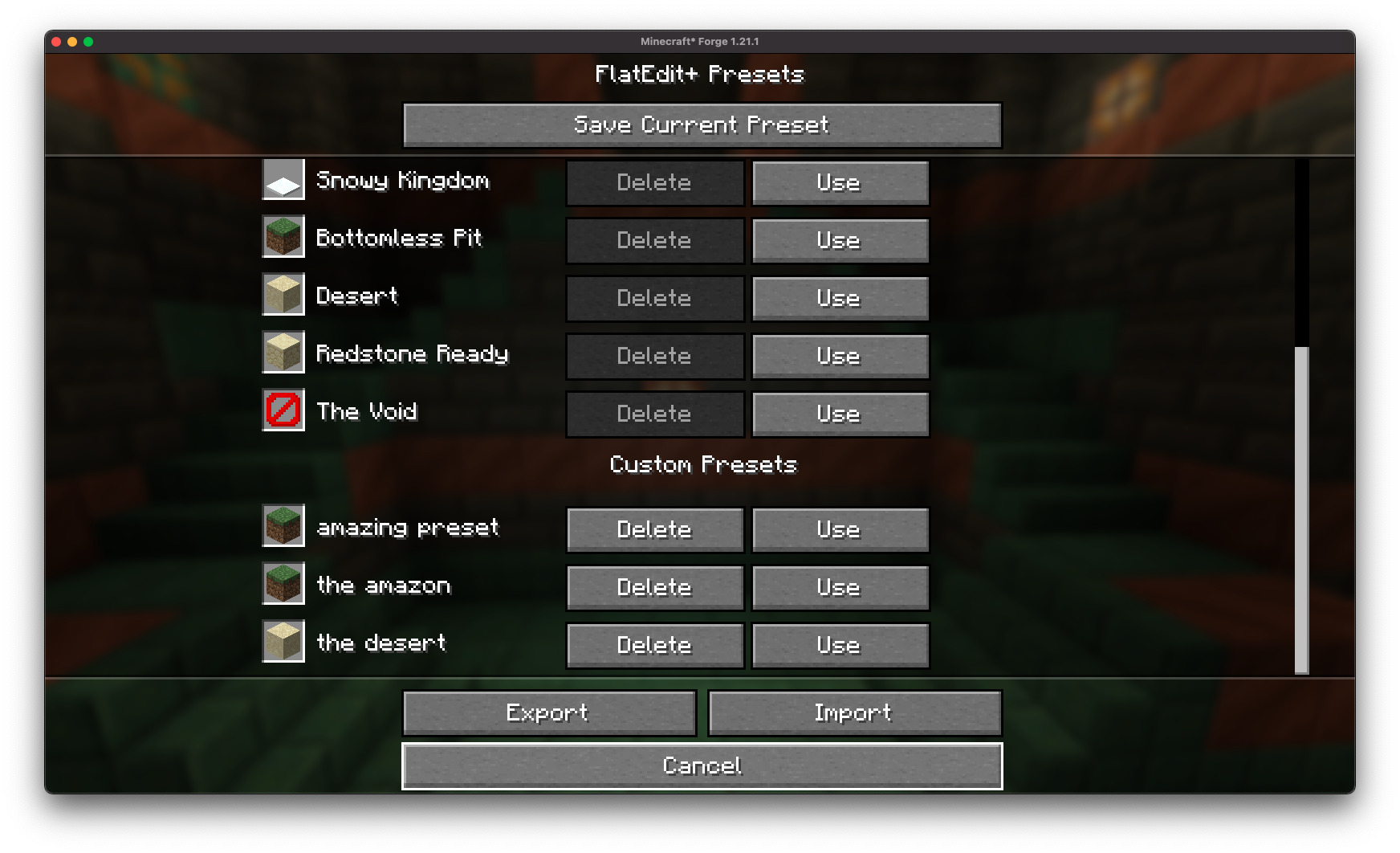
Save your custom superflat configurations to easily reuse later!
Preset Exporting and Sharing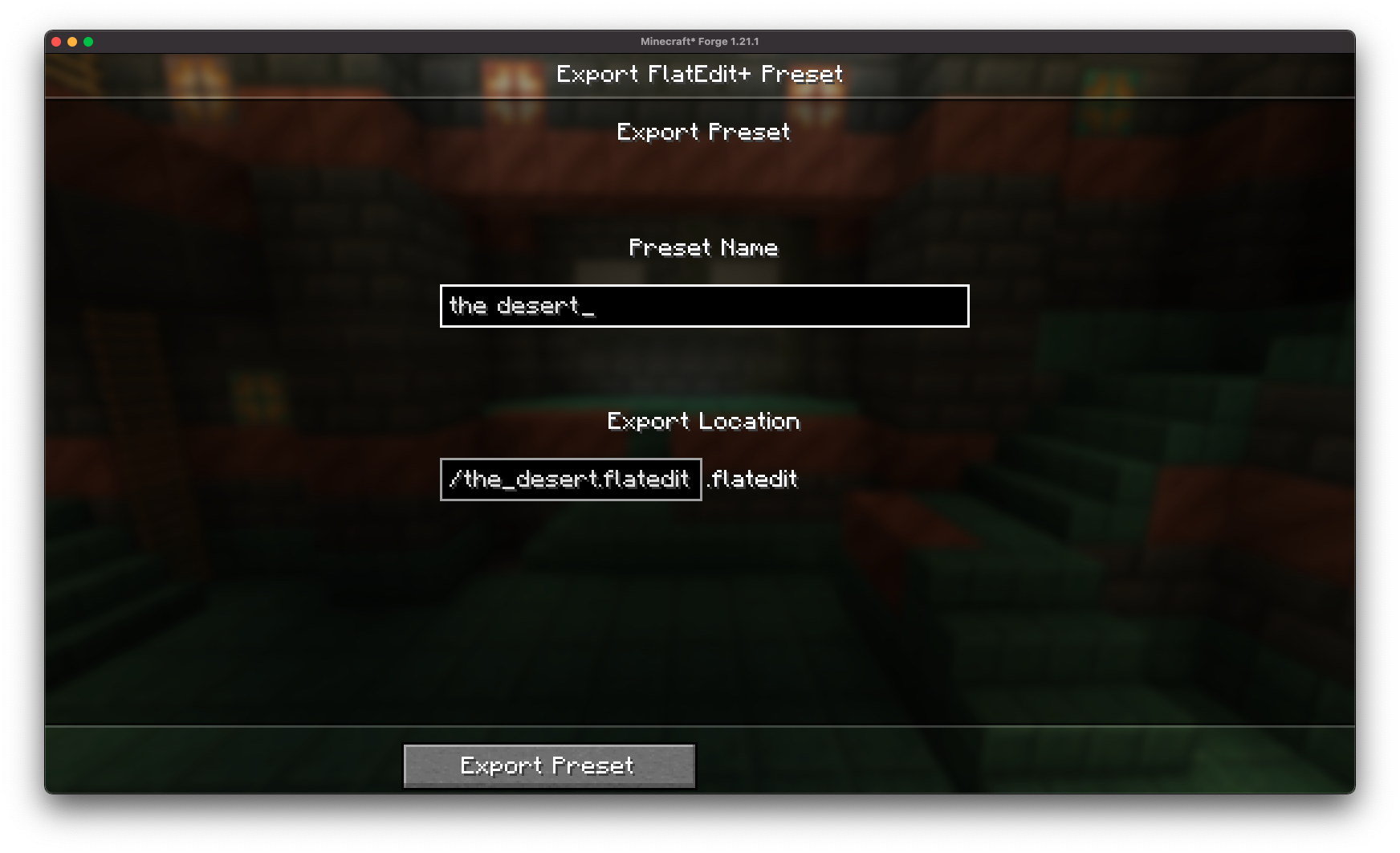
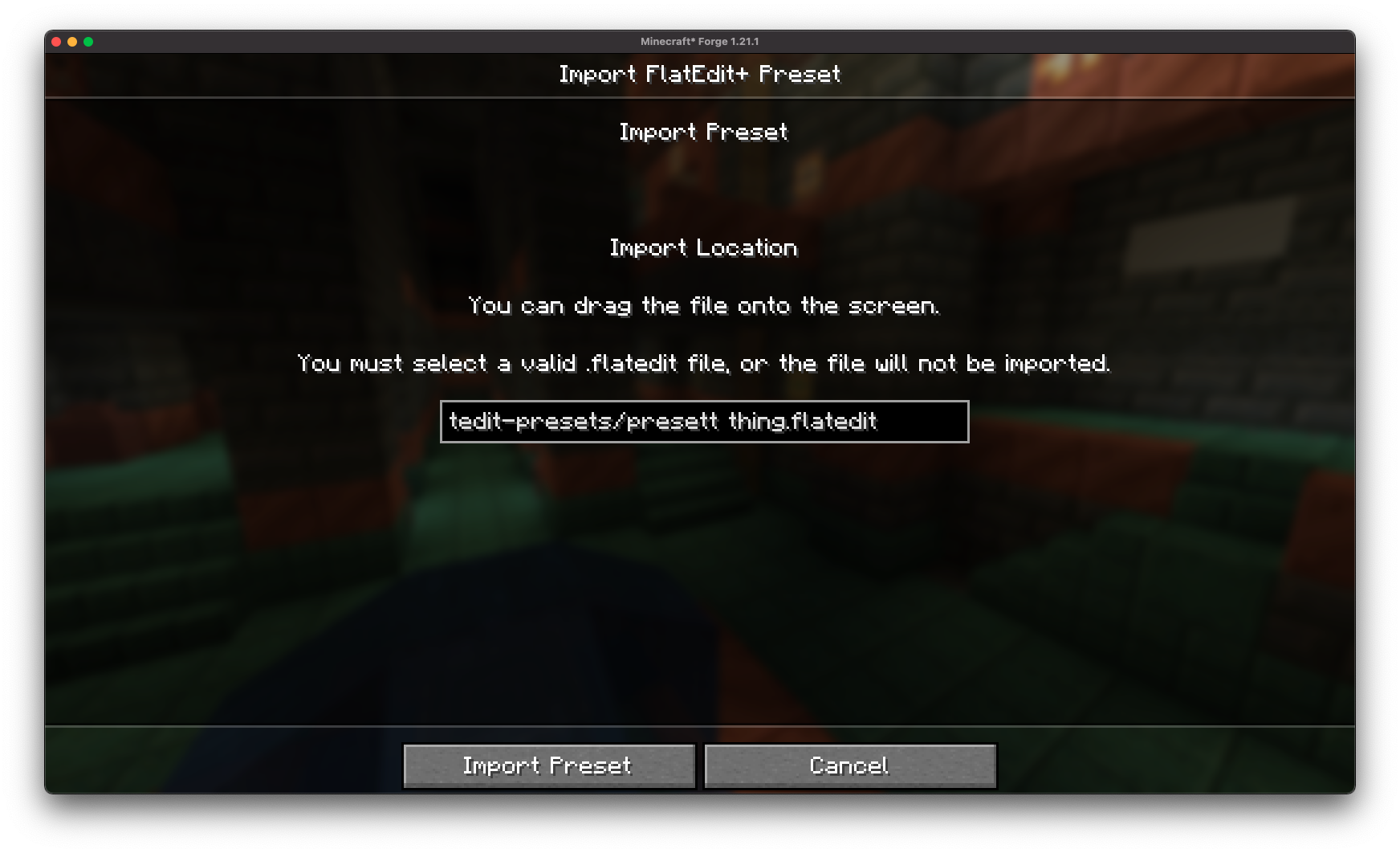
With the .flatedit format, you can easily export your superflat presets to files and share with friends!
Full Vanilla Compatibility: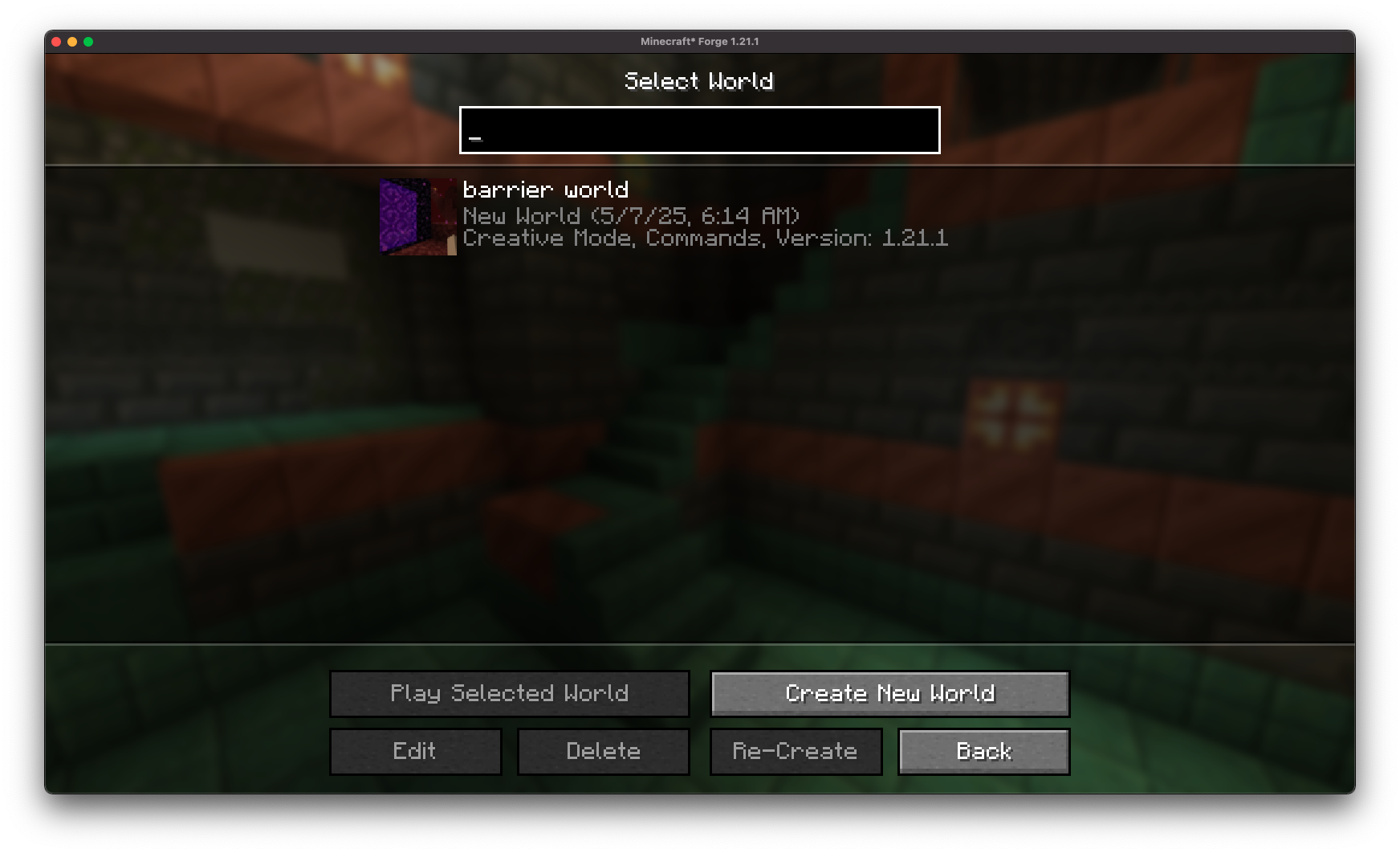
Worlds created with FlatEdit+ are fully compatible with vanilla Minecraft (no mod required once the world is generated).
Installation/Dependencies
This mod requires BoxLib a Client-side library mod developed by me.
- Install Minecraft Forge/Fabric/Neoforge: Download and install the appropriate modloader for your Minecraft version.
- Download the mod: Download the latest release of Debug Keybind for your specific modloader and Minecraft version
- Download BoxLib: Download the latest release of BoxLib for your specific modloader and Minecaft version
- Place the mod jars: Drop the downloaded jar files into your Minecraft mods folder. The location of this folder varies depending on your operating system.
Fabric Dependencies
Forge/NeoForge Dependencies
This mod requires BoxLib a Client-side library mod developed by me.
Contributing
We encourage contributions! Don't hesitate to open issues or pull requests through the GitHub Repository. Your input helps the mod improve and evolve.
Translations
We welcome translations! If you're interested in translating this mod, please locate the localization files and submit a pull request. Your contributions help make the mod accessible to more users worldwide.
Support
If you encounter any issues, please open an issue on the GitHub repository.
Building
If you'd like to build this mod on your own machine, follow these steps.
- Download the source code from GitHub (Code -> Download zip)
- Extract the zip file onto your local machine, and open the folder.
- Open a terminal prompt in said folder
- Run the command "gradlew build"
- The fabric build will be in "fabric/build/libs"
- The forge build will be in "forge/build/libs"
- The neoforge build will be in "neoforge/build/libs"
Available Versions
How to Install FlatEdit+ on Your Server
Order Server
Order a Minecraft Java server with at least 4 GB RAM (6 GB recommended).
Set fabric Loader
In the panel under "Egg", select the fabric loader and matching Minecraft version (26.1.2).
Install Mod
Open the mod browser in the dashboard and search for "FlatEdit+". Click "Install" – done! Alternatively, upload the .jar via SFTP to the /mods folder.
Compatibility
Mod Loaders
Minecraft Versions
26.1.2, 26.1.1, 26.1 (+10 more)
Server-side
✗ UnsupportedRecommended RAM
6 GB(min. 4 GB)Frequently Asked Questions
FlatEdit+ server crashes on startup – what to do?
Most common cause: wrong fabric version or insufficient RAM. Check the server log (latest.log) for "OutOfMemoryError" or "Mixin" errors. With Mado Hosting: ensure at least 4 GB RAM is allocated and the loader matches the mod version (26.1.2). You can switch loaders with one click in the panel.
Is FlatEdit+ compatible with fabric and forge and neoforge and quilt?
FlatEdit+ officially supports fabric, forge, neoforge, quilt for Minecraft 26.1.2, 26.1.1, 26.1. Note: Forge and Fabric mods are NOT cross-compatible – pick one loader and stick with it. The Mado dashboard automatically detects incompatible loader combinations.
Server lagging with FlatEdit+ – how to optimize performance?
Recommended RAM: 6 GB (per 5 players). Use /spark profiler to check if FlatEdit+ consumes the most tick time. Common fixes: reduce server view-distance to 8-10, install "performant" or "starlight" as supplementary mods on Forge. With Mado Hosting, your server runs on NVMe SSDs with dedicated CPU cores for minimal latency.
Similar Mods


Rent Modded Server
Install FlatEdit+ with just one click on your server.