
Flow EloTagger
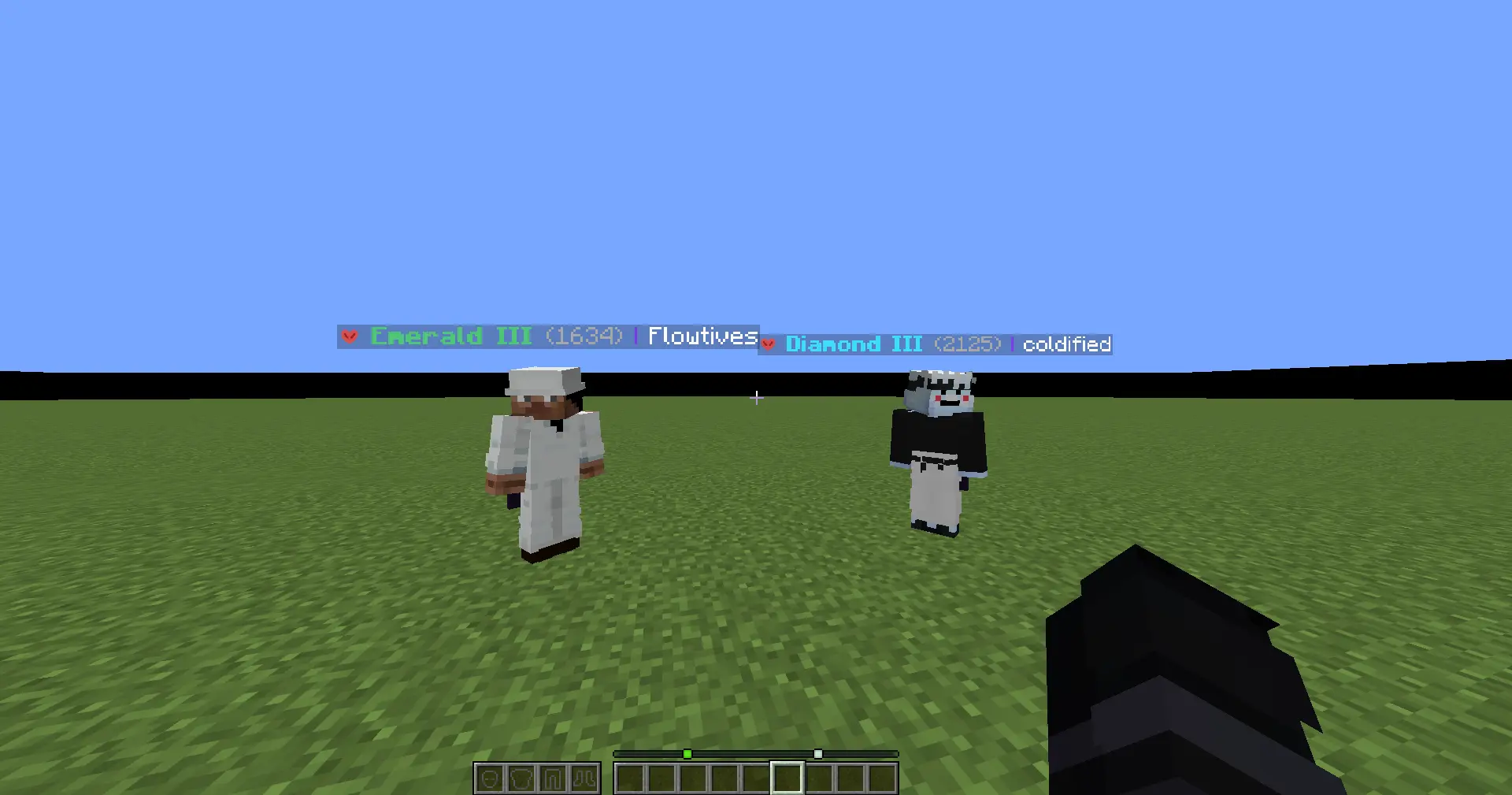
Flow EloTagger is a client-side Fabric mod that shows FlowPvP ranks, ELO, and gamemode icons directly in player nametags, tab list, and profile search screens.
Screenshots
About this Mod
Flow EloTagger
Flow EloTagger brings FlowPvP ranks directly into Minecraft.
Instead of checking profiles outside the game, you can see player rank, ELO, and gamemode icons while you play. Whether you're fighting, spectating, checking lobbies, or just curious about who you're facing, the information is right there in-game.
[!IMPORTANT]
Disclaimer: This is an independent project and is not an official mod by FlowPvP. It is a community-driven tool developed to enhance the player experience using public data.
What it does
Flow EloTagger connects to FlowPvP ranking data and displays it in a clean, lightweight, and configurable way.
You can show:
- A selected gamemode rank
- The highest rank automatically
- All available ranks for a player
It also supports gamemode icons, so modes are easier to recognize at a glance.
Features
- Rank and ELO displayed above player nametags
- Tab list integration
- Gamemode icons for:
- Sword
- Axe
- UHC
- Vanilla
- Mace
- Diamond Pot
- Netherite OP
- SMP
- Diamond SMP
- Configurable display modes
- In-game player search screen
- Mod Menu config support
- Request caching and rate limiting for better performance
Why use it?
FlowPvP is competitive, and fast information matters.
Flow EloTagger helps you instantly understand who you're fighting without opening websites or checking stats manually. It is built to make rank information feel natural inside Minecraft, not like a separate tool.
Requirements
- Minecraft
1.21.11 - Fabric Loader
- Fabric API
- Mod Menu recommended
Notes
- This is a client-side mod
- It uses FlowPvP API endpoints to fetch ranking data
- Requests are cached to reduce unnecessary API spam and improve responsiveness
Available Versions
How to Install Flow EloTagger on Your Server
Order Server
Order a Minecraft Java server with at least 3 GB RAM (4 GB recommended).
Set fabric Loader
In the panel under "Egg", select the fabric loader and matching Minecraft version (1.21.11).
Install Mod
Open the mod browser in the dashboard and search for "Flow EloTagger". Click "Install" – done! Alternatively, upload the .jar via SFTP to the /mods folder.
Compatibility
Mod Loaders
Minecraft Versions
1.21.11, 1.21.10
Server-side
✗ UnsupportedRecommended RAM
4 GB(min. 3 GB)Frequently Asked Questions
Flow EloTagger server crashes on startup – what to do?
Most common cause: wrong fabric version or insufficient RAM. Check the server log (latest.log) for "OutOfMemoryError" or "Mixin" errors. With Mado Hosting: ensure at least 3 GB RAM is allocated and the loader matches the mod version (1.21.11). You can switch loaders with one click in the panel.
Is Flow EloTagger compatible with fabric?
Flow EloTagger officially supports fabric for Minecraft 1.21.11, 1.21.10. The Mado dashboard automatically detects incompatible loader combinations.
Server lagging with Flow EloTagger – how to optimize performance?
Recommended RAM: 4 GB (per 8 players). Use /spark profiler to check if Flow EloTagger consumes the most tick time. Common fixes: reduce server view-distance to 8-10, install "performant" or "starlight" as supplementary mods on Forge. With Mado Hosting, your server runs on NVMe SSDs with dedicated CPU cores for minimal latency.
Similar Mods






Rent Modded Server
Install Flow EloTagger with just one click on your server.