
FlowInventory
smart inventory sorting + activity-based hotbar for Fabric 1.20.1 (singleplayer & dedicated server).
Screenshots
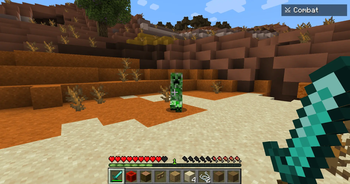
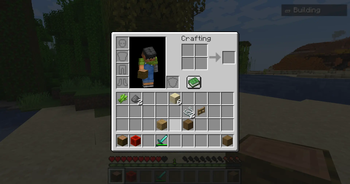
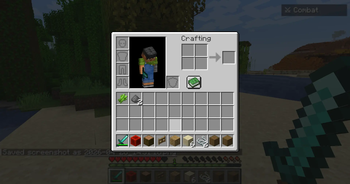
About this Mod
Overview
FlowInventory helps you stay organized: press R to sort your inventory by smart categories, and use G / V to switch activity profiles (mining, combat, building, farming, exploration, etc.). The mod picks sensible main-hand items for each profile and works on dedicated servers when installed on both server and client.
Requirements
- Minecraft 1.20.1
- Fabric Loader (0.15+)
- Fabric API
- Java 21
Important: For multiplayer, put FlowInventory in the server mods folder and client mods.
Optional: Mod Menu for in-game settings.
Features
- Smart sort — Categories (tools, armor, food, blocks, redstone…), then name; optional stack merge; modes: Smart / Alphabetical / Tier.
- Activity profiles — Auto-detect with optional HUD, or manual G / V cycling with rules so empty profiles are skipped.
- Hotbar layout — Server applies presets per activity; main hand prefers the right tool (e.g. compass before sword for exploration).
- Configurable — JSON + Mod Menu (Cloth Config is bundled inside this JAR).
Controls (default)
| Key | Action |
|---|---|
| R | Sort inventory |
| G | Next profile |
| V | Previous profile |
| B | Toggle auto-detect |
All keys are rebindable.
License
MIT — see the mod file list on GitHub for LICENSE and NOTICE (bundled libraries).
Links
- Issues / source: GitHub (see mod metadata)
- Changelog:
CHANGELOG.mdon GitHub
Available Versions
How to Install FlowInventory on Your Server
Order Server
Order a Minecraft Java server with at least 3 GB RAM (4 GB recommended).
Set fabric Loader
In the panel under "Egg", select the fabric loader and matching Minecraft version (1.20.3).
Install Mod
Open the mod browser in the dashboard and search for "FlowInventory". Click "Install" – done! Alternatively, upload the .jar via SFTP to the /mods folder.
Compatibility
Mod Loaders
Minecraft Versions
1.20.3, 1.20.1
Server-side
✓ RequiredRecommended RAM
4 GB(min. 3 GB)Frequently Asked Questions
FlowInventory server crashes on startup – what to do?
Most common cause: wrong fabric version or insufficient RAM. Check the server log (latest.log) for "OutOfMemoryError" or "Mixin" errors. With Mado Hosting: ensure at least 3 GB RAM is allocated and the loader matches the mod version (1.20.3). You can switch loaders with one click in the panel.
Is FlowInventory compatible with fabric?
FlowInventory officially supports fabric for Minecraft 1.20.3, 1.20.1. The Mado dashboard automatically detects incompatible loader combinations.
Server lagging with FlowInventory – how to optimize performance?
Recommended RAM: 4 GB (per 8 players). Use /spark profiler to check if FlowInventory consumes the most tick time. Common fixes: reduce server view-distance to 8-10, install "performant" or "starlight" as supplementary mods on Forge. With Mado Hosting, your server runs on NVMe SSDs with dedicated CPU cores for minimal latency.
Similar Mods


Rent Modded Server
Install FlowInventory with just one click on your server.