
Food Expiry!
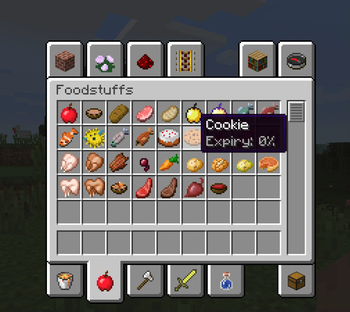
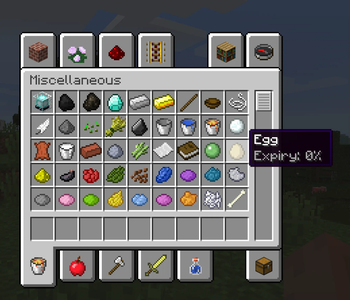
Adds realistic food spoilage to Minecraft. Food from any mod spoils over time, spoils slower in containers, and lasts longest in fridges. Spoiled food can’t be used in crafting.
Screenshots
About this Mod
Food Expiry — мод на порчу еды
Food Expiry добавляет в Minecraft систему порчи еды. Все продукты, включая еду из других модов, со временем теряют свежесть и превращаются в гнилую плоть. Если еда испорчена более чем на 25%, она становится недоступной для крафта.
Особенности:
• Еда портится со временем
• Поддержка всей стандартной и модифицированной еды
• Испорченная еда превращается в гнилую плоть
• Нельзя крафтить с едой, испорченной более чем на 25%
• В обычных контейнерах (сундуках, бочках и т.д.) еда портится медленнее
• В холодильниках порча замедляется в разы — отличное решение для хранения припасов
Мод отлично подойдёт для реалистичных сборок, хардкорного выживания и продуманного управления ресурсами.
Food Expiry — food spoilage mod
Food Expiry brings food spoilage mechanics into Minecraft. All food items — including those from other mods — gradually lose freshness and eventually turn into rotten flesh. If food is more than 25% spoiled, it cannot be used in crafting recipes.
Features:
• Food spoils over time
• Supports all vanilla and modded food items
• Spoiled food becomes rotten flesh
• Crafting is blocked if the food is over 25% spoiled
• Food stored in containers (like chests or barrels) spoils more slowly
• Food stored in refrigerators spoils extremely slowly — ideal for long-term storage
A great addition to realistic survival, hardcore packs, and gameplay focused on resource planning.
Available Versions
How to Install Food Expiry! on Your Server
Order Server
Order a Minecraft Java server with at least 3 GB RAM (4 GB recommended).
Set forge Loader
In the panel under "Egg", select the forge loader and matching Minecraft version (1.12.2).
Install Mod
Open the mod browser in the dashboard and search for "Food Expiry!". Click "Install" – done! Alternatively, upload the .jar via SFTP to the /mods folder.
Compatibility
Mod Loaders
Minecraft Versions
1.12.2, 1.8.9
Server-side
✓ RequiredRecommended RAM
4 GB(min. 3 GB)Frequently Asked Questions
Food Expiry! server crashes on startup – what to do?
Most common cause: wrong forge version or insufficient RAM. Check the server log (latest.log) for "OutOfMemoryError" or "Mixin" errors. With Mado Hosting: ensure at least 3 GB RAM is allocated and the loader matches the mod version (1.12.2). You can switch loaders with one click in the panel.
Is Food Expiry! compatible with forge?
Food Expiry! officially supports forge for Minecraft 1.12.2, 1.8.9. The Mado dashboard automatically detects incompatible loader combinations.
Server lagging with Food Expiry! – how to optimize performance?
Recommended RAM: 4 GB (per 8 players). Use /spark profiler to check if Food Expiry! consumes the most tick time. Common fixes: reduce server view-distance to 8-10, install "performant" or "starlight" as supplementary mods on Forge. With Mado Hosting, your server runs on NVMe SSDs with dedicated CPU cores for minimal latency.
Similar Mods



Rent Modded Server
Install Food Expiry! with just one click on your server.
Details
- License
- Creative Commons Attribution Non Commercial No Derivatives 4.0 International
- Server-side
- Required