
Forbidden Blocks
Forbidden Blocks is a client-side mod for Minecraft that allows players to set specific blocks as forbidden, preventing their placement in the game. This mod is particularly useful for players who want to avoid losing items with specific names or lore.
Screenshots
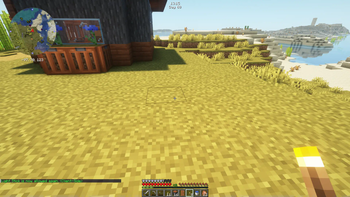
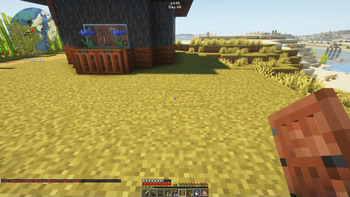
About this Mod
🛑 ForbiddenBlocks
🚀 Overview
ForbiddenBlocks is a client-side Minecraft mod that prevents players from placing specific blocks and named items, ensuring you never accidentally lose custom names or lore associations!
🔒 Protect your rare artifacts
special mementos and custom-named blocks protected from accidental placement! No more losing that legendary sword or story-rich items to a mis click! 🎭🏆
✨ Key Features
✅ Block & Named Item Placement Prevention – Define a list of blocks AND named items that CANNOT be placed! ❌🏗️🔖
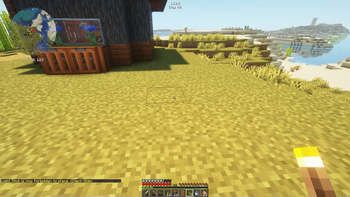
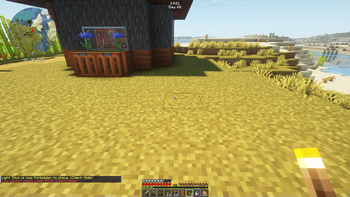
💬 User Feedback – Get configurable messages when you try to place forbidden blocks or protected artifacts! 🔔
🛠️ Minecraft Controls Menu Integration – Adjust settings easily through the traditional Minecraft Menu! 🎛️
🌎 World-Specific Configurations – Each Minecraft world or server can have its own settings! 🌐
📥 Installation
1️⃣ Download the mod from the official repository. ⬇️
2️⃣ Move the .jar file into your Minecraft mods folder. 📂
3️⃣ Launch Minecraft using the Fabric Loader. 🚀
⚙️ Configuration
🌍 Global Settings----------
📜 Managed through ForbiddenBlocksConfig – toggle visibility of feedback messages in-game!
🗂️ World-Specific Settings----------
Each world or server gets its own JSON file for custom forbidden block & named item lists!
📌 Single Player: config/forbiddenblocks/worlds/singleplayer[worldname].json_
📌 Multiplayer: config/forbiddenblocks/worlds/multiplayer[serveraddress].json_
🔧 Modify settings directly in these files or via the in-game config UI!
🎮 Usage
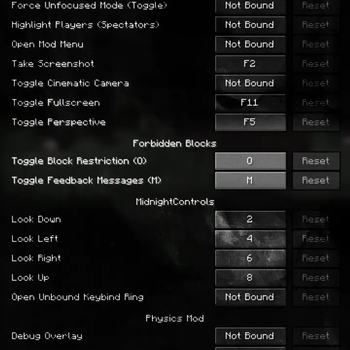
               🛑 Toggle Forbidden Blocks & Named Items_ – Press O (default) to enable/disable placement restrictions.
               💬 Toggle Feedback Messages_ – Press M (default) to show/hide feedback messages.
🏆 Prevent placing named artifacts like:
✨ Legendary Swords ⚔️
📜 Custom-Lore Books 📖
🏺 Decorative, One-of-a-Kind Items 🎨
🔑 Keys & Quest Items 🗝️
📦 Dependencies
🔹 Fabric Loader – >= 0.16.10
🔹 Minecraft – ~1.21.4
🔹 Java – >= 21 ☕
🔹 Fabric API – Required for core functionality.
🔹 1.3.3 and before - Cloth Config – Handles configuration management.
🔹 1.4.0 and after - OWO-Lib - Handles configuration management.~~~~
📜 License
📝 This project is licensed under the MIT License. See the LICENSE file for details.
👤 Author
👩💻 LuciEvol – Website
🎉 Enjoy the mod and keep your artifacts safe! 🏗️✨🏆
Available Versions
How to Install Forbidden Blocks on Your Server
Order Server
Order a Minecraft Java server with at least 3 GB RAM (4 GB recommended).
Set fabric Loader
In the panel under "Egg", select the fabric loader and matching Minecraft version (1.21.11).
Install Mod
Open the mod browser in the dashboard and search for "Forbidden Blocks". Click "Install" – done! Alternatively, upload the .jar via SFTP to the /mods folder.
Compatibility
Mod Loaders
Minecraft Versions
1.21.11, 1.21.10, 1.21.9 (+5 more)
Server-side
✗ UnsupportedRecommended RAM
4 GB(min. 3 GB)Frequently Asked Questions
Forbidden Blocks server crashes on startup – what to do?
Most common cause: wrong fabric version or insufficient RAM. Check the server log (latest.log) for "OutOfMemoryError" or "Mixin" errors. With Mado Hosting: ensure at least 3 GB RAM is allocated and the loader matches the mod version (1.21.11). You can switch loaders with one click in the panel.
Is Forbidden Blocks compatible with fabric?
Forbidden Blocks officially supports fabric for Minecraft 1.21.11, 1.21.10, 1.21.9. The Mado dashboard automatically detects incompatible loader combinations.
Server lagging with Forbidden Blocks – how to optimize performance?
Recommended RAM: 4 GB (per 8 players). Use /spark profiler to check if Forbidden Blocks consumes the most tick time. Common fixes: reduce server view-distance to 8-10, install "performant" or "starlight" as supplementary mods on Forge. With Mado Hosting, your server runs on NVMe SSDs with dedicated CPU cores for minimal latency.
Similar Mods



![[TaCZ] Timeless and Classics Zero](https://cdn.modrinth.com/data/SzzJttH8/fd27766d2bb8390d284696b1dbd358f87e081439_96.webp)


Rent Modded Server
Install Forbidden Blocks with just one click on your server.