
Force Port
A mod that forces the port to always be the same when using the "Open To LAN" feature!
Screenshots
About this Mod
Force Port
A mod that forces the port to always be the same when using the "Open To LAN" feature!
Client-side only!
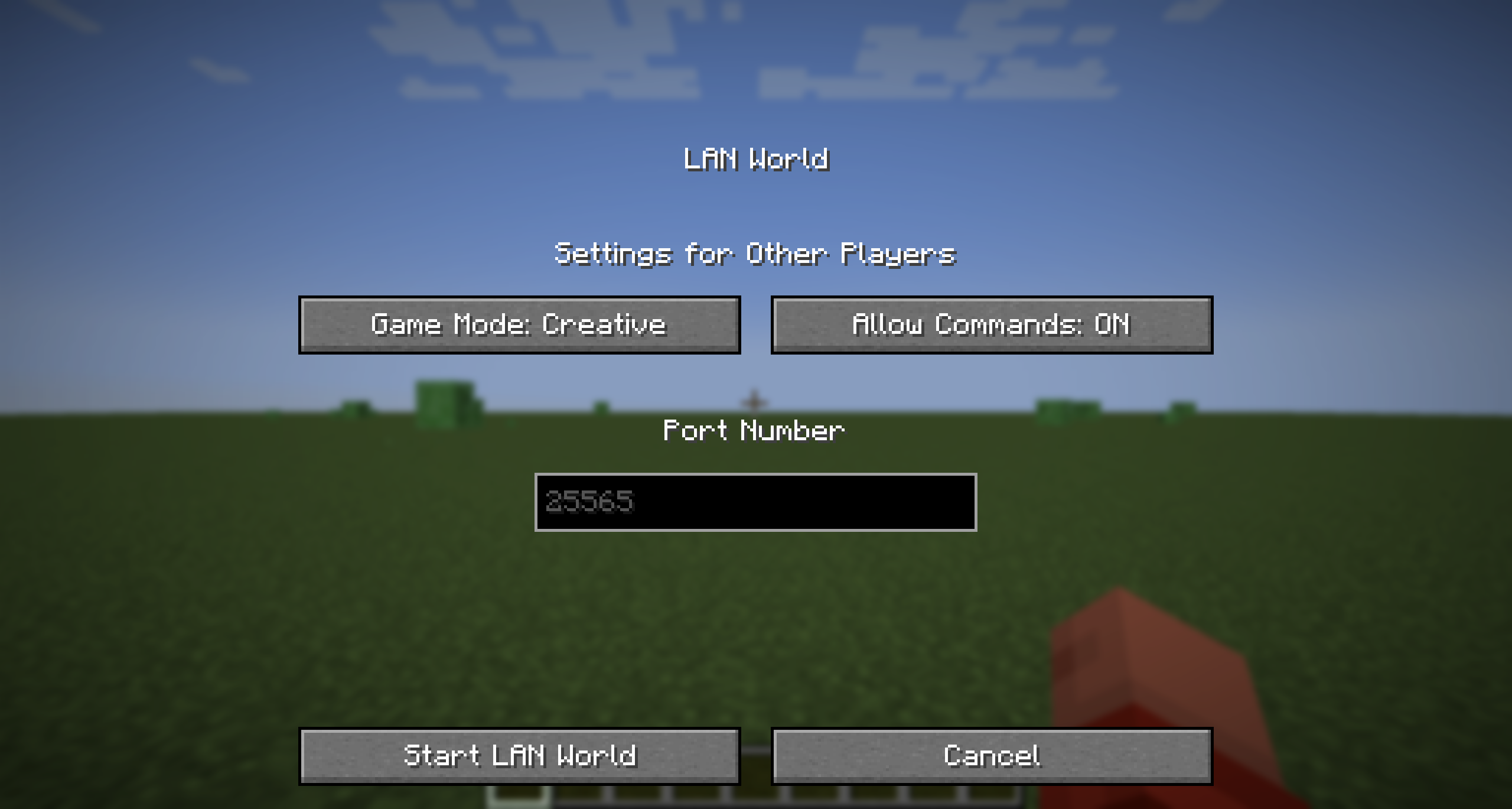
The configuration menu on recent Minecraft versions
Usage
Force Port allows you to modify the default port used when opening your world to LAN. This is useful for those who want to use a specific port for their server.
Just go to the installation location for that Minecraft instance, and open the config folder. You should see a file called forceport.txt. Open it with a text editor and change the port to your desired port.
Compatible Versions
| Mod Version | Game Version(s) | Mod Version Title |
|---|---|---|
| 1.0.1 | 1.14+ | force-port-fabric-1.0.1 |
| 1.0.0 | 1.14+ | force-port-fabric-1.0.0 |
Important Note
- This mod hasn't been tested full on older Quilt versions or older mod loaders. However, this mod does work on Fabric for 1.14 and above using Mod Loader 0.16.0+
- If you're using the latest Minecraft versions, you can use this mod without any issues.
- The Fabric API is NOT required for this mod to work.
- This mod is built with Java 21, so you need to change your Java version to 21 (or above) in the instance settings to run this mod, on any versions prior to 1.20.5.
- As of 1.0.1, if the config file is not valid, it will default to
25565(the default port for Minecraft servers). This is to prevent the mod from crashing. If the mod doesn't seem to work, please verify your config file!
Changelog
1.0.1
- Fixed a bug where the mod would crash if newlines were added into the
forceport.txtfile (a default feature in some Linux text editors). - Added a check to make sure the port is a number and is between 0 and 65535.
Available Versions
How to Install Force Port on Your Server
Order Server
Order a Minecraft Java server with at least 3 GB RAM (4 GB recommended).
Set fabric Loader
In the panel under "Egg", select the fabric loader and matching Minecraft version (26.1).
Install Mod
Open the mod browser in the dashboard and search for "Force Port". Click "Install" – done! Alternatively, upload the .jar via SFTP to the /mods folder.
Compatibility
Mod Loaders
Minecraft Versions
26.1, 1.21.11, 1.21.10 (+96 more)
Server-side
✗ UnsupportedRecommended RAM
4 GB(min. 3 GB)Frequently Asked Questions
Force Port server crashes on startup – what to do?
Most common cause: wrong fabric version or insufficient RAM. Check the server log (latest.log) for "OutOfMemoryError" or "Mixin" errors. With Mado Hosting: ensure at least 3 GB RAM is allocated and the loader matches the mod version (26.1). You can switch loaders with one click in the panel.
Is Force Port compatible with fabric and legacy-fabric and quilt?
Force Port officially supports fabric, legacy-fabric, quilt for Minecraft 26.1, 1.21.11, 1.21.10. The Mado dashboard automatically detects incompatible loader combinations.
Server lagging with Force Port – how to optimize performance?
Recommended RAM: 4 GB (per 8 players). Use /spark profiler to check if Force Port consumes the most tick time. Common fixes: reduce server view-distance to 8-10, install "performant" or "starlight" as supplementary mods on Forge. With Mado Hosting, your server runs on NVMe SSDs with dedicated CPU cores for minimal latency.
Similar Mods






Rent Modded Server
Install Force Port with just one click on your server.