
ForgeCraft - Equipment Extension
Inspired by Hypixel Skyblock Reforge System. Upgrade your equipments and enhance the progression! Customizable Vanilla Item stats......
Screenshots
About this Mod

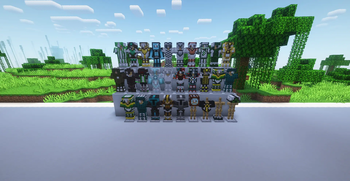
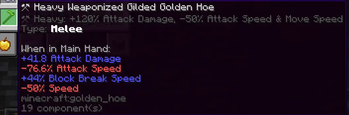
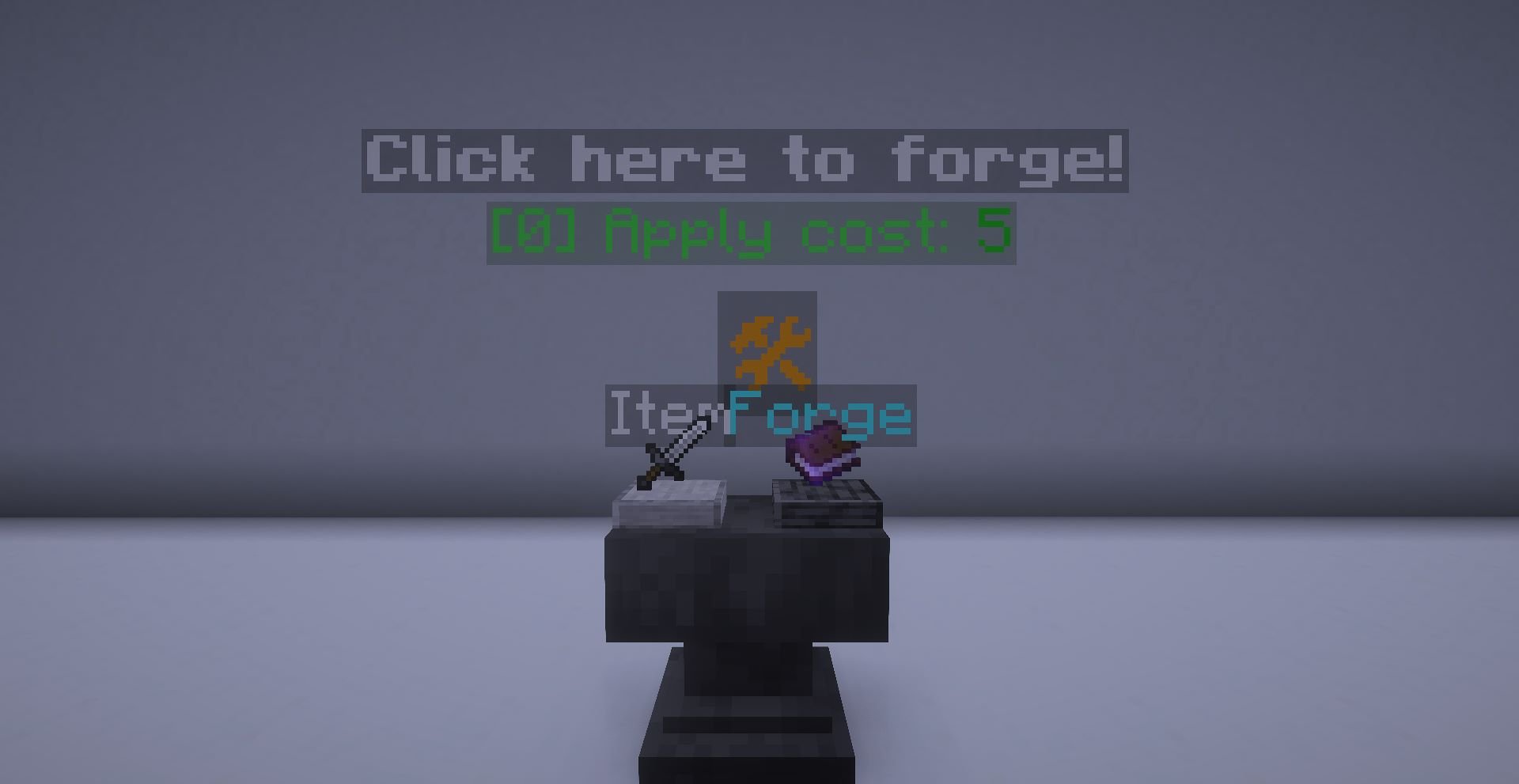
Welcome to ForgeCraft! Have you ever complain about having too little modification on the items? Or just play a lot of survival minecraft and want to modify the game without using any mods? Well, this datapack suits you! This datapack features a Reforge System where you can alter your Weapons, Armor, Tools and Utilities in a different way! As of right now, there are 54 Unique Reforges for you to discover and use. They all support multiplayer so you don't have to worry about it working inproperly. However, if you found any bugs and problems with the datapack, let me know by commenting here!
This datapack does have a resourcepack, which is currently in stage 2: All Armor reforge items. Now it is required for the datapack to work properly. To download the resourcepack, here's the link:
🗺️⬇️Resourcepack download link:
[https://www.curseforge.com/minecraft/texture-packs/forgecraft-support-resource-pack](https://www.curseforge.com/minecraft/texture-packs/forgecraft-support-resource-pack)

**- Available Forge Options (Some reforges can apply to multiple types):**
- 6 [Any] Reforges
- 22 [Armor] Reforges
- 18 [Melee] Reforges
- 13 [Tool] Reforges
- 14 [Ranged] Reforges
Not Going to provide the details here, go find it yourself!
(Mobs are optional feature, disabled on default)

- Try not to cheat through the reforge items (I know, some of them are hard to get)
- Please do not put the reforge anvil outside of 1 block height, it may have unintentional behaviour!
- Please read the README from the source file for some extra details
- If you wished to remove mob modification, you can type:
/function gamerules/ismobmodification/false - If you updated this datapack to newer versions, please type:
/function reforge/unlock_all_reforges To view the recipes for new reforges.
- (Minecraft 1.21.6 or newer!) To change the settings for this datapack, type the command:
/function forgecraft_lpmc2:settings to start the menu!

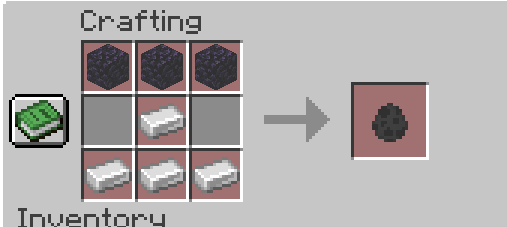
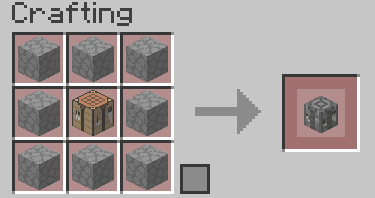
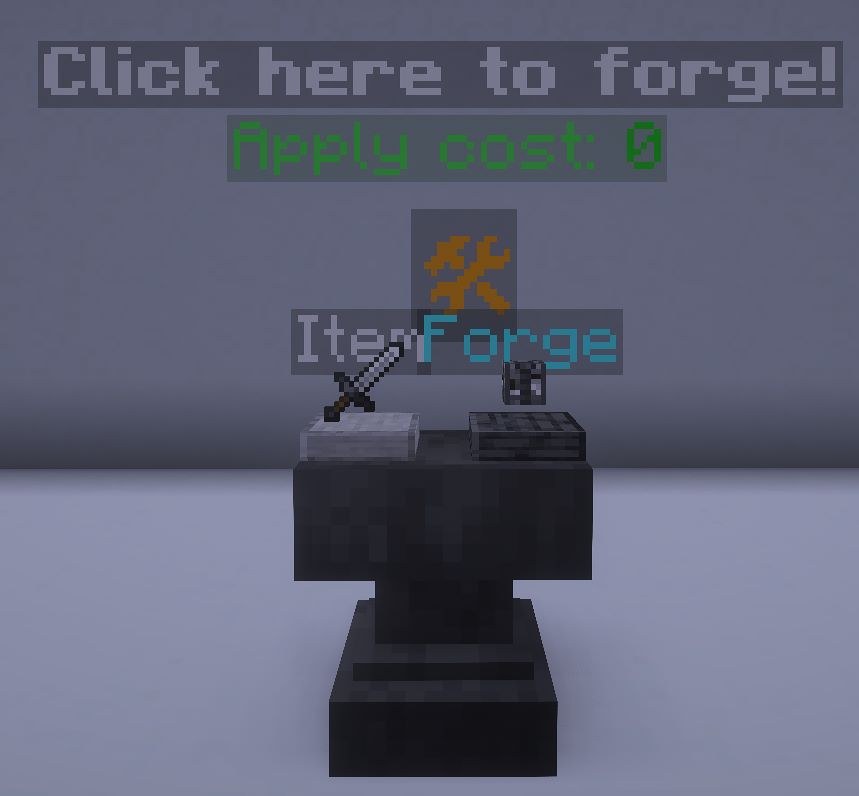
- Craft the Reforge Anvil from the crafting table (Required in V1.57.2 or older ONLY. Recipe is on the Recipe Book) and place it like a block. But be warned, it can destroy blocks
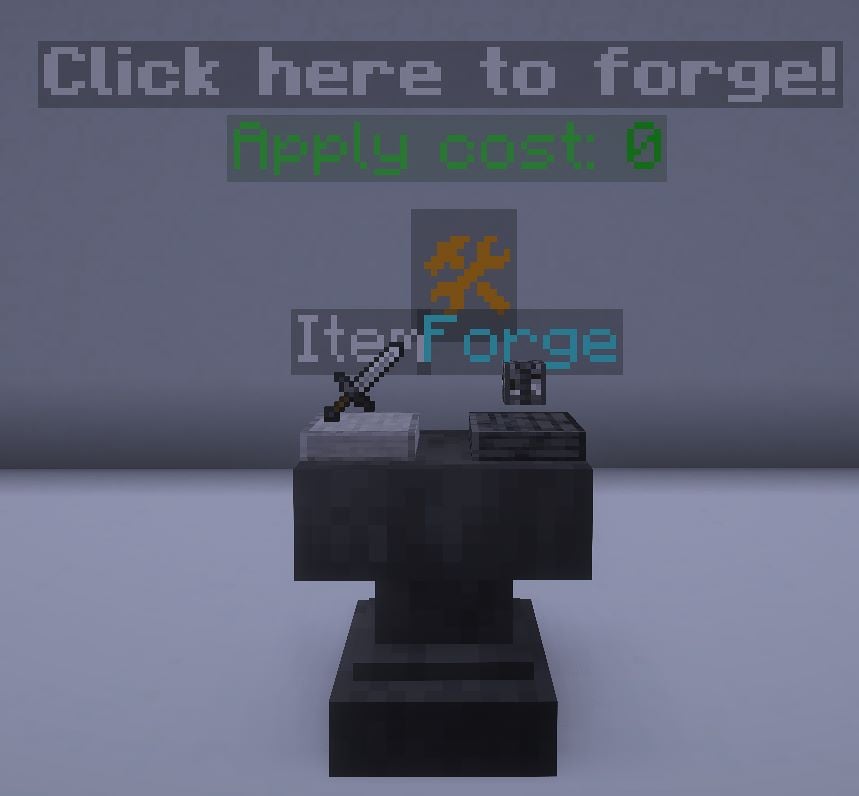
- To put the item to the slot, right click to place and left click to get it back
- To forge the item, click on the symbol 🛠. It will only work if the items are correct and you have enough xp levels
- To get the reforge anvil back, just simply destory the anvil with proper tools, remaining items in the slot will return as a dropped item.
- Skeletons will not always be holding a bow, they can now hold a sword or a axe with enchantments (They are deadly...)
- You can get a special reforge from a wandering trader with a low percentage
- Since that the enderman can be ranged, I would not recommend to build the usual enderman farm as the endermite may die from projectile.
- Recommend to have a unbreakable shield as some mobs can quickly destroy your normal shield like a paper
- Some items will have limitation, please read the forge item carefully. (At least bow can work like a charm in left hand due to 'weapon' data is inside the arrow data)
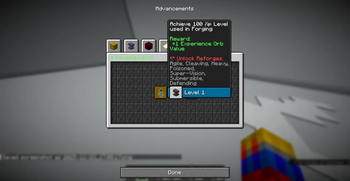
- The advancement will provide guide on spawning the conditional mobs. Getting advancement will also reward with a bit of xp.
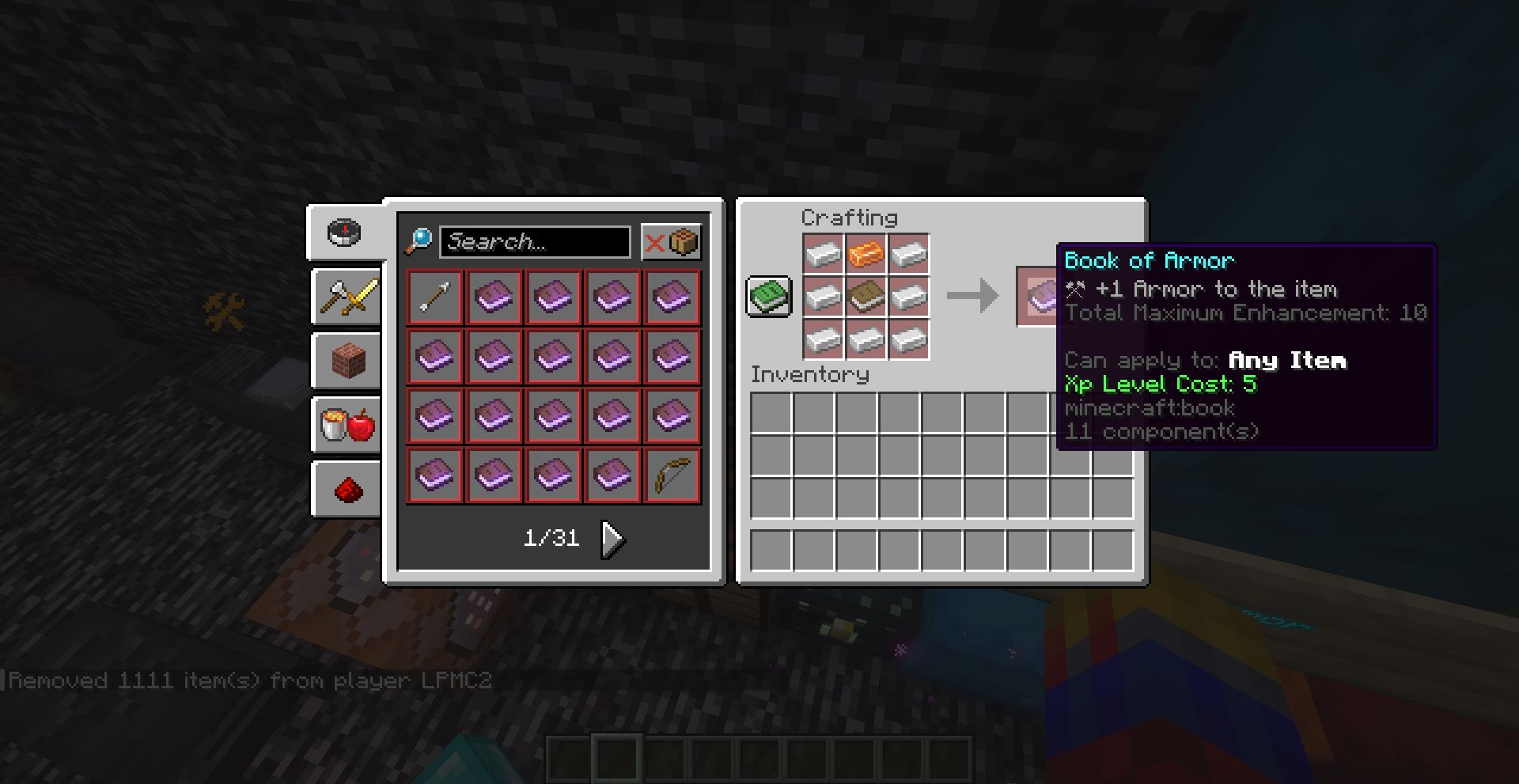
- (For V1.62.2 or newer only!) To modify the maximum count for enhancement books applied, you can type the following command:
/function gamerules:enhancementmaxcount/set {count:10}
Where "count" is the maximum count to apply - Getting Forging Xp
Just start forging the items, and you will receive xp!

Requirement:
- The item is vanilla reforged by the Vanilla Item Converter
- Max Health
- Armor
- Armor Toughness
- Attack Damage
- Attack Speed
- Attack Knockback
- Block Interaction Range
- Entity Interaction Range
- Burning Time (Reduce)
- Safe Fall Distance
- Gravity (Reduce)
- Knockback Resistance
- Jump Strength
- Block Break Speed
- Scale (Both Reduce & Increase)
- Movement Speed
- Oxygen Bonus
To apply the boost, just do it the same way as forging the item
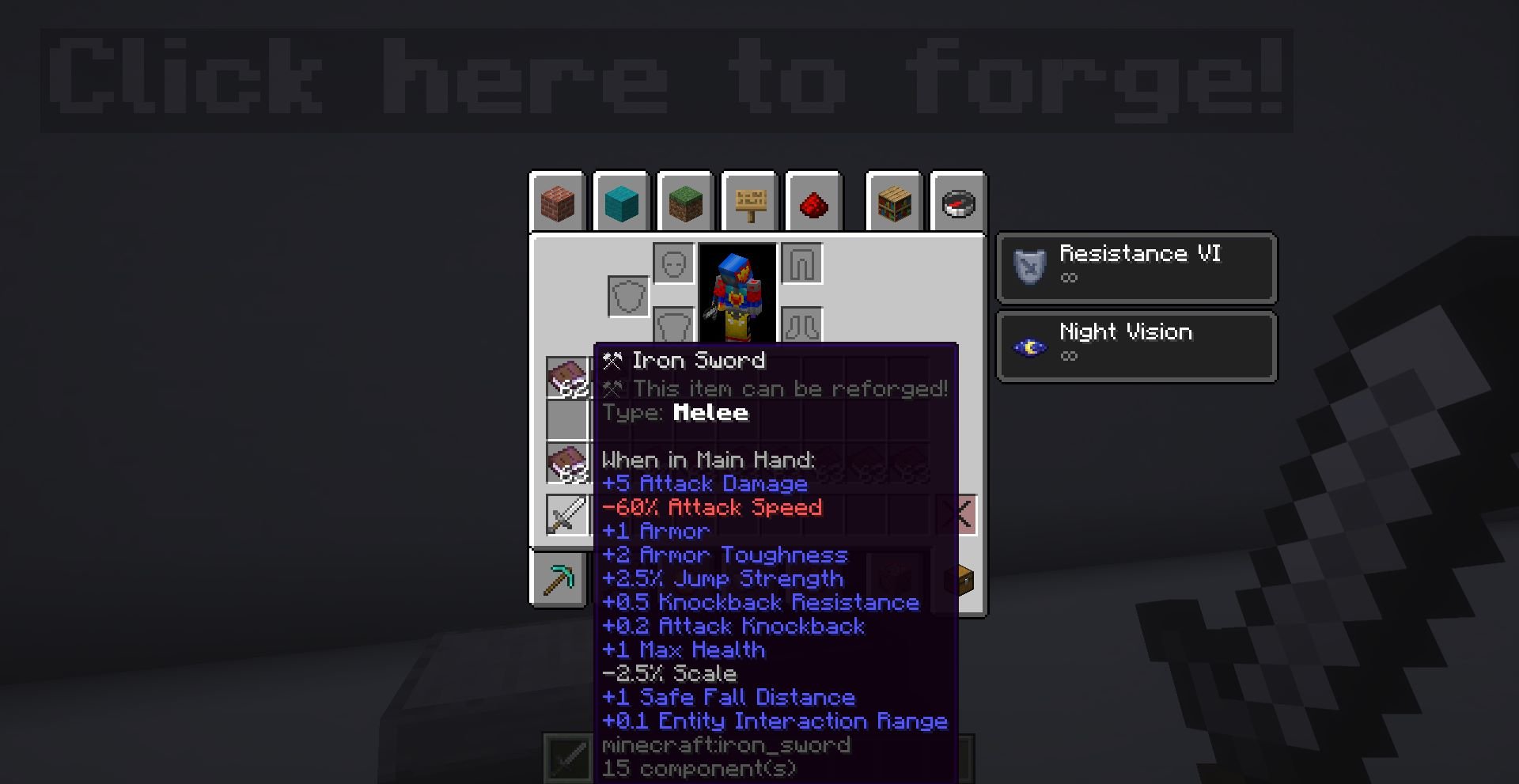

This datapack is compatible with any other datapacks, for example, MineTreasure item's ability can work properly.
If you want to change how your custom item works in this datapack, you can add the following custom component data to the item:
minecraft:custom_data.itemname - Type: String. An item name, for example, "Aspect of the Jerry"
minecraft:custom_data.reforgeid - Type: Integer. Set the value to 0, if you want it to be reforged, and prevents the name from overriding.
minecraft:custom_data.typename - Type: String. The id of the item, for example, "minecraft:iron_sword"
minecraft:custom_data.typeid - Type: Integer. The type of the item. Important for determining what reforge can it gets. Here's the list of typeid:
1 -> Melee
2 -> Ranged
3 -> Armor - Helmet
4 -> Armor - Chestplate
5 -> Armor - Leggings
6 -> Armor - Boots
7 -> Tool
8 -> Utilities
9 -> Other
minecraft:custom_data.itemtype - Type: String. Optional, the item type name of the item. For example, "Melee"
minecraft:custom_data.global_id - Type: Integer. The id for the item. If you have multiple item, they should not have the same id.
Available Versions
How to Install ForgeCraft - Equipment Extension on Your Server
Order Server
Order a Minecraft Java server with at least 3 GB RAM (4 GB recommended).
Set datapack Loader
In the panel under "Egg", select the datapack loader and matching Minecraft version (26.1.2).
Install Mod
Open the mod browser in the dashboard and search for "ForgeCraft - Equipment Extension". Click "Install" – done! Alternatively, upload the .jar via SFTP to the /mods folder.
Compatibility
Mod Loaders
Minecraft Versions
26.1.2, 26.1.1, 26.1 (+24 more)
Server-side
✓ RequiredRecommended RAM
4 GB(min. 3 GB)Frequently Asked Questions
ForgeCraft - Equipment Extension server crashes on startup – what to do?
Most common cause: wrong datapack version or insufficient RAM. Check the server log (latest.log) for "OutOfMemoryError" or "Mixin" errors. With Mado Hosting: ensure at least 3 GB RAM is allocated and the loader matches the mod version (26.1.2). You can switch loaders with one click in the panel.
Is ForgeCraft - Equipment Extension compatible with datapack and fabric and forge and neoforge and quilt?
ForgeCraft - Equipment Extension officially supports datapack, fabric, forge, neoforge, quilt for Minecraft 26.1.2, 26.1.1, 26.1. Note: Forge and Fabric mods are NOT cross-compatible – pick one loader and stick with it. The Mado dashboard automatically detects incompatible loader combinations.
Server lagging with ForgeCraft - Equipment Extension – how to optimize performance?
Recommended RAM: 4 GB (per 8 players). Use /spark profiler to check if ForgeCraft - Equipment Extension consumes the most tick time. Common fixes: reduce server view-distance to 8-10, install "performant" or "starlight" as supplementary mods on Forge. With Mado Hosting, your server runs on NVMe SSDs with dedicated CPU cores for minimal latency.
Similar Mods




![[TaCZ] Timeless and Classics Zero](https://cdn.modrinth.com/data/SzzJttH8/fd27766d2bb8390d284696b1dbd358f87e081439_96.webp)

Rent Modded Server
Install ForgeCraft - Equipment Extension with just one click on your server.