
ForgematicaPrinter
Litematica Printer unofficial (Neo)Forge port. An extension for Forgematica that adds the missing printer functionality
About this Mod
Forgematica Printer
Litematica Printer unofficial (Neo)Forge port.
This extension adds printing functionality for Forgematica. Printer
allows players to build big structures more quickly by automatically placing the correct blocks around you.
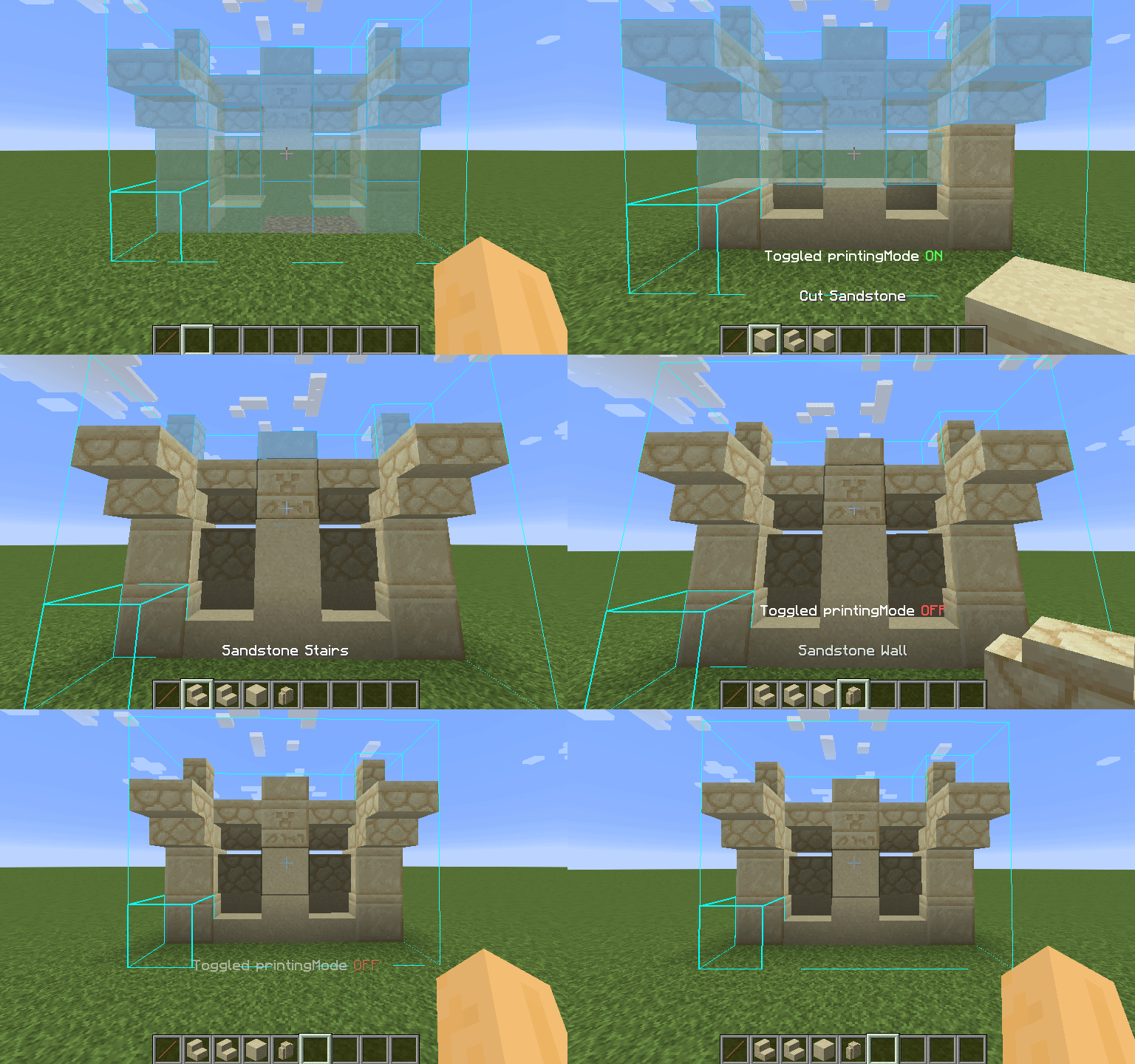
How To Use
Using the printer is straightforward: You can toggle the feature by pressing CAPS_LOCK by default. To configure
variables such as
printing speed and range, open Forgematica's settings by pressing M + C and navigate to "Generic" tab. Printer's
configuration can be
found at the bottom of the page. You can also rebind the printing toggle under "Hotkeys" tab. Holding down V by
default will also
print regardless if the printer is toggled on or off.
List of blacklisted blocks
These blocks have not been implemented yet for various reasons and the printer will skip them instead of placing them wrong. If any other blocks are placed incorrectly, try to lower the printing speed. If certain block is still placed incorrectly, you can create an issue.
- Grindstones
- Skulls placed on the ground
- Signs
- Glow lichen and vines
- Entities, including item frames and armor stands
SERVER USAGE NOTE:
Please be aware, using this mod on a server may be against the rules and could get you banned!
Available Versions
How to Install ForgematicaPrinter on Your Server
Order Server
Order a Minecraft Java server with at least 3 GB RAM (4 GB recommended).
Set forge Loader
In the panel under "Egg", select the forge loader and matching Minecraft version (1.21.4).
Install Mod
Open the mod browser in the dashboard and search for "ForgematicaPrinter". Click "Install" – done! Alternatively, upload the .jar via SFTP to the /mods folder.
Compatibility
Mod Loaders
Minecraft Versions
1.21.4, 1.20.6, 1.20.5 (+3 more)
Server-side
✗ UnsupportedRecommended RAM
4 GB(min. 3 GB)Frequently Asked Questions
ForgematicaPrinter server crashes on startup – what to do?
Most common cause: wrong forge version or insufficient RAM. Check the server log (latest.log) for "OutOfMemoryError" or "Mixin" errors. With Mado Hosting: ensure at least 3 GB RAM is allocated and the loader matches the mod version (1.21.4). You can switch loaders with one click in the panel.
Is ForgematicaPrinter compatible with forge and neoforge?
ForgematicaPrinter officially supports forge, neoforge for Minecraft 1.21.4, 1.20.6, 1.20.5. The Mado dashboard automatically detects incompatible loader combinations.
Server lagging with ForgematicaPrinter – how to optimize performance?
Recommended RAM: 4 GB (per 8 players). Use /spark profiler to check if ForgematicaPrinter consumes the most tick time. Common fixes: reduce server view-distance to 8-10, install "performant" or "starlight" as supplementary mods on Forge. With Mado Hosting, your server runs on NVMe SSDs with dedicated CPU cores for minimal latency.
Rent Modded Server
Install ForgematicaPrinter with just one click on your server.