
Fortnicraft
Explore structures and collect items and weapons inspired by Fortnite!
Screenshots
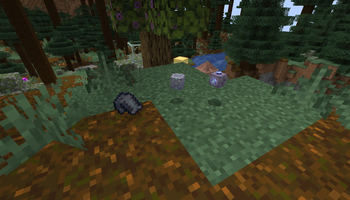
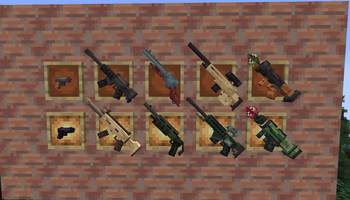
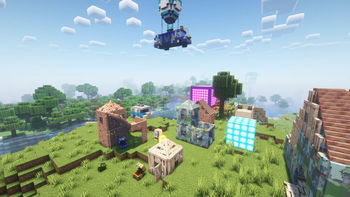
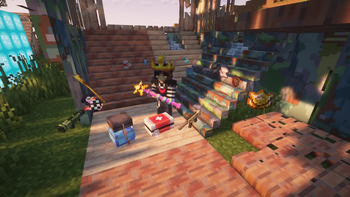

About this Mod
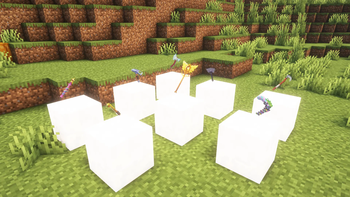
Explore Fortnite inspired structures around the Minecraft World, regenerate yourself with Shields, Chug Jugs, Mine down all those blocks with the most popular Harvesting Tools, and protect yourself from the danger with some classic Ranged Weapons.
Current features:
Spoiler
- 🧱 Build Walls, Stairs, Pyramids and Doors using the game's materials
- 🔫 Guns and their respective ammo
- ⛏️ Fortnite-based Tools
- 🩹 Healing items
- 🧊 Cubes
- 🏘️ Structures made with build materials, find loot inside
- 🚌 Battle Bus and Reboot Van structures
- 🎰 Vending machines
- 🛡️ Upgrade Netherite armor using Cube Scraps
- 🪩 Boogie Bomb
- 🪙 Get V-Bucks or items leveling up with a Battle Pass
- 👑 Victory crown
- 📝 Blueprint to edit walls more easily
- 🔮 Jump into the Zero Point to telepot to a random location, or collect it using a Portal Device; crouch on a Rift to get to the sky
- 📦 Loot chests, rare chests and ammo box usable as storage blocks
- 🍄 Slurp and Shield Mushrooms
- 🦙 Loot Llama and Flopper Fish
- 🏆 Advancements
- 🎈 Supply Drops
- 🥦 Bush disguise
- 💣 Grenade
- 💨 Shocwave and Impulse Grenades
Just a little fan fun project, made with MCreator.
Fortnite is a trademark from Epic Games, Inc. This mod is not affiliated or endorsed by.
Available Versions
How to Install Fortnicraft on Your Server
Order Server
Order a Minecraft Java server with at least 3 GB RAM (4 GB recommended).
Set fabric Loader
In the panel under "Egg", select the fabric loader and matching Minecraft version (1.21.11).
Install Mod
Open the mod browser in the dashboard and search for "Fortnicraft". Click "Install" – done! Alternatively, upload the .jar via SFTP to the /mods folder.
Compatibility
Mod Loaders
Minecraft Versions
1.21.11, 1.21.10, 1.21.9 (+3 more)
Server-side
✓ RequiredRecommended RAM
4 GB(min. 3 GB)Frequently Asked Questions
Fortnicraft server crashes on startup – what to do?
Most common cause: wrong fabric version or insufficient RAM. Check the server log (latest.log) for "OutOfMemoryError" or "Mixin" errors. With Mado Hosting: ensure at least 3 GB RAM is allocated and the loader matches the mod version (1.21.11). You can switch loaders with one click in the panel.
Is Fortnicraft compatible with fabric and forge and neoforge?
Fortnicraft officially supports fabric, forge, neoforge for Minecraft 1.21.11, 1.21.10, 1.21.9. Note: Forge and Fabric mods are NOT cross-compatible – pick one loader and stick with it. The Mado dashboard automatically detects incompatible loader combinations.
Server lagging with Fortnicraft – how to optimize performance?
Recommended RAM: 4 GB (per 8 players). Use /spark profiler to check if Fortnicraft consumes the most tick time. Common fixes: reduce server view-distance to 8-10, install "performant" or "starlight" as supplementary mods on Forge. With Mado Hosting, your server runs on NVMe SSDs with dedicated CPU cores for minimal latency.
Similar Mods




Rent Modded Server
Install Fortnicraft with just one click on your server.