
Fossils and Archaeology: Legacy
Adding dinosaurs since 2024! A fork of the original Fossils and Archaeology mod by Team July to the latest versions and patched up!
Screenshots
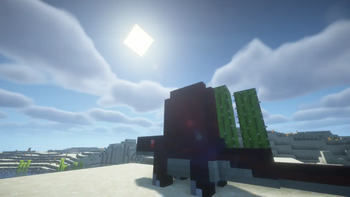
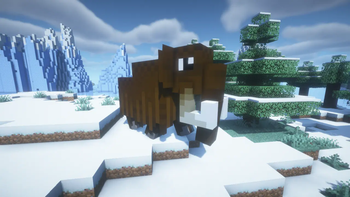
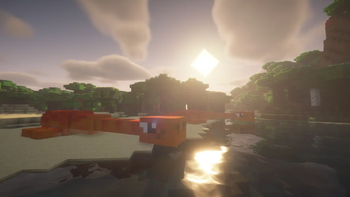
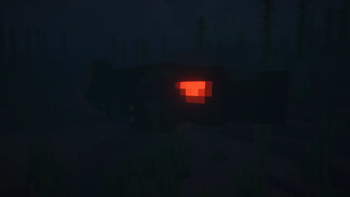
About this Mod
Not to Confuse with Fossils and Archeology Revival!
The Legacy
One of the most famous dinosaur mods of all times had such humble beginnings! A small mod by Team July. Unfortunetly, the lead had to abandon the mod due to time constrains. Leaving it open source, there are many who've tried to take up the mantle. However, few have tried to take up the original version of the mod. It is buggy. It is a bit broken. And for many, it's on a difficult version of Minecraft. This mod is a remake of the mod, fixed up and experimenting with some of Team July's ideas that have gone unused.
Additions
The mod adds a multitude of dinosaurs and machines to revive them. In addition, you can make skeletons out of their bones. A few new structures are added to explore and discover archaeological sites!
Forking
This mod, after release 1.0.0, not only updates the original mod, but also adds new things in vien of the original mod, including unused items and features planned.
FAQ
How do I disable hunger?
"/gamerule doAnimalHunger [true/false]" or you can when creating the world as "Do animals get hungry"
How do I disable block-breaking?
"/gamerule doAnimalBlockBreaking [true/false]" or you can when creating the world as "Do animals break blocks"
How do I disable animals growing?
"/gamerule doAnimalGrowth [true/false]" or you can when creating the world as "Do animals grow"
When will the next update—
When its done.
Please make x.x.x version!
No. If you want to make it, go ahead.
Why doesn't x have a legacy model?
Because it doesn't exist.
Revival does x, are you going to?
No.
Built-In Support
The mod comes in with built-in support for JEI. All recipe types should show up for the mod.
Reviews
In French by WeeWeeTranslations:
- Français (France) - Marci "WeeWee"
- Português (Brasil) - Obrigado "Sir Pentious"
Help on Crowdin
Available Versions
How to Install Fossils and Archaeology: Legacy on Your Server
Order Server
Order a Minecraft Java server with at least 4 GB RAM (6 GB recommended).
Set fabric Loader
In the panel under "Egg", select the fabric loader and matching Minecraft version (1.21.1).
Install Mod
Open the mod browser in the dashboard and search for "Fossils and Archaeology: Legacy". Click "Install" – done! Alternatively, upload the .jar via SFTP to the /mods folder.
Compatibility
Mod Loaders
Minecraft Versions
1.21.1, 1.21, 1.20.6 (+2 more)
Server-side
✓ RequiredRecommended RAM
6 GB(min. 4 GB)Frequently Asked Questions
Fossils and Archaeology: Legacy server crashes on startup – what to do?
Most common cause: wrong fabric version or insufficient RAM. Check the server log (latest.log) for "OutOfMemoryError" or "Mixin" errors. With Mado Hosting: ensure at least 4 GB RAM is allocated and the loader matches the mod version (1.21.1). You can switch loaders with one click in the panel.
Is Fossils and Archaeology: Legacy compatible with fabric and forge and neoforge?
Fossils and Archaeology: Legacy officially supports fabric, forge, neoforge for Minecraft 1.21.1, 1.21, 1.20.6. Note: Forge and Fabric mods are NOT cross-compatible – pick one loader and stick with it. The Mado dashboard automatically detects incompatible loader combinations.
Server lagging with Fossils and Archaeology: Legacy – how to optimize performance?
Recommended RAM: 6 GB (per 5 players). Use /spark profiler to check if Fossils and Archaeology: Legacy consumes the most tick time. Common fixes: reduce server view-distance to 8-10, install "performant" or "starlight" as supplementary mods on Forge. With Mado Hosting, your server runs on NVMe SSDs with dedicated CPU cores for minimal latency.
Similar Mods




Rent Modded Server
Install Fossils and Archaeology: Legacy with just one click on your server.