FotoGenic
Photography Mod brings a realistic and immersive photography experience to Minecraft, featuring detailed camera mechanics such as shutter speed, ISO, aperture, focus controls, lenses, and more.
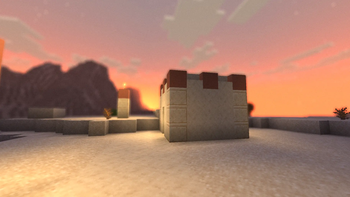
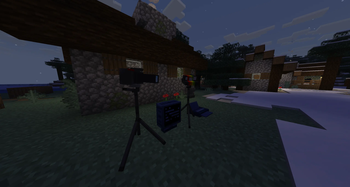
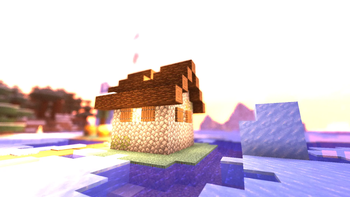
Screenshots
About this Mod
FotoGenic is a photography mod that adds a fully-realized camera system to Minecraft — every piece of gear has a real function, and every setting visibly affects your photos.
Cameras
The Polaroid Camera is a film-based instant camera. Load a film roll by pressing Q with film in your off-hand, raise it to aim, and shoot. Each frame consumes one shot of film and ejects a physical Polaroid photo item.
The Digital Camera is a modular mirrorless-style body that requires an interchangeable lens and an SD card before it can shoot. Its LCD screen doubles as a gallery — raise the camera to browse saved photos and delete or reorder them. Photos are stored as actual image files, not as NBT.
Lenses
Five lenses attach directly to the Digital Camera from the inventory:
- Zoom Lens — standard telephoto zoom
- Super Zoom Lens — 15× telephoto; focus range extends as you zoom in, up to 90 m
- Prime Lens — fixed focal length, wide aperture
- Macro Lens — extreme close-up work, f/2.8
- Fisheye Lens — ultra-wide, strongly curved field of view, f/2.8
Aperture (f-stop) is set per lens and controls depth-of-field blur rendered via a post-process shader.
Camera Settings
The Digital Camera exposes a full settings panel accessible inside the viewfinder:
- ISO (100–6400) — higher values add visible luminance grain to the saved photo
- White Balance (Auto / Daylight / Cloudy / Shade / Tungsten / Fluorescent) — shifts the per-channel color tint of the saved photo
- Shutter Speed (1/4000 s to 1 s) — speeds of 1/60 s and slower trigger a multi-frame long-exposure capture, blending motion blur and light trails into the final image
- EV Compensation (−3.0 to +3.0) — multiplies brightness in the saved photo
- Flash — places a real light source in front of the lens for the capture frame, then removes it
SD Cards
SD cards come in a base tier and an upgraded iron tier with higher storage capacity. They can be dyed any of the 16 vanilla colors and renamed. Insert a card by pressing Q with it in your off-hand; eject with Sneak+Q.
Tripod
Mount any camera on a tripod block, then right-click to look through its viewfinder. Panning the camera decouples from the player — your character stays still while the lens tracks your mouse. Right-click to lock the framing; left-click to take a photo from the tripod's exact point of view.
All camera settings (ISO, WB, shutter, EV, flash, aperture, DOF) apply identically to tripod shots, including long exposure. The tripod can also be armed for remote selfie shots without occupying the viewfinder.
Ring Light
A two-block-tall studio ring light with adjustable brightness (0–15). Useful for consistent controlled lighting when shooting on the tripod.
Computer
A placeable in-game computer with a functional desktop UI: a gallery app to browse and view photos from an inserted SD card, a photo editor, a file manager, and a print app that sends jobs to a connected Printer block.
Printer
Load blank photo paper and print physical photo prints from the computer's print app. Printed photos can be placed in the world as framed displays.
In-World Display
Both Polaroid photos and printed photo prints can be placed as blocks and render their actual captured image in the world.
Requires NeoForge for Minecraft 26.1.2
Available Versions
How to Install FotoGenic on Your Server
Order Server
Order a Minecraft Java server with at least 3 GB RAM (4 GB recommended).
Set neoforge Loader
In the panel under "Egg", select the neoforge loader and matching Minecraft version (26.1.2).
Install Mod
Open the mod browser in the dashboard and search for "FotoGenic". Click "Install" – done! Alternatively, upload the .jar via SFTP to the /mods folder.
Compatibility
Mod Loaders
Minecraft Versions
26.1.2
Server-side
✓ RequiredRecommended RAM
4 GB(min. 3 GB)Frequently Asked Questions
FotoGenic server crashes on startup – what to do?
Most common cause: wrong neoforge version or insufficient RAM. Check the server log (latest.log) for "OutOfMemoryError" or "Mixin" errors. With Mado Hosting: ensure at least 3 GB RAM is allocated and the loader matches the mod version (26.1.2). You can switch loaders with one click in the panel.
Is FotoGenic compatible with neoforge?
FotoGenic officially supports neoforge for Minecraft 26.1.2. The Mado dashboard automatically detects incompatible loader combinations.
Server lagging with FotoGenic – how to optimize performance?
Recommended RAM: 4 GB (per 8 players). Use /spark profiler to check if FotoGenic consumes the most tick time. Common fixes: reduce server view-distance to 8-10, install "performant" or "starlight" as supplementary mods on Forge. With Mado Hosting, your server runs on NVMe SSDs with dedicated CPU cores for minimal latency.
Similar Mods




Rent Modded Server
Install FotoGenic with just one click on your server.