
FoxAE2Upgrade
New blocks and items for Applied Energistics 2
Screenshots

About this Mod
FoxAE2Upgrade
This mod is designed for GTNH version of mods!
**
FoxAE2Upgrade** is an addon for Applied Energistics 2 that takes your ME system to the next level — faster, smarter, and way more powerful 🚀
If vanilla AE2 feels limiting, this mod unlocks its true potential.
⚡ What does this mod add?
⚙️ Upgrades & improvements
Make your ME network faster, more efficient, and easier to manage.
Expand your automation setup with fresh tools and new possibilities.
🧠 Extended AE2 functionality
Break past the usual limits — automate things that were previously annoying or impossible.
🔧 **New blocks & items
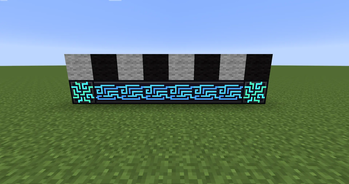
- Duper cobblestone
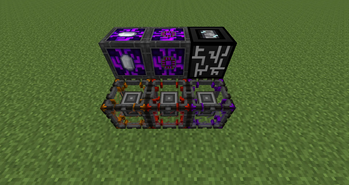
- Block that automates the press
- Block that automates all crafts related to crystals
- New molecular assemblers
- Block that holds up to 12 craft processors
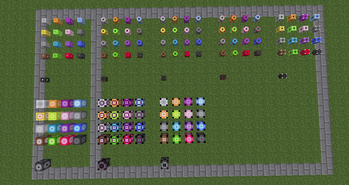
- New cables
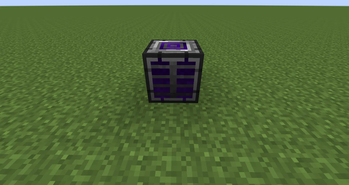
- Advanced ME Drive
**
😏 Why should you use it?
✔️ Because default AE2 isn’t enough anymore
✔️ Because you want full control over your system
✔️ Because automation is a lifestyle
✔️ Because why not?
⚠️ Requirements
- Minecraft 1.7.10 (Forge)
- Applied-Energistics-2-Unofficial:rv3-beta-851-GTNH. Other versions may work but I don't guarantee it!
_**This mod also changes the maximum size of the ME Controler to what you specify in the config. The mod also changes the maximum number of transmitted channels for wireless.
**_
🌐 Join the Community
💬 Got questions? Ideas? Found a bug?
Join our Discord and be part of the project!
👉 Discord: -2 Circle of Hell
Available Versions
How to Install FoxAE2Upgrade on Your Server
Order Server
Order a Minecraft Java server with at least 3 GB RAM (4 GB recommended).
Set forge Loader
In the panel under "Egg", select the forge loader and matching Minecraft version (1.7.10).
Install Mod
Open the mod browser in the dashboard and search for "FoxAE2Upgrade". Click "Install" – done! Alternatively, upload the .jar via SFTP to the /mods folder.
Compatibility
Mod Loaders
Minecraft Versions
1.7.10
Server-side
✓ RequiredRecommended RAM
4 GB(min. 3 GB)Frequently Asked Questions
FoxAE2Upgrade server crashes on startup – what to do?
Most common cause: wrong forge version or insufficient RAM. Check the server log (latest.log) for "OutOfMemoryError" or "Mixin" errors. With Mado Hosting: ensure at least 3 GB RAM is allocated and the loader matches the mod version (1.7.10). You can switch loaders with one click in the panel.
Is FoxAE2Upgrade compatible with forge?
FoxAE2Upgrade officially supports forge for Minecraft 1.7.10. The Mado dashboard automatically detects incompatible loader combinations.
Server lagging with FoxAE2Upgrade – how to optimize performance?
Recommended RAM: 4 GB (per 8 players). Use /spark profiler to check if FoxAE2Upgrade consumes the most tick time. Common fixes: reduce server view-distance to 8-10, install "performant" or "starlight" as supplementary mods on Forge. With Mado Hosting, your server runs on NVMe SSDs with dedicated CPU cores for minimal latency.
Similar Mods





Rent Modded Server
Install FoxAE2Upgrade with just one click on your server.