FPS to the Trash
Throw away display updates your monitor can't process for more FPS
About this Mod
FPS to the Trash
Disclaimer: This is technically NOT an optimization mod.
Upcoming: Legacy Fabric support!
Here's a glimpse of the pre-release version: 26000 FPS on a 4800H (w/ OptiFabric)! That's 38 microseconds frametime on average!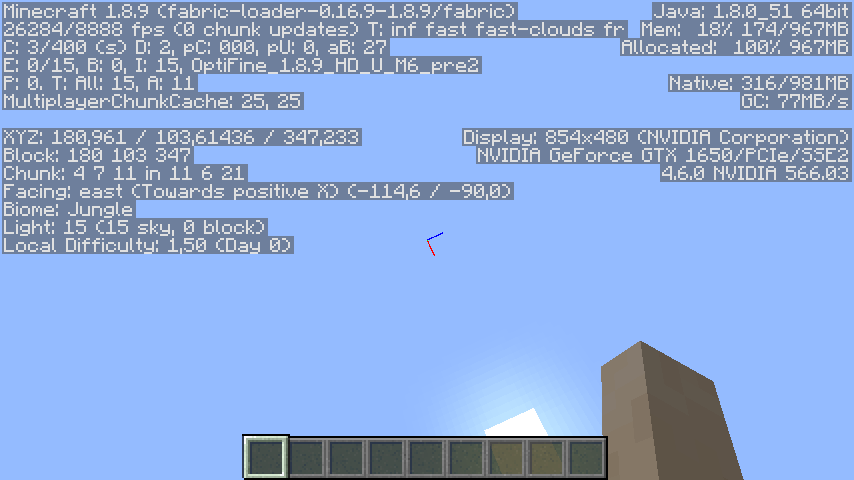
"FPS to the Trash" is based on a simple philosophy: Why bother updating the screen 1000 times per second, when your monitor's refresh rate is just 60 Hz? It turns out such updates are quite costly, and severely reduces the FPS.
This mod fixes that problem by decoupling the display updates from the frame rate. The update rate can be configured separately in the mod menu.
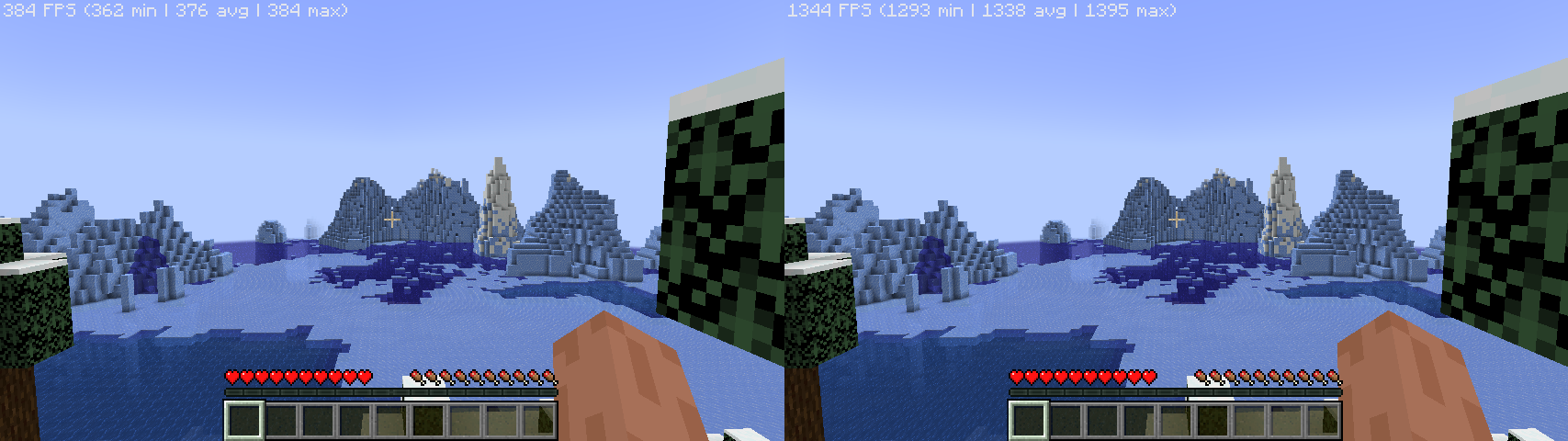
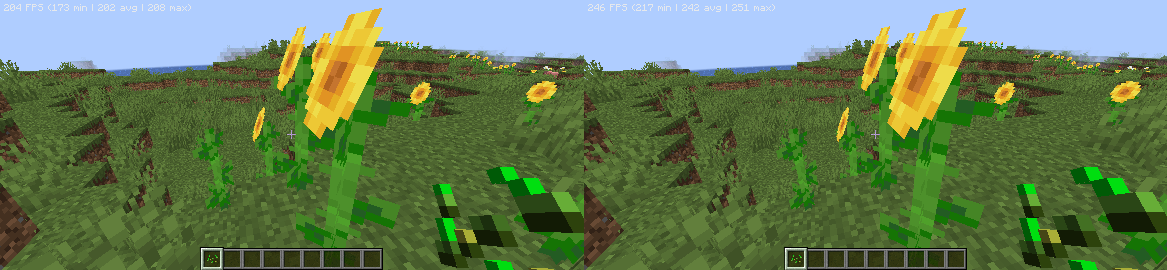
Generally, better hardware yields higher FPS uplift, and in many cases, the bottleneck is the GPU. Here are the benchmarks done by myself, with several other optimization mods:
- Ryzen 7 4800H, GeForce GTX 1650M: 384 -> 1395 FPS (3.6x uplift)
- Snapdragon 680 (4*A73 + 4*A53, Adreno 610): 208 -> 251 FPS (20.7% uplift)
Known issues:
- Removing FPS cap can cause the game to stutter badly when the GPU is fully utilized. A known workaround is to enable VSync. (Please note that VSync will not cap your frame rate as it's decoupled from the display updates. To cap the frame rate, use the frame cap slider.)
Mod compatibility (still updating...)
This mod does NOT work with:
- VulkanMod
Why is this mod named "FPS to the Trash"?
FPS to the moon, but most of the frames are thrown away... you got the idea.
Available Versions
How to Install FPS to the Trash on Your Server
Order Server
Order a Minecraft Java server with at least 3 GB RAM (4 GB recommended).
Set fabric Loader
In the panel under "Egg", select the fabric loader and matching Minecraft version (1.21.7).
Install Mod
Open the mod browser in the dashboard and search for "FPS to the Trash". Click "Install" – done! Alternatively, upload the .jar via SFTP to the /mods folder.
Compatibility
Mod Loaders
Minecraft Versions
1.21.7, 1.21.6, 1.21.5 (+31 more)
Server-side
✗ UnsupportedRecommended RAM
4 GB(min. 3 GB)Frequently Asked Questions
FPS to the Trash server crashes on startup – what to do?
Most common cause: wrong fabric version or insufficient RAM. Check the server log (latest.log) for "OutOfMemoryError" or "Mixin" errors. With Mado Hosting: ensure at least 3 GB RAM is allocated and the loader matches the mod version (1.21.7). You can switch loaders with one click in the panel.
Is FPS to the Trash compatible with fabric?
FPS to the Trash officially supports fabric for Minecraft 1.21.7, 1.21.6, 1.21.5. The Mado dashboard automatically detects incompatible loader combinations.
Server lagging with FPS to the Trash – how to optimize performance?
Recommended RAM: 4 GB (per 8 players). Use /spark profiler to check if FPS to the Trash consumes the most tick time. Common fixes: reduce server view-distance to 8-10, install "performant" or "starlight" as supplementary mods on Forge. With Mado Hosting, your server runs on NVMe SSDs with dedicated CPU cores for minimal latency.
Similar Mods





Rent Modded Server
Install FPS to the Trash with just one click on your server.