
FPSMaster
A pvp client, which provides common pvp utilities, like sprint, motionblur, autogg and etc. Along with fancy user-interface and music player.
Screenshots
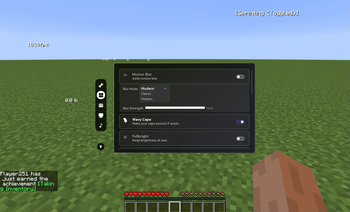

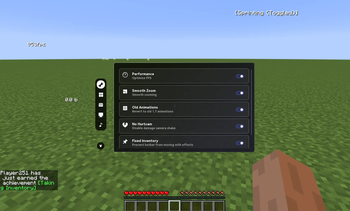
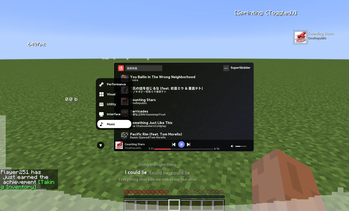
About this Mod
FPSMaster Client
FPSMaster is a powerful all-in-one PvP utility mod, designed to give you a competitive edge while keeping everything lightweight and smooth. Think of it as a modular alternative to full PvP clients like Lunar or Badlion—but available right in your own mod setup.
With 50+ features packed into a single mod, FPSMaster delivers both performance boosts and PvP-focused tools, including:
Vanilla performance optimizations for massive FPS gains—often several times higher than default
Essential PvP utilities like:
- Toggle Sprint
- Old 1.7 animations
- AutoGG
- FullBright
- Particle and sound customization
- In-game indicators (CPS, FPS, inventory status, and more)
Built-in music player
Dynamic blur effects
Realistic item physics
Free cosmetic items
Whether you’re looking for smoother gameplay, better visuals, or convenience features to keep you one step ahead, FPSMaster brings it all together—no extra client required.
Links and Support
Github:https://github.com/FPSMasterTeam/FPSMaster
Official Website:https://fpsmaster.top/
Available Versions
How to Install FPSMaster on Your Server
Order Server
Order a Minecraft Java server with at least 3 GB RAM (4 GB recommended).
Set forge Loader
In the panel under "Egg", select the forge loader and matching Minecraft version (1.12.2).
Install Mod
Open the mod browser in the dashboard and search for "FPSMaster". Click "Install" – done! Alternatively, upload the .jar via SFTP to the /mods folder.
Compatibility
Mod Loaders
Minecraft Versions
1.12.2, 1.8.9
Server-side
✗ UnsupportedRecommended RAM
4 GB(min. 3 GB)Frequently Asked Questions
FPSMaster server crashes on startup – what to do?
Most common cause: wrong forge version or insufficient RAM. Check the server log (latest.log) for "OutOfMemoryError" or "Mixin" errors. With Mado Hosting: ensure at least 3 GB RAM is allocated and the loader matches the mod version (1.12.2). You can switch loaders with one click in the panel.
Is FPSMaster compatible with forge?
FPSMaster officially supports forge for Minecraft 1.12.2, 1.8.9. The Mado dashboard automatically detects incompatible loader combinations.
Server lagging with FPSMaster – how to optimize performance?
Recommended RAM: 4 GB (per 8 players). Use /spark profiler to check if FPSMaster consumes the most tick time. Common fixes: reduce server view-distance to 8-10, install "performant" or "starlight" as supplementary mods on Forge. With Mado Hosting, your server runs on NVMe SSDs with dedicated CPU cores for minimal latency.
Similar Mods





Rent Modded Server
Install FPSMaster with just one click on your server.