
FreeMarket
A performant GUI-driven economy system.
Screenshots
About this Mod
🏛️ Free Market
A stand-alone, performant, GUI-driven economy mod.
Current Features
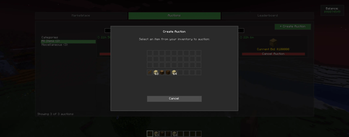
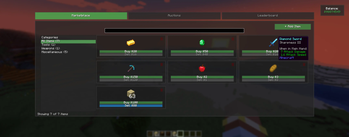
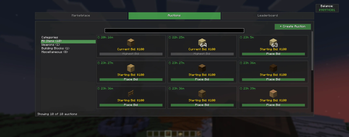
- GUI-Driven Marketplace — Purchase, Sell and Auction items entirely through a GUI.
- Component-Driven — Supports all modded content via Minecraft’s data component system.
- Admin Mode — Add or remove marketplace and Auction listings directly from the UI.
- Quick Access — Default keybind to open the market:
O. - Optimized for Performance — Built to scale smoothly on both small and large servers.
- Server Admin functionality — Create, modify and delete listings through JSON files.
Planned Features
- Multiple market instances (e.g. per town, faction, or world).
- Tie markets to NPCs or named mobs.
- Integration with permission mods (FTB Ranks, LuckPerms, etc).
- Command execution sales.
- Custom item categories for better organization.
- Marketplace item stocks
- Auction slots (limit the number of auctions a player can list at once)
Gallery


Commands
/freemarket help Show help menu
/freemarket pay <player> <amount> Pay another player
/freemarket balance Show your balance
/freemarket balance <player> Show a player's balance (OP)
/freemarket balance <player> add <amount> Add money (OP)
/freemarket balance <player> remove <amount> Remove money (OP)
/freemarket balance <player> set <amount> Set balance (OP)
/freemarket adminmode [true/false] Toggle admin GUI mode (OP)
/freemarket itemdata Show held item NBT/Component data (OP)
/freemarket list hand <buy> <sell> List held item on market (OP)
/freemarket list item <item> <buy> <sell> <qty> List specific item on market (OP)
Available Versions
How to Install FreeMarket on Your Server
Order Server
Order a Minecraft Java server with at least 3 GB RAM (4 GB recommended).
Set neoforge Loader
In the panel under "Egg", select the neoforge loader and matching Minecraft version (1.21.1).
Install Mod
Open the mod browser in the dashboard and search for "FreeMarket". Click "Install" – done! Alternatively, upload the .jar via SFTP to the /mods folder.
Compatibility
Mod Loaders
Minecraft Versions
1.21.1
Server-side
✓ RequiredRecommended RAM
4 GB(min. 3 GB)Frequently Asked Questions
FreeMarket server crashes on startup – what to do?
Most common cause: wrong neoforge version or insufficient RAM. Check the server log (latest.log) for "OutOfMemoryError" or "Mixin" errors. With Mado Hosting: ensure at least 3 GB RAM is allocated and the loader matches the mod version (1.21.1). You can switch loaders with one click in the panel.
Is FreeMarket compatible with neoforge?
FreeMarket officially supports neoforge for Minecraft 1.21.1. The Mado dashboard automatically detects incompatible loader combinations.
Server lagging with FreeMarket – how to optimize performance?
Recommended RAM: 4 GB (per 8 players). Use /spark profiler to check if FreeMarket consumes the most tick time. Common fixes: reduce server view-distance to 8-10, install "performant" or "starlight" as supplementary mods on Forge. With Mado Hosting, your server runs on NVMe SSDs with dedicated CPU cores for minimal latency.
Similar Mods



![CobbleDollars [Cobblemon Addon]](https://cdn.modrinth.com/data/s7N7AsqL/684040a264fc1d7f9b856ec5d2da39767398c7ad.png)

Rent Modded Server
Install FreeMarket with just one click on your server.