
FriendTP
Tired of giving your friends OP just so they can teleport to you? FriendTP is the perfect solution!
Screenshots
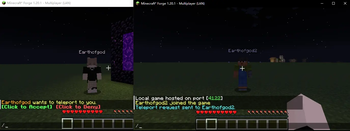
About this Mod
FriendTP - Teleport to Friends Without OP Permissions!
Tired of giving your friends OP just so they can teleport to you? FriendTP is the perfect solution!
FriendTP adds a simple, fair, and permission-less /tpa system to your Minecraft survival world. Now you and your friends can teleport to each other without worrying about accidental creative mode cheats or complicated server permissions.
✨ Features
No OP Required - Every player can use /tpa commands right away. No server permissions needed!
Request-Based System - Send a teleport request with /tpa
Clickable Chat Buttons - When you receive a request, beautiful green [ACCEPT] and red [DENY] buttons appear in chat. Just click!
5-Second Countdown (Configurable) - After acceptance, wait a few seconds before teleporting. No more combat logging!
Smart Cancellation - Teleport cancels if you take damage (configurable). Fair play guaranteed!
/back Command - Changed your mind? Use /back to return to your previous location within 30 seconds (configurable timeout).
Request Cooldown - Prevents spam with configurable cooldown between requests.
Cross-Dimension Support - Teleport works across the Overworld, Nether, and End (configurable).
Visual & Audio Feedback - Screen countdown messages and sound notifications for requests.
🎮 Commands
Command Description
/tpa
/tpaccept Accept the pending teleport request
/tpdeny Deny the pending teleport request
/back Return to your location before the last teleport
⚙️ Configurable Options
Everything is customizable in the config file!
Teleport delay (0-60 seconds)
Request cooldown (0-120 seconds)
Damage/movement cancellation
Cross-dimension toggle
Request timeout
/back command timeout
Sound and visual effects
🔧 For Modpack Developers
FriendTP is lightweight, has no dependencies, and is fully configurable. Perfect for any survival-focused modpack!
📥 Installation
Download the mod
Place it in your mods folder
Launch Minecraft
Start teleporting with friends!
Make survival multiplayer truly social - get FriendTP today!
Available Versions
How to Install FriendTP on Your Server
Order Server
Order a Minecraft Java server with at least 3 GB RAM (4 GB recommended).
Set forge Loader
In the panel under "Egg", select the forge loader and matching Minecraft version (1.20.1).
Install Mod
Open the mod browser in the dashboard and search for "FriendTP". Click "Install" – done! Alternatively, upload the .jar via SFTP to the /mods folder.
Compatibility
Mod Loaders
Minecraft Versions
1.20.1
Server-side
✓ RequiredRecommended RAM
4 GB(min. 3 GB)Frequently Asked Questions
FriendTP server crashes on startup – what to do?
Most common cause: wrong forge version or insufficient RAM. Check the server log (latest.log) for "OutOfMemoryError" or "Mixin" errors. With Mado Hosting: ensure at least 3 GB RAM is allocated and the loader matches the mod version (1.20.1). You can switch loaders with one click in the panel.
Is FriendTP compatible with forge?
FriendTP officially supports forge for Minecraft 1.20.1. The Mado dashboard automatically detects incompatible loader combinations.
Server lagging with FriendTP – how to optimize performance?
Recommended RAM: 4 GB (per 8 players). Use /spark profiler to check if FriendTP consumes the most tick time. Common fixes: reduce server view-distance to 8-10, install "performant" or "starlight" as supplementary mods on Forge. With Mado Hosting, your server runs on NVMe SSDs with dedicated CPU cores for minimal latency.
Similar Mods






Rent Modded Server
Install FriendTP with just one click on your server.