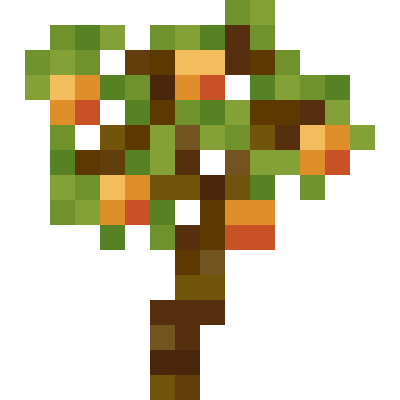
Fruit Trees
Spice up your diet with new fruits to find around the world
About this Mod
Fruit Trees
Tree Fruits
These fruits can be found in trees throughout the overworld. Each tree has it's own new wood type(excluding boats) to craft build with.
- Mango -> Jungle
- Pomegranate -> Desert
- Pineapple -> Sparse Jungle
- Dragon Fruit -> Badlands, Eroded Badlands
- Pear -> Savanna
Stem Fruits
These fruits grow on stems(like Melons and Pumpkins) and can be found in patches scattered around the overworld.
- Honeydew -> Flower Forest, Sunflower Plains
- Cantaloupe -> Meadow, Windswept Hills
Bush Fruits
These fruits can be found on bushes(like Sweet Berries) that generate throughout the world.
- Blueberries -> Forest
- Cranberries -> Birch Forest, Old Growth Birch Forest
- Hot Peppers -> Nether Wastes
Miscellaneous Features
Golden and Glistening Fruits
- Fruits found on trees have Golden and Enchanted Golden variants. Golden Fruits can be crafted with 8 gold ingots. Enchanted Golden Fruits can be found in loot chests.
- Stem Fruits have Glistening variants that can be crafted with 8 golden nuggets(and can actually be eaten)
Secret Item Names
Certain Items can be named at an anvil to unlock an alternate texture. These are usually just a meme or an inside joke between me and my friends
List of names
Item -> In-Game Name
- Pear -> Pearto
- Pineapple -> Bavid
- Golden Pineapple -> Bavid
- Enchanted Golden Pineapple -> Bavid
- Mango -> Mustard
Available Versions
How to Install Fruit Trees on Your Server
Order Server
Order a Minecraft Java server with at least 3 GB RAM (4 GB recommended).
Set fabric Loader
In the panel under "Egg", select the fabric loader and matching Minecraft version (1.20.1).
Install Mod
Open the mod browser in the dashboard and search for "Fruit Trees". Click "Install" – done! Alternatively, upload the .jar via SFTP to the /mods folder.
Compatibility
Mod Loaders
Minecraft Versions
1.20.1
Server-side
✓ RequiredRecommended RAM
4 GB(min. 3 GB)Frequently Asked Questions
Fruit Trees server crashes on startup – what to do?
Most common cause: wrong fabric version or insufficient RAM. Check the server log (latest.log) for "OutOfMemoryError" or "Mixin" errors. With Mado Hosting: ensure at least 3 GB RAM is allocated and the loader matches the mod version (1.20.1). You can switch loaders with one click in the panel.
Is Fruit Trees compatible with fabric and forge?
Fruit Trees officially supports fabric, forge for Minecraft 1.20.1. Note: Forge and Fabric mods are NOT cross-compatible – pick one loader and stick with it. The Mado dashboard automatically detects incompatible loader combinations.
Server lagging with Fruit Trees – how to optimize performance?
Recommended RAM: 4 GB (per 8 players). Use /spark profiler to check if Fruit Trees consumes the most tick time. Common fixes: reduce server view-distance to 8-10, install "performant" or "starlight" as supplementary mods on Forge. With Mado Hosting, your server runs on NVMe SSDs with dedicated CPU cores for minimal latency.
Similar Mods




Rent Modded Server
Install Fruit Trees with just one click on your server.