
FTQ - optimized
-may increase your fps- works on the basis of more stable textures removal of uncessary and other types of optimization
Screenshots

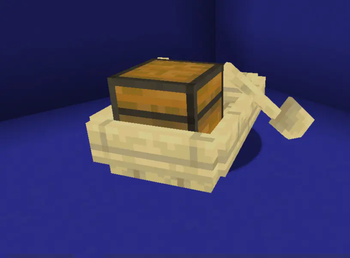
About this Mod
advantage
- Better FPS
- Optimized textures
- Easy install
Questions
how to install? - copy the ZIP file to the resourcepack or datapack folder.
how does this work? - works on the basis of more stable textures removal of uncessary and other types of optimization
Other
this project was created by one person; its goal is to enable easy optimization without crashes like a mod, but better - datapack\resourcepack
do you have low fps? it will raise it
From now on it does not require installation on the server!
⚠IMPORTANT - FPS jump and incompatibility with sodium is the NORMAL I do not guarantee a stable increase in FPS⚠
how it works?
this mod\resourcepack\datapack can increase FPS with the help of:
1.
the developers were a little lazy when making block models (example: if you put VERY many cauldrons and frames, minecraft will start to lag - the cauldron hitbox is very strange and the frames are very difficult to render it removes the shadows of entities and changes their rendering from now on works so that what the player does not see is not loaded at all or becomes of poor quality
2.
fog
now there is no fog, also clouds are drawn at a greater distance; now they are drawn only in the player’s visibility
3.
particles and animations
removed some animations like sea grass, etc.
cherry particles removed.
all together it gives a small increase
Available Versions
How to Install FTQ - optimized on Your Server
Order Server
Order a Minecraft Java server with at least 3 GB RAM (4 GB recommended).
Set datapack Loader
In the panel under "Egg", select the datapack loader and matching Minecraft version (1.20.1).
Install Mod
Open the mod browser in the dashboard and search for "FTQ - optimized". Click "Install" – done! Alternatively, upload the .jar via SFTP to the /mods folder.
Compatibility
Mod Loaders
Minecraft Versions
1.20.1
Server-side
✓ RequiredRecommended RAM
4 GB(min. 3 GB)Frequently Asked Questions
FTQ - optimized server crashes on startup – what to do?
Most common cause: wrong datapack version or insufficient RAM. Check the server log (latest.log) for "OutOfMemoryError" or "Mixin" errors. With Mado Hosting: ensure at least 3 GB RAM is allocated and the loader matches the mod version (1.20.1). You can switch loaders with one click in the panel.
Is FTQ - optimized compatible with datapack and fabric and forge and quilt?
FTQ - optimized officially supports datapack, fabric, forge, quilt for Minecraft 1.20.1. Note: Forge and Fabric mods are NOT cross-compatible – pick one loader and stick with it. The Mado dashboard automatically detects incompatible loader combinations.
Server lagging with FTQ - optimized – how to optimize performance?
Recommended RAM: 4 GB (per 8 players). Use /spark profiler to check if FTQ - optimized consumes the most tick time. Common fixes: reduce server view-distance to 8-10, install "performant" or "starlight" as supplementary mods on Forge. With Mado Hosting, your server runs on NVMe SSDs with dedicated CPU cores for minimal latency.
Similar Mods



Rent Modded Server
Install FTQ - optimized with just one click on your server.