
Furnace ETA hud
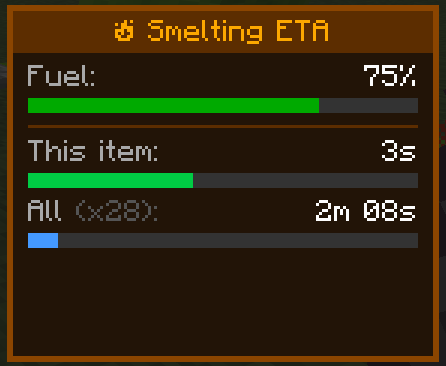
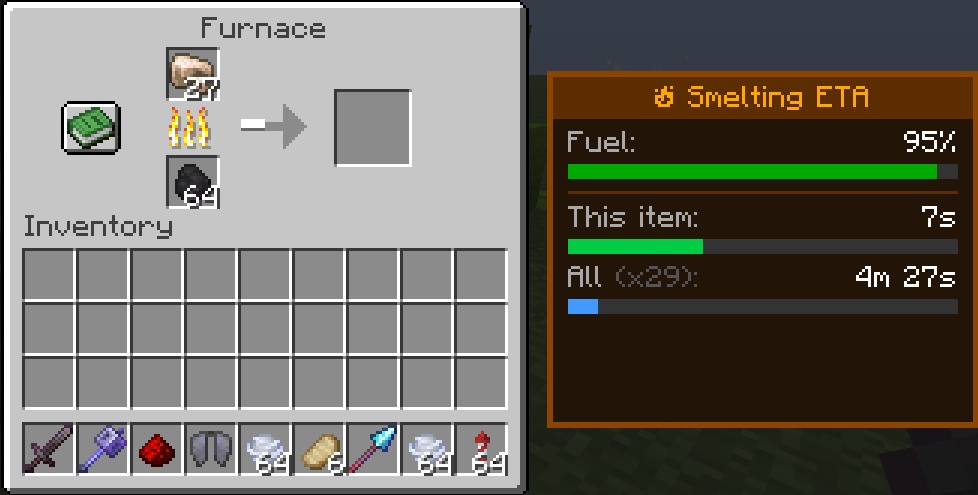
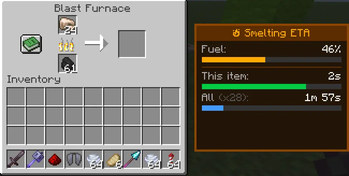
Adds a clean and immersive Smelting ETA panel to furnaces, blast furnaces, and smokers, showing exact smelt times, fuel efficiency, and total completion estimates in real time.
Screenshots
About this Mod
⏳ Furnace ETA
Furnace ETA adds a sleek side-panel HUD to Minecraft furnaces that displays precise smelting information at a glance.
No more guessing how long your items will take — the mod shows live timers, fuel status, and total batch completion estimates in a clean vanilla-friendly interface.
Perfect for survival players, technical players, builders, and anyone tired of waiting blindly for furnaces to finish.
✨ Features
Real-time smelting countdowns
Shows remaining time for the current item
Calculates total time for the entire stack
Fuel efficiency percentage display
Works with:
Furnaces
Blast Furnaces
Smokers
Lightweight and clean UI
Vanilla-style design
Client-side QoL mod
🖥️ Displayed Information
Fuel remaining %
Current item ETA
Total batch ETA
Progress bars for quick visual reading
🎮 Why Use Furnace ETA?
Minecraft already shows smelting progress visually, but not accurately.
Furnace ETA gives exact timing information without opening F3 menus, calculators, or external tools. The HUD is designed to feel like something that could exist in vanilla Minecraft while still being incredibly useful.
⚙️ Compatibility
Fabric
Client-side
Works in singleplayer and multiplayer servers
No server installation required
🧡 Designed for Vanilla+
The goal of Furnace ETA is simple:
Make furnaces feel smarter without changing vanilla gameplay.
No automation.
No balance changes.
Just better information.
📔Credits
A HUGE help was taken by Claude
Available Versions
How to Install Furnace ETA hud on Your Server
Order Server
Order a Minecraft Java server with at least 3 GB RAM (4 GB recommended).
Set fabric Loader
In the panel under "Egg", select the fabric loader and matching Minecraft version (1.21.11).
Install Mod
Open the mod browser in the dashboard and search for "Furnace ETA hud". Click "Install" – done! Alternatively, upload the .jar via SFTP to the /mods folder.
Compatibility
Mod Loaders
Minecraft Versions
1.21.11, 1.21.10, 1.21.9 (+4 more)
Server-side
✗ UnsupportedRecommended RAM
4 GB(min. 3 GB)Frequently Asked Questions
Furnace ETA hud server crashes on startup – what to do?
Most common cause: wrong fabric version or insufficient RAM. Check the server log (latest.log) for "OutOfMemoryError" or "Mixin" errors. With Mado Hosting: ensure at least 3 GB RAM is allocated and the loader matches the mod version (1.21.11). You can switch loaders with one click in the panel.
Is Furnace ETA hud compatible with fabric?
Furnace ETA hud officially supports fabric for Minecraft 1.21.11, 1.21.10, 1.21.9. The Mado dashboard automatically detects incompatible loader combinations.
Server lagging with Furnace ETA hud – how to optimize performance?
Recommended RAM: 4 GB (per 8 players). Use /spark profiler to check if Furnace ETA hud consumes the most tick time. Common fixes: reduce server view-distance to 8-10, install "performant" or "starlight" as supplementary mods on Forge. With Mado Hosting, your server runs on NVMe SSDs with dedicated CPU cores for minimal latency.
Similar Mods






Rent Modded Server
Install Furnace ETA hud with just one click on your server.