
Galactical Universe
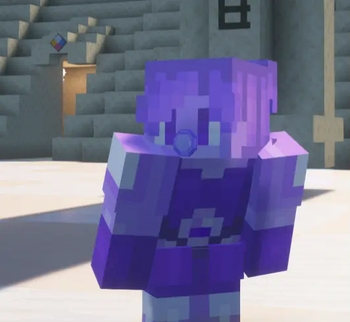
This a fusion mod based off of the show Steven Universe! This adds fusion into minecraft!
Screenshots
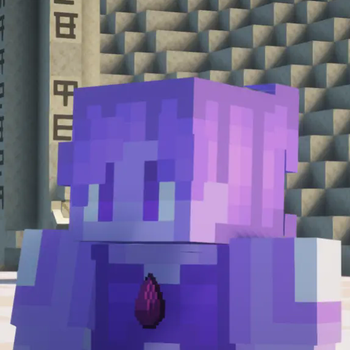
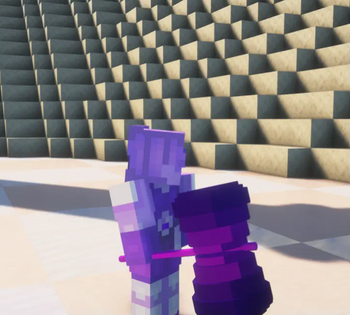
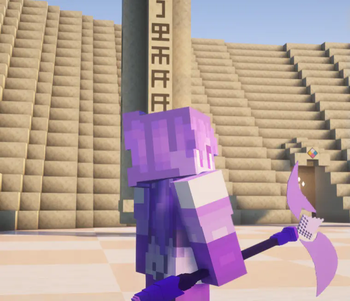
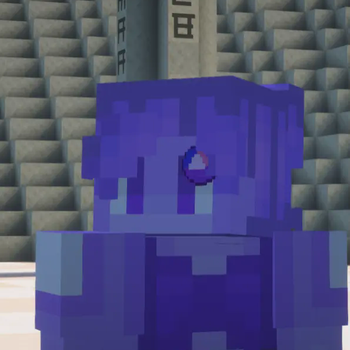
About this Mod
✦ Galactical Universe ✦
A remake of the fusion mod we made in 2024, revamped and brand new!!
How to Fuse
First you'll need a Fusion Crystal. Right-clicking it while idle opens the Fusion Customization Menu where you can set your fusion name, color, height and skin before fusing.
To fuse, both players must perform a synchronized dance sequence together — **R+Crouch, R+Jump, then R. Once both complete the sequence the fusion triggers automatically after a short countdown. If you take too long between steps the sequence resets!
Leader and Passenger
After fusing the game randomly picks who becomes the Fusion Leader — a 50/50 chance every time. The leader becomes the visible fused form with boosted stats, the fusion skin and name, and full movement control. The Passenger merges silently into the fusion becoming invisible until it ends.
Fusion Stability and Defusion
A Fusion Stability bar at the top of your screen gradually drains over time. Taking damage drains it faster. You can use Fusion Focus (K) to regain stability.
Press I to defuse at any time — the passenger reappears beside the leader. If stability hits zero both players get launched apart in a Combat Defusion. Either way both players enter a cooldown before fusing again!
Fusion Customization
Right-click the Fusion Crystal while idle to open the customization menu. Set your fusion name, aura color, height and skin.
Dependencies
SkinChanger https://www.curseforge.com/minecraft/mc-mods/skinchanger
FakeName
https://www.curseforge.com/minecraft/mc-mods/fakename
Pehkui — https://www.curseforge.com/minecraft/mc-mods/pehkui
SU Gems https://www.curseforge.com/minecraft/mc-mods/su-gems
Available Versions
How to Install Galactical Universe on Your Server
Order Server
Order a Minecraft Java server with at least 3 GB RAM (4 GB recommended).
Set forge Loader
In the panel under "Egg", select the forge loader and matching Minecraft version (1.20.1).
Install Mod
Open the mod browser in the dashboard and search for "Galactical Universe". Click "Install" – done! Alternatively, upload the .jar via SFTP to the /mods folder.
Compatibility
Mod Loaders
Minecraft Versions
1.20.1, 1.19.4
Server-side
✓ RequiredRecommended RAM
4 GB(min. 3 GB)Frequently Asked Questions
Galactical Universe server crashes on startup – what to do?
Most common cause: wrong forge version or insufficient RAM. Check the server log (latest.log) for "OutOfMemoryError" or "Mixin" errors. With Mado Hosting: ensure at least 3 GB RAM is allocated and the loader matches the mod version (1.20.1). You can switch loaders with one click in the panel.
Is Galactical Universe compatible with forge?
Galactical Universe officially supports forge for Minecraft 1.20.1, 1.19.4. The Mado dashboard automatically detects incompatible loader combinations.
Server lagging with Galactical Universe – how to optimize performance?
Recommended RAM: 4 GB (per 8 players). Use /spark profiler to check if Galactical Universe consumes the most tick time. Common fixes: reduce server view-distance to 8-10, install "performant" or "starlight" as supplementary mods on Forge. With Mado Hosting, your server runs on NVMe SSDs with dedicated CPU cores for minimal latency.
Similar Mods




Rent Modded Server
Install Galactical Universe with just one click on your server.