
GD mod
a mod that adds geometry dash! and also youtubers (sorry for translations) authors: cheshet, MadTT
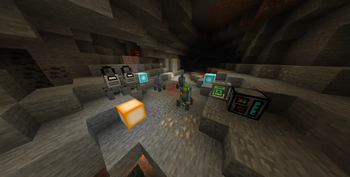
Screenshots
About this Mod
GD mod: A Unique Adventure Awaits!
GD mod is an exciting and expansive Minecraft modification that adds a wealth of fresh content. Whether you're an explorer or a creative builder, this mod offers something special for everyone.
What Does GD mod Add?
Powerful Tools & Equipment
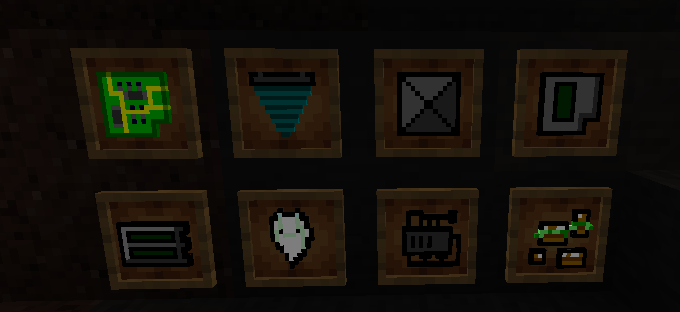
- Drills & Advanced Tools – Mine faster with new pickaxes and get resources from the drills.
- New Ores - Discover 3 new ores to craft new and stronger gear.
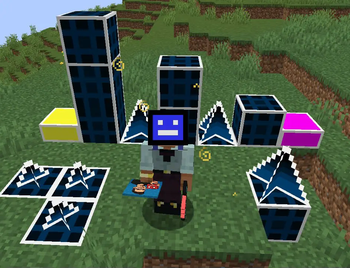
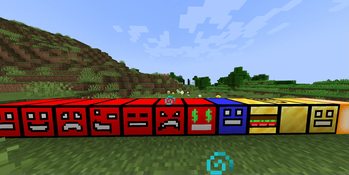
- Cubes from geometry dash – Craft unique cubes in cube constructor that provide special abilities (try to collect them all to get flying ability).
Structures, Dungeons & Bosses
- New Structures – Find useful structures like shops that use orbs to buy from them (more on orbs later in description) shops are generating in plains and forests. New structures in the new derd biome that have loot.
- Challenging Dungeons – Explore mysterious dungeons filled with traps, treasures, and dangers.
- New Epic Boss – Test your skills against new boss with unique mechanics.
New Dimensions
Venture beyond the Overworld into two new dimensions, each with its own atmosphere, creatures, and resources to discover (portals made of bedrock and only accessible through the dungeon underground.
Geometry Dash Inspired Blocks
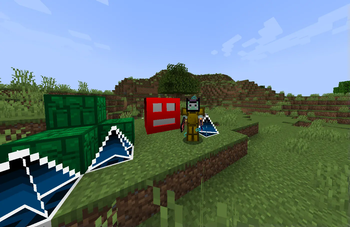
A fun crossover! GD Mod introduces blocks and decorative elements inspired by Geometry Dash, adding a new touch to your builds.
Fun In Multiplayer
With addition of new currency, orbs, you can now pay someone with them (to withdraw them use /sell, to check your balance use /orbs), and diamonds no longer needed to buy something.
Why Should I Try GD mod?
- Endless Exploration – Uncover secrets in dungeons, conquer bosses, and travel to strange new worlds.
- New Blocks – Mix Minecraft’s classic style with Geometry Dash’s blocks for unique designs (try to build your layout).
- Progression & Challenge – Upgrade your gear, master new mechanics, and take on hard boss battle.
GD mod isn’t just another mod about grind—it’s an immersive experience that keeps you engaged with its new things and creativity.
Available Versions
How to Install GD mod on Your Server
Order Server
Order a Minecraft Java server with at least 4 GB RAM (6 GB recommended).
Set forge Loader
In the panel under "Egg", select the forge loader and matching Minecraft version (1.20.1).
Install Mod
Open the mod browser in the dashboard and search for "GD mod". Click "Install" – done! Alternatively, upload the .jar via SFTP to the /mods folder.
Compatibility
Mod Loaders
Minecraft Versions
1.20.1
Server-side
✓ RequiredRecommended RAM
6 GB(min. 4 GB)Frequently Asked Questions
GD mod server crashes on startup – what to do?
Most common cause: wrong forge version or insufficient RAM. Check the server log (latest.log) for "OutOfMemoryError" or "Mixin" errors. With Mado Hosting: ensure at least 4 GB RAM is allocated and the loader matches the mod version (1.20.1). You can switch loaders with one click in the panel.
Is GD mod compatible with forge?
GD mod officially supports forge for Minecraft 1.20.1. The Mado dashboard automatically detects incompatible loader combinations.
Server lagging with GD mod – how to optimize performance?
Recommended RAM: 6 GB (per 5 players). Use /spark profiler to check if GD mod consumes the most tick time. Common fixes: reduce server view-distance to 8-10, install "performant" or "starlight" as supplementary mods on Forge. With Mado Hosting, your server runs on NVMe SSDs with dedicated CPU cores for minimal latency.
Similar Mods





Rent Modded Server
Install GD mod with just one click on your server.