
Gearo Hotbar
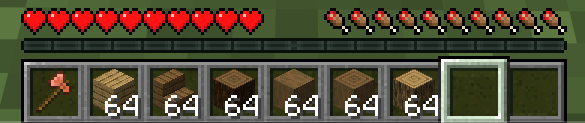
Gearo Hotbar is a lightweight client-side Minecraft mod that improves hotbar usability and item access. It adds a configurable UI and helps keep your inventory more organized for faster gameplay in both Survival and Creativ
Screenshots

About this Mod

Gearo Hotbar
Gearo Hotbar is a clean and lightweight hotbar improvement mod for Minecraft.
It is made to make item access feel smoother, faster, and more comfortable without changing the core style of the game.
What it does
Gearo Hotbar improves the way you interact with your hotbar and item selection.
Instead of relying only on the default setup, it gives you a more flexible and organized way to access important items during normal gameplay.
The mod is designed to feel natural, simple, and useful in everyday play. It does not try to replace Minecraft’s original style. It just makes the hotbar easier to use.
Features
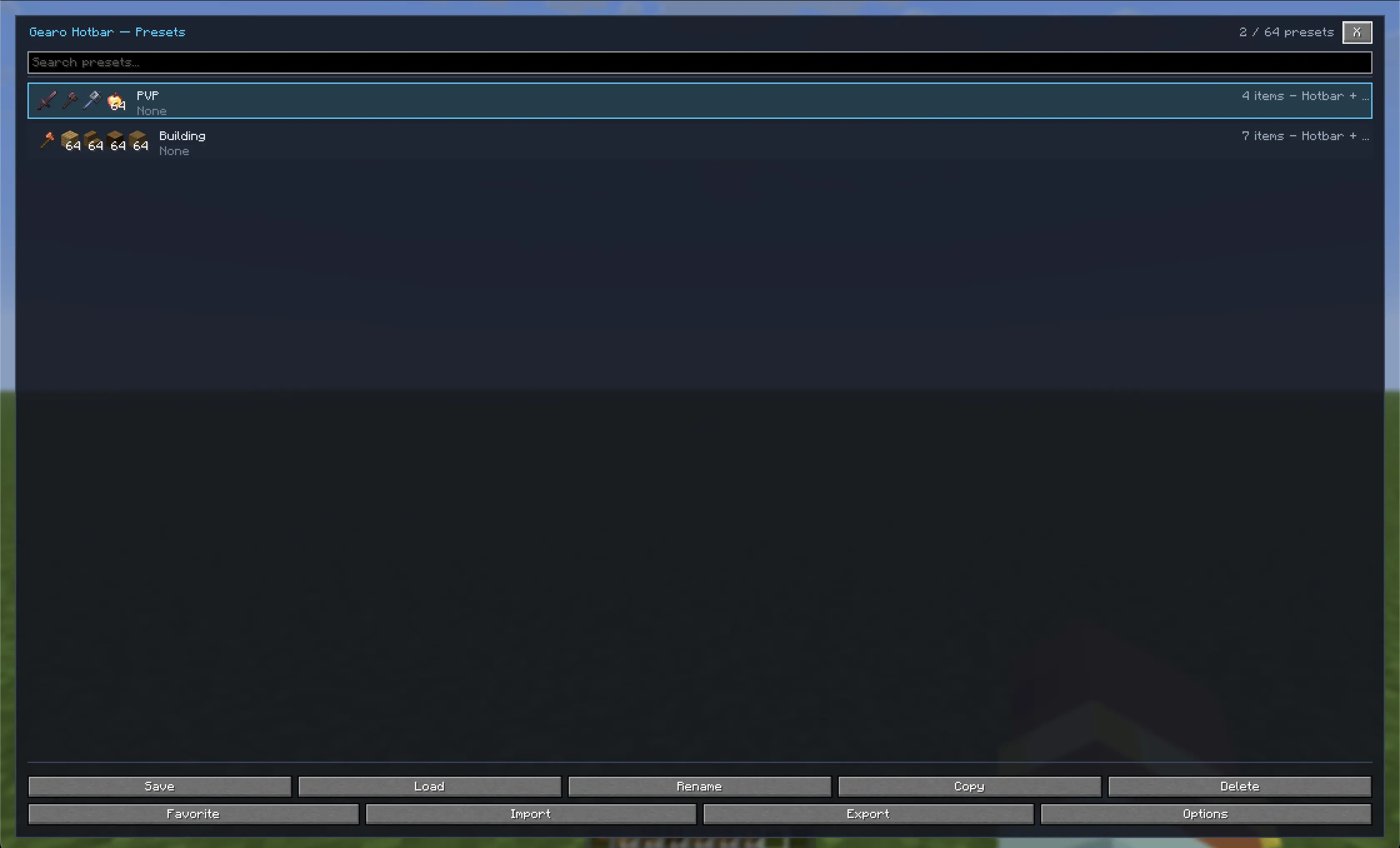
Main UI access with a keybind
Open the main interface with the default keybind K.Custom keybind support
The keybind can be changed in the controls menu, so you can use whatever key feels best for you.Client-side mod
Gearo Hotbar is made to run on the client side, so it can be used without requiring a full gameplay-side mod setup.Server-friendly behavior
The mod can still work on servers, as long as the server allows the normal client behavior needed for it.Hotbar layout improvements
Makes the hotbar feel more structured and easier to manage during regular play.Faster item access
Helps reduce the time spent switching through slots when you need something quickly.Better organization
Makes it easier to keep tools, blocks, food, and other important items in a clear order.Smooth gameplay integration
Stays close to the vanilla Minecraft experience instead of adding a heavy or distracting UI.Lightweight design
Focuses on being simple and efficient, without unnecessary clutter.
Game modes
Gearo Hotbar is not only useful in Creative mode.
It also works well in Survival, especially when you already have the items you need and want to access them faster and more cleanly.
It is useful for:
- Building
- Mining
- Exploring
- Combat
- Redstone work
- General survival gameplay
- Creative building
Experience
The goal of Gearo Hotbar is to make item handling feel more comfortable and practical.
It is made for players who want a cleaner workflow and a better way to reach their important items without breaking the normal Minecraft feel.
Everything is kept straightforward, so the mod feels easy to use in normal play.
Summary
Gearo Hotbar is a lightweight hotbar improvement mod that makes item access simpler and more organized.
It includes a configurable K keybind for the main UI, works client-side, and can be used on servers where client behavior is allowed.
It is useful in both Creative and Survival, depending on what items you already have and how you want to manage them.
Available Versions
How to Install Gearo Hotbar on Your Server
Order Server
Order a Minecraft Java server with at least 3 GB RAM (4 GB recommended).
Set fabric Loader
In the panel under "Egg", select the fabric loader and matching Minecraft version (26.1.2).
Install Mod
Open the mod browser in the dashboard and search for "Gearo Hotbar". Click "Install" – done! Alternatively, upload the .jar via SFTP to the /mods folder.
Compatibility
Mod Loaders
Minecraft Versions
26.1.2, 26.1.1, 26.1
Server-side
✗ UnsupportedRecommended RAM
4 GB(min. 3 GB)Frequently Asked Questions
Gearo Hotbar server crashes on startup – what to do?
Most common cause: wrong fabric version or insufficient RAM. Check the server log (latest.log) for "OutOfMemoryError" or "Mixin" errors. With Mado Hosting: ensure at least 3 GB RAM is allocated and the loader matches the mod version (26.1.2). You can switch loaders with one click in the panel.
Is Gearo Hotbar compatible with fabric?
Gearo Hotbar officially supports fabric for Minecraft 26.1.2, 26.1.1, 26.1. The Mado dashboard automatically detects incompatible loader combinations.
Server lagging with Gearo Hotbar – how to optimize performance?
Recommended RAM: 4 GB (per 8 players). Use /spark profiler to check if Gearo Hotbar consumes the most tick time. Common fixes: reduce server view-distance to 8-10, install "performant" or "starlight" as supplementary mods on Forge. With Mado Hosting, your server runs on NVMe SSDs with dedicated CPU cores for minimal latency.
Similar Mods



![[TaCZ] Timeless and Classics Zero](https://cdn.modrinth.com/data/SzzJttH8/fd27766d2bb8390d284696b1dbd358f87e081439_96.webp)


Rent Modded Server
Install Gearo Hotbar with just one click on your server.