
Geckolib-Unofficial
Unofficial version of Geckolib for 1.7.10 version
Screenshots
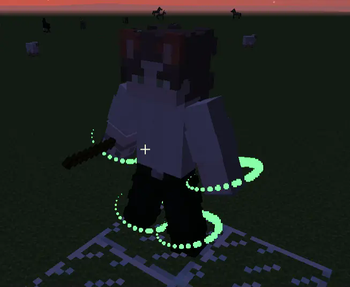
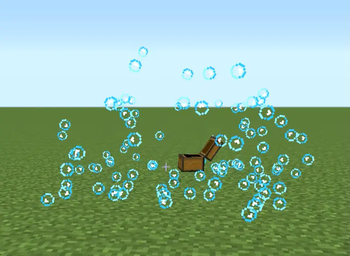
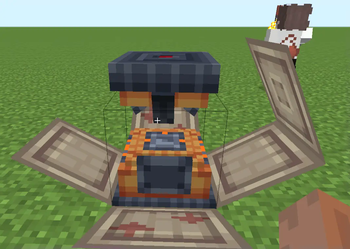
About this Mod
Geckolib-Unofficial: An Immersive Animation Library for Minecraft Mods
Overview: Geckolib-Unofficial represents a dynamic unofficial adaptation of Geckolib-3 for 1.7.10. This library delivers a comprehensive array of useful features for Minecraft modders seeking to integrate captivating custom animations into their gameplay.
Functionality:
- Custom Animation Integration: Empowering modders to incorporate personalized animated models created in BlockBench.
- Diverse Animation Support: Enabling keyframe-based animations, 30+ easings for smooth transitions, mathematical animations based on the straightforward Molang language, and custom keyframes for playing sound effects and emitting particles.
- Bedrock Particle System Integration: Geckolib-Unofficial seamlessly integrates with bedrock particle systems, offering a robust and versatile toolset to craft tailor-made visual effects, adding depth and richness to the Minecraft experience.
Benefits for Modders:
- Empowering Creativity: Providing modders with the flexibility and tools to unleash their creativity, enhancing the immersive qualities of the Minecraft modding experience.
- Immersive Customization: Elevating the level of customization and engagement by enabling the creation of unique and captivating animations within Minecraft mods.
- Application in the Modding Community: Geckolib-Unofficial serves as an invaluable resource for modders, enriching the Minecraft modding landscape by enabling the seamless integration and creation of captivating custom animations, ultimately enhancing the overall gaming experience with its immersive visual and auditory elements.
Partners:
Available Versions
How to Install Geckolib-Unofficial on Your Server
Order Server
Order a Minecraft Java server with at least 3 GB RAM (4 GB recommended).
Set forge Loader
In the panel under "Egg", select the forge loader and matching Minecraft version (1.7.10).
Install Mod
Open the mod browser in the dashboard and search for "Geckolib-Unofficial". Click "Install" – done! Alternatively, upload the .jar via SFTP to the /mods folder.
Compatibility
Mod Loaders
Minecraft Versions
1.7.10
Server-side
✓ RequiredRecommended RAM
4 GB(min. 3 GB)Frequently Asked Questions
Geckolib-Unofficial server crashes on startup – what to do?
Most common cause: wrong forge version or insufficient RAM. Check the server log (latest.log) for "OutOfMemoryError" or "Mixin" errors. With Mado Hosting: ensure at least 3 GB RAM is allocated and the loader matches the mod version (1.7.10). You can switch loaders with one click in the panel.
Is Geckolib-Unofficial compatible with forge?
Geckolib-Unofficial officially supports forge for Minecraft 1.7.10. The Mado dashboard automatically detects incompatible loader combinations.
Server lagging with Geckolib-Unofficial – how to optimize performance?
Recommended RAM: 4 GB (per 8 players). Use /spark profiler to check if Geckolib-Unofficial consumes the most tick time. Common fixes: reduce server view-distance to 8-10, install "performant" or "starlight" as supplementary mods on Forge. With Mado Hosting, your server runs on NVMe SSDs with dedicated CPU cores for minimal latency.
Similar Mods



Rent Modded Server
Install Geckolib-Unofficial with just one click on your server.