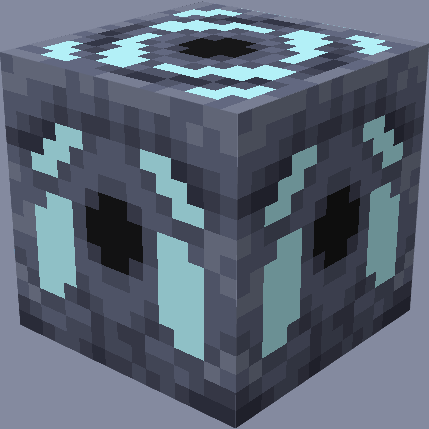
Gefra
Adds a block barrier generator to the game that changes the style of play
Screenshots
About this Mod
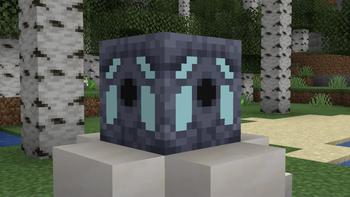
Mod for Forge Minecraft 1.20.1. Adds a barrier generator to the game, which offers a new style of play - you need to feed the generator with items so that you have more free space, otherwise you will have very little available space. And to feed objects into it, you just need to direct the funnels and put the objects into the generator through them
To start playing with it, just place the generator in a creative place in a convenient place for yourself and start surviving, of course changing the mode from creative to survival. The main thing is that there is only one barrier generator in the world, otherwise it will not work correctly
To understand how the generator works - it checks the number of items every 5 seconds, uses the /worldborder command to change the size of the barrier. Also, when it is placed, it sets the center of the barrier in its place, changes the world spawn point in the world and makes the chunk in which it is located and also makes 8 neighboring chunks non-loadable (that is, it will always be loaded even if in another dimension) using /forceload commands
The mod also has new game rules and a command for controlling the generator:
Gamerules:
bgWorkBarrierGenerator - accepts true or false and this rule determines whether the generator works in the world at all
bgBarrierCoefficient - accepts integer values and is responsible for the efficiency of the barrier generator
bgMinimumBarrierRadius - accepts integer values and is responsible for the minimum radius of the barrier
There is also a command /bgremoveloaded - removes loaded chunks (in reality it just calls the command /forceload remove all)
You can also contact me via Discord (live7688) if you want to contact me, or to tell me about bugs and ideas for improving the mod
Available Versions
How to Install Gefra on Your Server
Order Server
Order a Minecraft Java server with at least 3 GB RAM (4 GB recommended).
Set forge Loader
In the panel under "Egg", select the forge loader and matching Minecraft version (1.20.1).
Install Mod
Open the mod browser in the dashboard and search for "Gefra". Click "Install" – done! Alternatively, upload the .jar via SFTP to the /mods folder.
Compatibility
Mod Loaders
Minecraft Versions
1.20.1
Server-side
✓ RequiredRecommended RAM
4 GB(min. 3 GB)Frequently Asked Questions
Gefra server crashes on startup – what to do?
Most common cause: wrong forge version or insufficient RAM. Check the server log (latest.log) for "OutOfMemoryError" or "Mixin" errors. With Mado Hosting: ensure at least 3 GB RAM is allocated and the loader matches the mod version (1.20.1). You can switch loaders with one click in the panel.
Is Gefra compatible with forge?
Gefra officially supports forge for Minecraft 1.20.1. The Mado dashboard automatically detects incompatible loader combinations.
Server lagging with Gefra – how to optimize performance?
Recommended RAM: 4 GB (per 8 players). Use /spark profiler to check if Gefra consumes the most tick time. Common fixes: reduce server view-distance to 8-10, install "performant" or "starlight" as supplementary mods on Forge. With Mado Hosting, your server runs on NVMe SSDs with dedicated CPU cores for minimal latency.
Similar Mods




Rent Modded Server
Install Gefra with just one click on your server.