
GeneratorCraft - Lootboxes, Gambling, RNG, Economy
If Minecraft had Lootboxes, tons of RNG, and gambling
Screenshots


About this Mod
⚠️ IMPORTANT: INCOMPATIBLE WITH OPTIFINE ⚠️
This mod does NOT work with Optifine. Running Minecraft with both this mod and Optifine installed will likely prevent the game from launching. This issue is currently unfixable, so please remove Optifine before using this mod.

Videos Including the Mod
Check out these videos to see GeneratorCraft in action:
GeneratorCraft
GeneratorCraft brings a twist to Minecraft with a fun and chaotic gambling theme! With rigged (maybe) RNG, questionable lootboxes, and frustrating generators, this mod keeps you engaged—whether you like it or not! :-)
Key Features
Currency
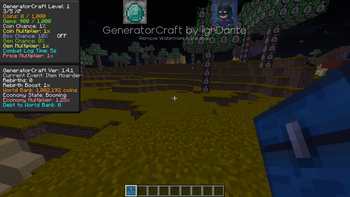
- Introduces multiple currencies and values to enhance gameplay, including:
- Coins
- Gems
- Drop Chance
- Box Chance
- Multipliers
Shop
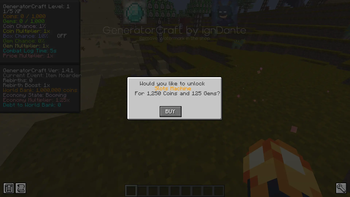
- Visit the shop to:
- Purchase upgrades for your Chance values and Multipliers, making it easier to obtain currencies.
- Buy unique and interesting items that enhance your adventure.
Lootboxes
- Lootboxes can drop from mobs, offering a chance at valuable loot when opened.
Gambling
- Try your luck at the slot machine accessible through the shop GUI for a chance to win big!
Generators
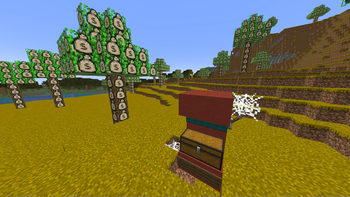
- Obtain Generator Cores from lootboxes, place them down, and feed them 64 of a valid material to start generating resources.
Dive into GeneratorCraft and experience a wild blend of fun and frustration in your Minecraft journey!
Available Versions
How to Install GeneratorCraft - Lootboxes, Gambling, RNG, Economy on Your Server
Order Server
Order a Minecraft Java server with at least 3 GB RAM (4 GB recommended).
Set forge Loader
In the panel under "Egg", select the forge loader and matching Minecraft version (1.21.4).
Install Mod
Open the mod browser in the dashboard and search for "GeneratorCraft - Lootboxes, Gambling, RNG, Economy". Click "Install" – done! Alternatively, upload the .jar via SFTP to the /mods folder.
Compatibility
Mod Loaders
Minecraft Versions
1.21.4, 1.21.1, 1.20.1
Server-side
✓ RequiredRecommended RAM
4 GB(min. 3 GB)Frequently Asked Questions
GeneratorCraft - Lootboxes, Gambling, RNG, Economy server crashes on startup – what to do?
Most common cause: wrong forge version or insufficient RAM. Check the server log (latest.log) for "OutOfMemoryError" or "Mixin" errors. With Mado Hosting: ensure at least 3 GB RAM is allocated and the loader matches the mod version (1.21.4). You can switch loaders with one click in the panel.
Is GeneratorCraft - Lootboxes, Gambling, RNG, Economy compatible with forge and neoforge?
GeneratorCraft - Lootboxes, Gambling, RNG, Economy officially supports forge, neoforge for Minecraft 1.21.4, 1.21.1, 1.20.1. The Mado dashboard automatically detects incompatible loader combinations.
Server lagging with GeneratorCraft - Lootboxes, Gambling, RNG, Economy – how to optimize performance?
Recommended RAM: 4 GB (per 8 players). Use /spark profiler to check if GeneratorCraft - Lootboxes, Gambling, RNG, Economy consumes the most tick time. Common fixes: reduce server view-distance to 8-10, install "performant" or "starlight" as supplementary mods on Forge. With Mado Hosting, your server runs on NVMe SSDs with dedicated CPU cores for minimal latency.
Similar Mods





Rent Modded Server
Install GeneratorCraft - Lootboxes, Gambling, RNG, Economy with just one click on your server.