
Teyvatcraft
A Minecraft mod inspired by the HoYoverse game "Genshin Impact."
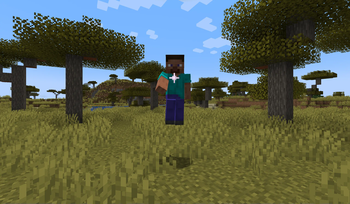
Screenshots

About this Mod

© All rights reserved by miHoYo. Other properties belong to their respective owners.
This mod is still solidly in development and not yet very survival-friendly.
If you have any comments, suggestions, or bug reports, please add them to the curseforge page! (link at bottom) If you have a better way for me to receive them, please let me know. :)
Please check out Genshin Impact for yourself!
I am not affiliated with HoYoverse in any way--this is a fan-made project! Additionally, mod development will probably be pretty slow, so please be patient!
Anemo Vision
When the player has an anemo vision in their inventory, they gain access to anemo-related abilities:
High-Jump:
- Toggled by a sticky keybind in the "Anemo" category
- Charge for at least 1.5 seconds by sneaking, and then release to be launched several blocks into the air
- Must be on solid ground for this ability to charge
- Must charge for about 1.5 seconds consecutively
Windfavored State:

- Gives the player the power of creative flight
- Essentially a replica of the Wanderer's skill from Genshin Impact, even down to the visuals
- Entering the "windfavored" state gives the player 150 kuugoryoku points to start
- Kuugoryoku points decrease over time
- Sprinting will increase your flying speed, but will double your kuugoryoku point consumption
- Pressing the jump key will cause the player to ascend, but will triple your kuugoryoku point consumption while the key is pressed
- Once the Windfavored state ends, the skill will enter a cooldown period of about 5 seconds, during which the player will be unable to enter the Windfavored state
Cor Lapis
- Currently comes in shard and block form
- Cor Lapis shards are dropped by Cor Lapis clusters, which behave similarly to amethyst clusters
- Do not yet generate in the world naturally
Available Versions
How to Install Teyvatcraft on Your Server
Order Server
Order a Minecraft Java server with at least 3 GB RAM (4 GB recommended).
Set fabric Loader
In the panel under "Egg", select the fabric loader and matching Minecraft version (1.21.1).
Install Mod
Open the mod browser in the dashboard and search for "Teyvatcraft". Click "Install" – done! Alternatively, upload the .jar via SFTP to the /mods folder.
Compatibility
Mod Loaders
Minecraft Versions
1.21.1
Server-side
✓ RequiredRecommended RAM
4 GB(min. 3 GB)Frequently Asked Questions
Teyvatcraft server crashes on startup – what to do?
Most common cause: wrong fabric version or insufficient RAM. Check the server log (latest.log) for "OutOfMemoryError" or "Mixin" errors. With Mado Hosting: ensure at least 3 GB RAM is allocated and the loader matches the mod version (1.21.1). You can switch loaders with one click in the panel.
Is Teyvatcraft compatible with fabric and neoforge?
Teyvatcraft officially supports fabric, neoforge for Minecraft 1.21.1. The Mado dashboard automatically detects incompatible loader combinations.
Server lagging with Teyvatcraft – how to optimize performance?
Recommended RAM: 4 GB (per 8 players). Use /spark profiler to check if Teyvatcraft consumes the most tick time. Common fixes: reduce server view-distance to 8-10, install "performant" or "starlight" as supplementary mods on Forge. With Mado Hosting, your server runs on NVMe SSDs with dedicated CPU cores for minimal latency.
Similar Mods




Rent Modded Server
Install Teyvatcraft with just one click on your server.