
GitMC
GitMC brings full Git version control into your Minecraft singleplayer worlds, commit snapshots, create branches, switch between them, and back everything up to GitHub, all from in-game chat commands without any external tools.
Screenshots
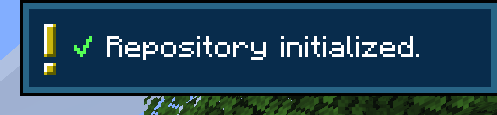
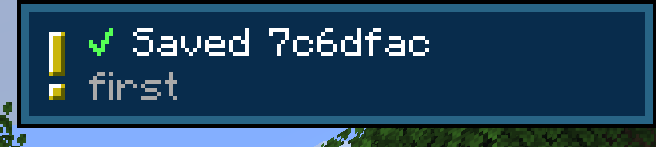

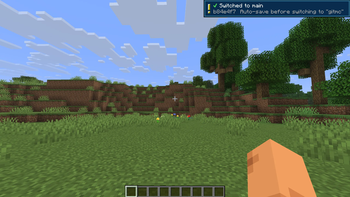
About this Mod
Ever demolished a build you immediately regretted? Wanted to try a completely different base layout without risking your current world? GitMC gives your Minecraft world a full Git repository - the same technology developers use to manage code - so you can save snapshots, experiment freely, and always go back.
No terminal. No external apps. Just type /git save "my message" and you're covered.
What you can do
📸 Save snapshots
Run /git save "Built the nether hub" to checkpoint your world at any moment. Every snapshot stores exactly what your world looked like — blocks, structures, terrain changes.
🌿 Branch your world
Create a separate branch to experiment with a mega-build or a new base layout, while your "main" world stays untouched. Switch between them with a single command — GitMC auto-saves before switching and reloads the world automatically.
⏪ Travel through time — and back
Use /git log to see your history and /git checkout <hash> to jump back to any past state. Your position is restored after the reload so you land right where you were. Done exploring? /git latest brings you straight back to the newest commit - no need to remember which branch you came from.
🔄 Auto-commit
Configure GitMC to save automatically every X minutes, when you sleep in a bed, or when you leave the world. You'll never lose a session of progress again.
☁️ Back up to GitHub
Push your entire world history - all branches, all commits - to a private GitHub repository. Pull it back on any machine. Your world, in the cloud, forever.
🗂️ Restore individual chunks
Accidentally corrupted a region or blew up the wrong thing? Restore specific .mca chunk files from any past commit without touching the rest of your world.
How it works
GitMC embeds JGit directly - no Git installation needed on your system. Each world gets its own .git folder inside its save directory. A .gitignore is automatically created and kept up to date, so only meaningful world data is tracked (no session locks, no per-tick noise, no player inventory spam).
All feedback is non-intrusive: quick operations show a small toast notification in the corner, slow network operations (push/pull) show a progress bar that disappears when done.
Quick start
/git init
/git save "My first snapshot"
/git branch create experiment
/git switch experiment
/git switch main
Available Versions
How to Install GitMC on Your Server
Order Server
Order a Minecraft Java server with at least 3 GB RAM (4 GB recommended).
Set fabric Loader
In the panel under "Egg", select the fabric loader and matching Minecraft version (26.1).
Install Mod
Open the mod browser in the dashboard and search for "GitMC". Click "Install" – done! Alternatively, upload the .jar via SFTP to the /mods folder.
Compatibility
Mod Loaders
Minecraft Versions
26.1
Server-side
✓ RequiredRecommended RAM
4 GB(min. 3 GB)Frequently Asked Questions
GitMC server crashes on startup – what to do?
Most common cause: wrong fabric version or insufficient RAM. Check the server log (latest.log) for "OutOfMemoryError" or "Mixin" errors. With Mado Hosting: ensure at least 3 GB RAM is allocated and the loader matches the mod version (26.1). You can switch loaders with one click in the panel.
Is GitMC compatible with fabric?
GitMC officially supports fabric for Minecraft 26.1. The Mado dashboard automatically detects incompatible loader combinations.
Server lagging with GitMC – how to optimize performance?
Recommended RAM: 4 GB (per 8 players). Use /spark profiler to check if GitMC consumes the most tick time. Common fixes: reduce server view-distance to 8-10, install "performant" or "starlight" as supplementary mods on Forge. With Mado Hosting, your server runs on NVMe SSDs with dedicated CPU cores for minimal latency.
Similar Mods






Rent Modded Server
Install GitMC with just one click on your server.