
Glamour Table
An in-game texture editor for tools and canvases.
Screenshots
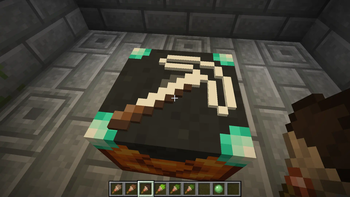
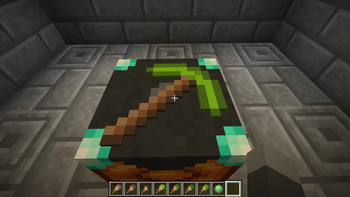
About this Mod
Resource Pack Info
This datapack requires the included resource pack to function! The resource pack is included as GlamourRP.zip in the root directory of the datapack. You can also download the resource pack on its own from the page for the specific version here on Modrinth. Regardless of how you download it, make sure it's added to your Minecraft resources directory and enabled in game!
Introduction
This datapack adds a two new utility blocks to Minecraft - the Painting Table and the Glamour Table.
The painting table can be used to create 1x1 custom paintings that can be hung in item frames.
The glamour table can be used to change the appearance of tools.
Both tables use paintbrushes to edit textures entirely in game.
Recipes
The painting table can be crafted using planks, a bowl, and a brush: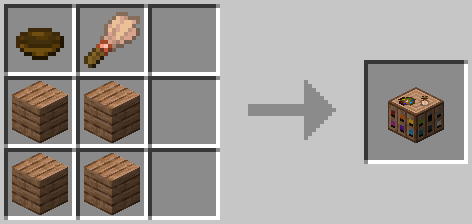
To use a painting table, you'll need to create canvases using sticks and a carpet. The color of carpet used will determine the base color of the canvas: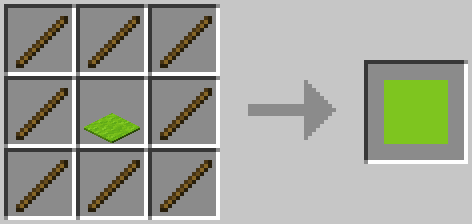
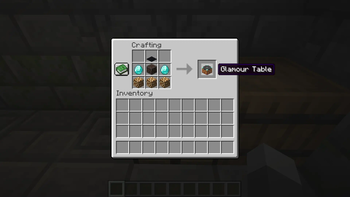
The glamour table can be crafted using glowstone, a creaking heart, diamonds, and any carpet: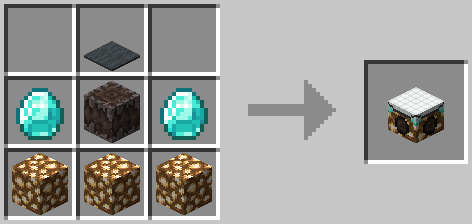
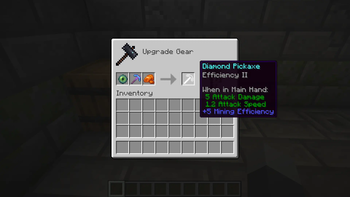
To use the glamour table, you'll need to prepare your tools in a smithing table. Add an eye of ender and a piece of glowstone, and your tool's texture will be updated to an outline.
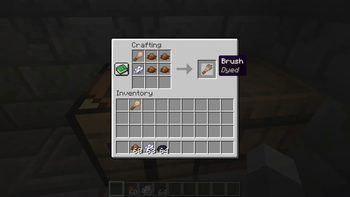
To create paint brushes, add dye to brushes in a crafting table. The final color of the paint brush is determined using the same formula as dyed armor: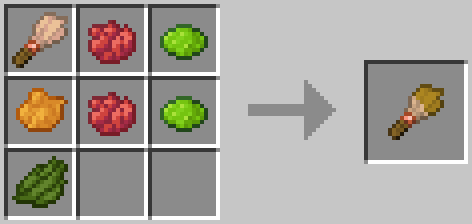
Editing Textures
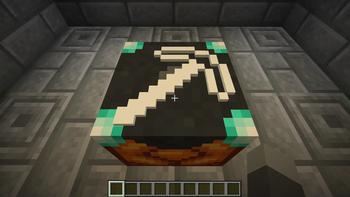
Right click the glamour or paint table with the item you'd like to edit to place it. Paint tables can only edit canvases, and glamour tables can only edit items.
To edit the item's texture, you can either use dyes directly, or use a paintbrush. Just right click the pixel you want to edit with the dye or brush! You can also right click with a slime ball to remove a pixel.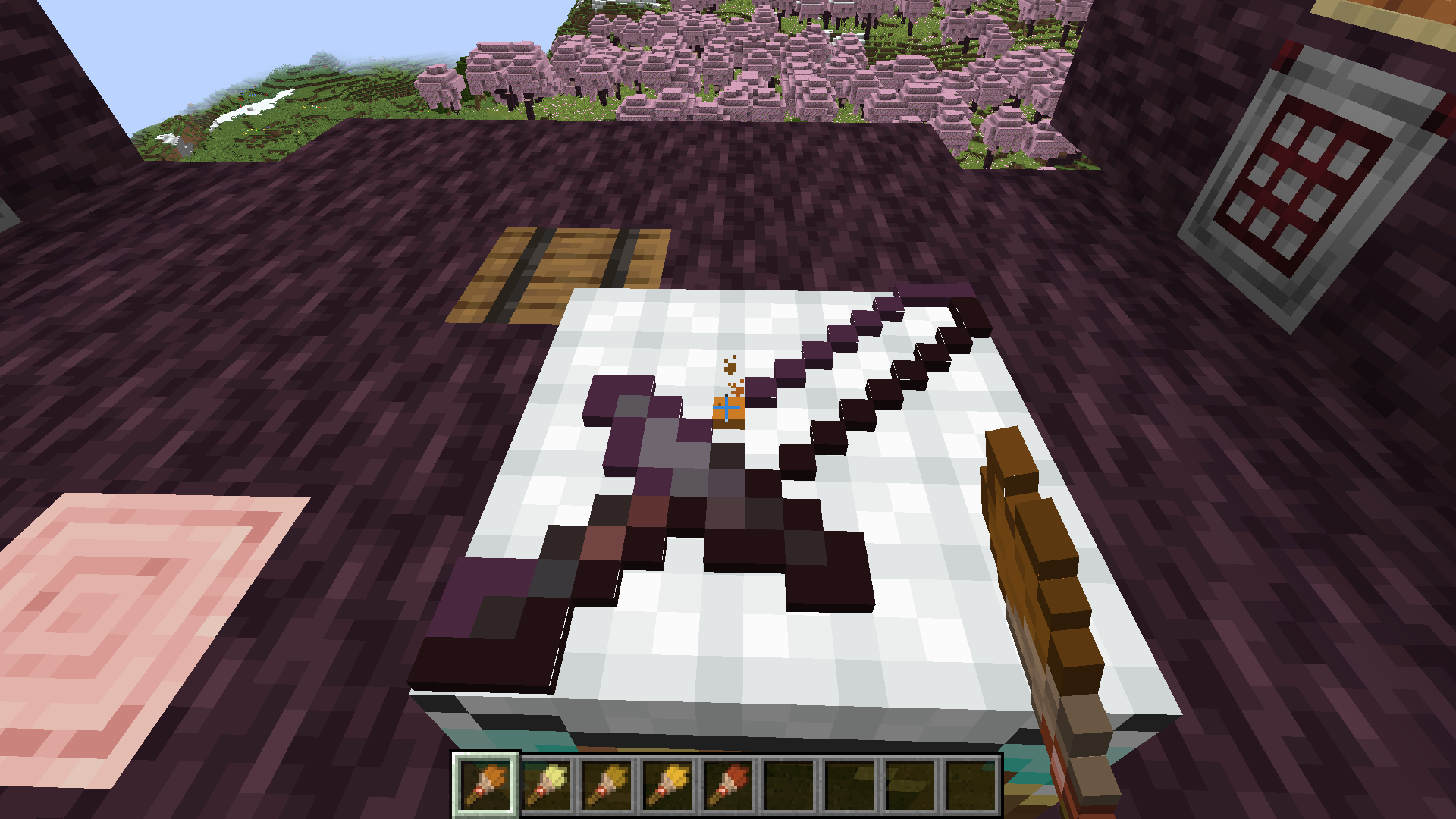
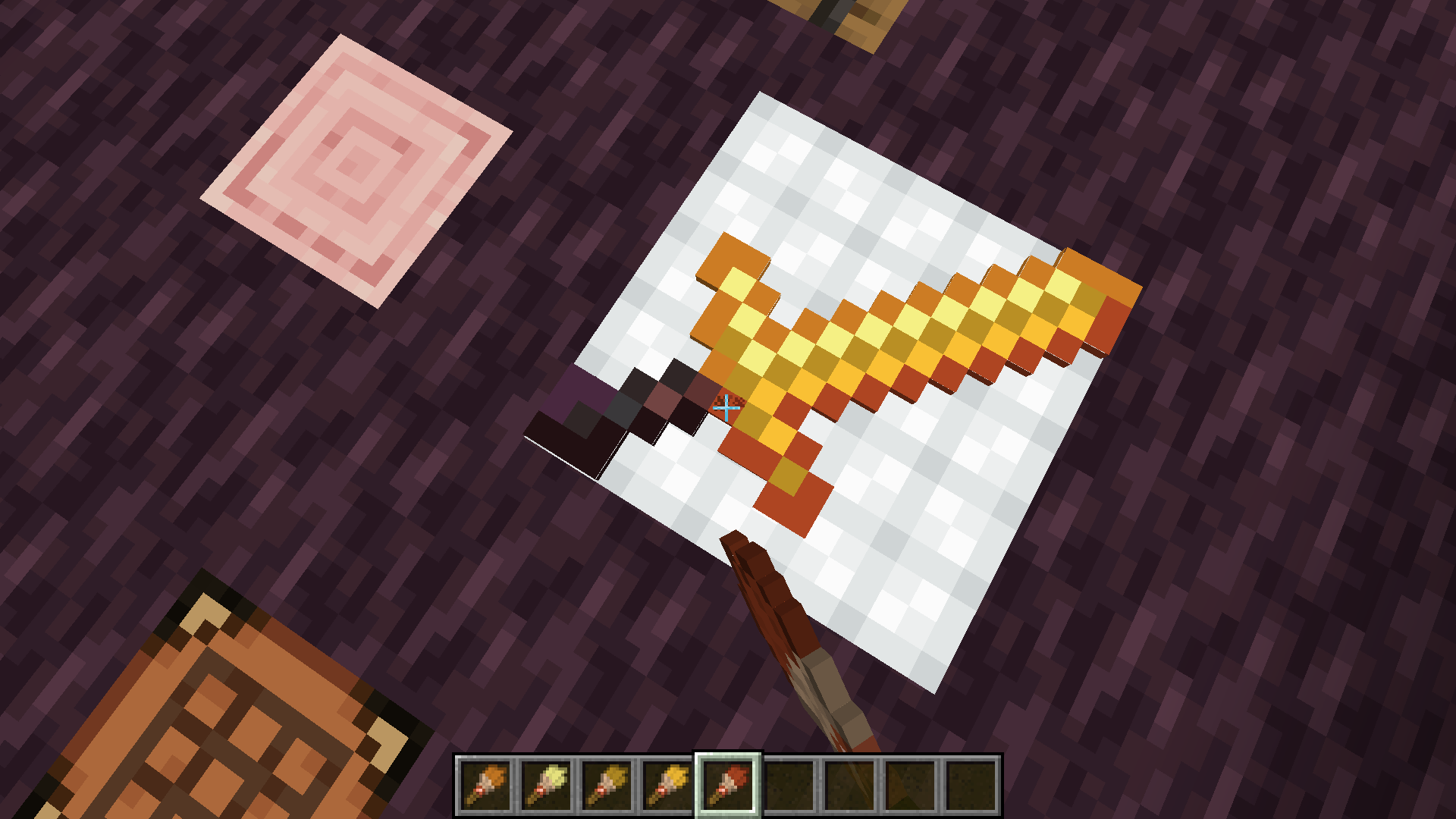
Once you're satisfied with the updated texture, just right click with an empty hand to retrieve your tool!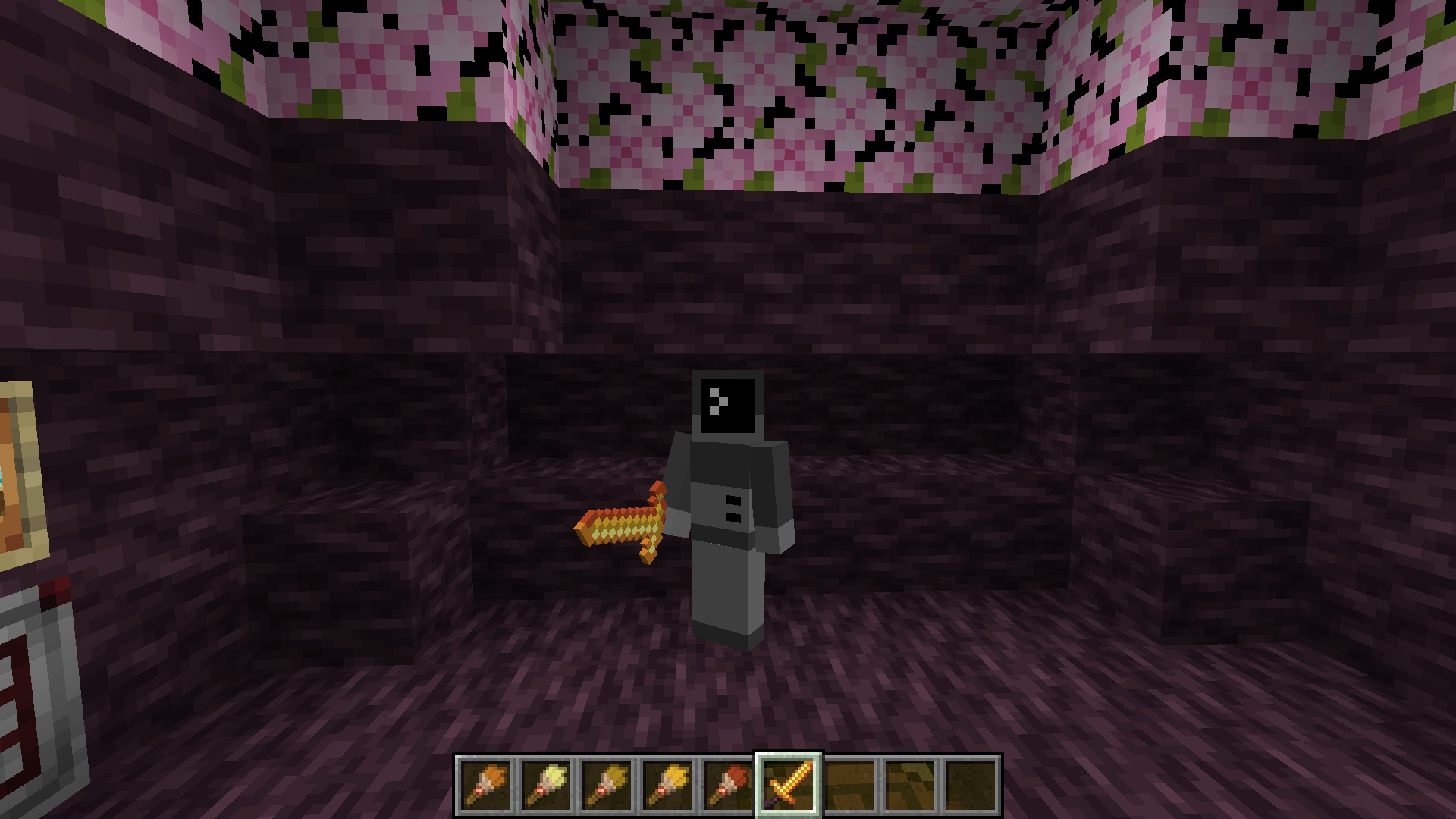
If you want to remove the texture from a tool, place it on the glamour table and right click with a wet sponge. The custom texture will be removed from your item.
Items that can have glamours applied include:
- All pickaxes, axes, shovels, hoes, and swords.
- Maces
Texture Helper Tool
With some help from Arubik, I've put together a webapp to help create items compatible with this resource pack. This tool can either generate a give command for an item with exact RGB values for each pixel, or reduce the colors in the texture to those obtainable by dyes and generate a paint-by-number template to create the texture in survival.
The tool can be accessed here: https://dqwertyc.github.io/glamour-table/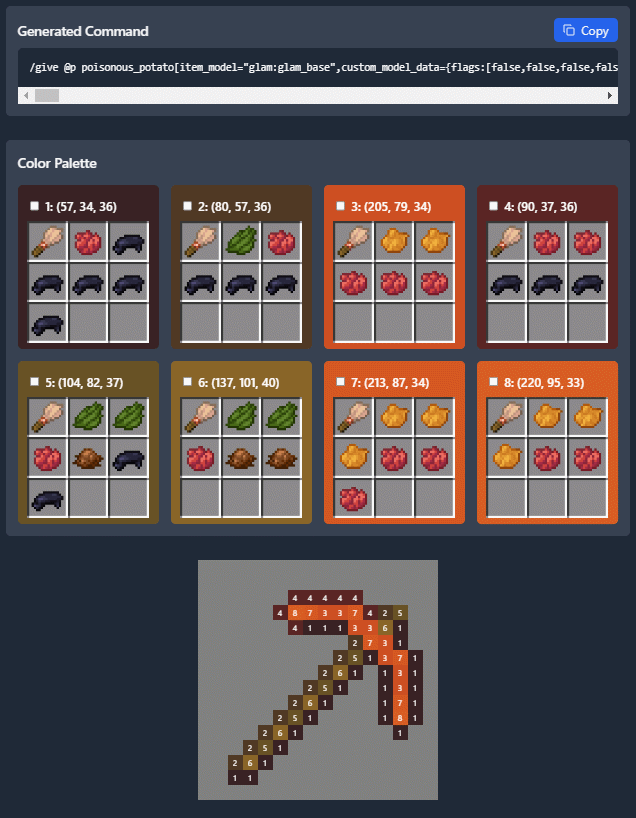
Available Versions
How to Install Glamour Table on Your Server
Order Server
Order a Minecraft Java server with at least 3 GB RAM (4 GB recommended).
Set datapack Loader
In the panel under "Egg", select the datapack loader and matching Minecraft version (26.2-rc-1).
Install Mod
Open the mod browser in the dashboard and search for "Glamour Table". Click "Install" – done! Alternatively, upload the .jar via SFTP to the /mods folder.
Compatibility
Mod Loaders
Minecraft Versions
26.2-rc-1, 26.1.2, 26.1.1 (+11 more)
Server-side
✓ RequiredRecommended RAM
4 GB(min. 3 GB)Frequently Asked Questions
Glamour Table server crashes on startup – what to do?
Most common cause: wrong datapack version or insufficient RAM. Check the server log (latest.log) for "OutOfMemoryError" or "Mixin" errors. With Mado Hosting: ensure at least 3 GB RAM is allocated and the loader matches the mod version (26.2-rc-1). You can switch loaders with one click in the panel.
Is Glamour Table compatible with datapack and fabric and forge and neoforge and quilt?
Glamour Table officially supports datapack, fabric, forge, neoforge, quilt for Minecraft 26.2-rc-1, 26.1.2, 26.1.1. Note: Forge and Fabric mods are NOT cross-compatible – pick one loader and stick with it. The Mado dashboard automatically detects incompatible loader combinations.
Server lagging with Glamour Table – how to optimize performance?
Recommended RAM: 4 GB (per 8 players). Use /spark profiler to check if Glamour Table consumes the most tick time. Common fixes: reduce server view-distance to 8-10, install "performant" or "starlight" as supplementary mods on Forge. With Mado Hosting, your server runs on NVMe SSDs with dedicated CPU cores for minimal latency.
Similar Mods




![[TaCZ] Timeless and Classics Zero](https://cdn.modrinth.com/data/SzzJttH8/fd27766d2bb8390d284696b1dbd358f87e081439_96.webp)

Rent Modded Server
Install Glamour Table with just one click on your server.